

Lu Giacomolli
Participant
Jun 1, 2026 5:01 PM UTC
Question

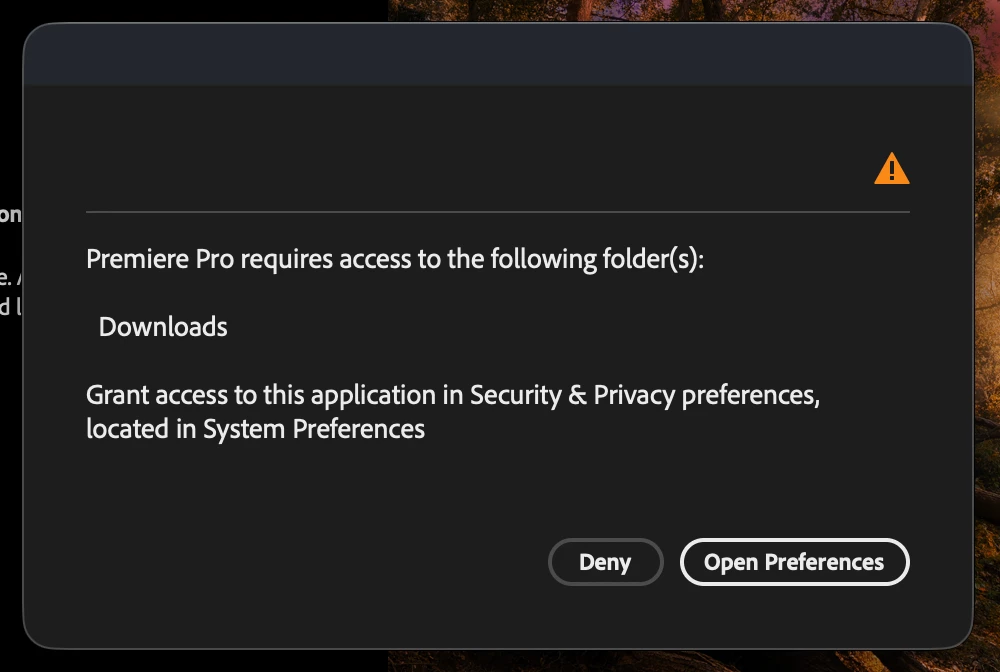
Premiere Pro requires access to the following folders: Downloads

When i open Premiere Pro 2026 it says "Premiere Pro requires access to the following folders: Downloads".

The folder "Downloads" already has permission to write & read and also the app has Full disk Access, but its not working. I also tried restarting the computer.
 

    5 replies

    Participant
    Oct 30, 2026 2:38 PM UTC

    Hi Lu, 

    I have exactly the same message from premiere and the same files and folder setting.

    Did you find a solution to this problem? 

    Thanks

    Translate
    Community Manager
    Nov 2, 2026 11:53 PM UTC

    Hi Daphné,

    Sorry you're running into this issue too.

    On your Mac, go to System Settings > Privacy & Security > Files and Folders, and make sure Premiere has access to Downloads.

    If that's already enabled, check Full Disk Access and make sure Premiere is enabled there as well. Then quit Premiere completely and restart your Mac.

    If the warning persists, please let us know your macOS version and exact Premiere version. Also, does the warning prevent Premiere from launching, or can you dismiss it and continue working?

    Thanks,
    Kevin

    Translate
    Community Manager
    Jun 4, 2026 11:59 PM UTC

    Hi,

    Mine doesn’t look quite like that. My Full Disk Access is one level up.
    Which OS are you running?


    Cheers,
    Kevin

    Translate
    Community Manager
    Jun 1, 2026 9:35 PM UTC

    Hi Lu,

    Thanks for the question. Have you looked in the "FIles and Folders" section, in addition to "Full Disk Access?" Let me know. Sorry for the frustration. I hope we can help you.


    Thanks,
    Kevin


    Translate
    Lu Giacomolli
    Participant
    Jun 1, 2026 11:01 PM UTC

    Hello Kevin!

    Thank you for responding.

    When i said he app has Full disk Access i was meaning in the "FIles and Folders" section. 


    Thanks again

    Translate