


Answered
Premiere Pro Scratch Disk
Hi everyone,
2022 Macbook Air M2 user, Sequoia 15.3.2, Premiere Pro 25.2.3
Outcome needed: I'm trying to set up Premiere Pro so that my scratch disk is on an external SSD.
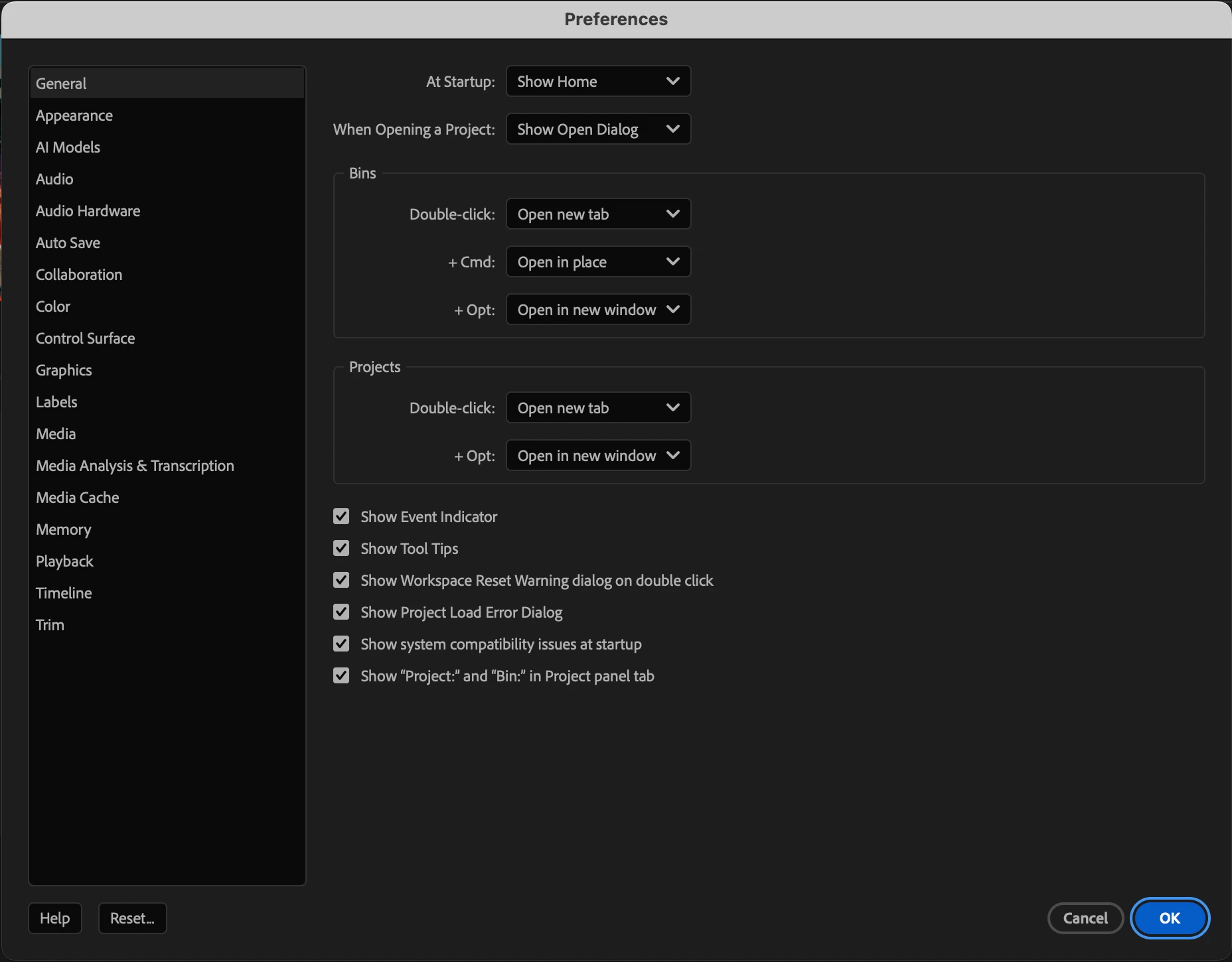
Problem: The scratch disk preferences pane is missing from my preferences. All searching (including on the Adobe site) says it should be there in my preferences, but it is not. I've reset my prefs, I've uninstalled and reinstalled, I've updated. Everything I've found says it should be there.
I've attached a screenshot of my prefs window showing no scratch disk setting/menu option
Any advice would be appreciated.
Rolly

 AdChoices