Participant
March 27, 2017
Question

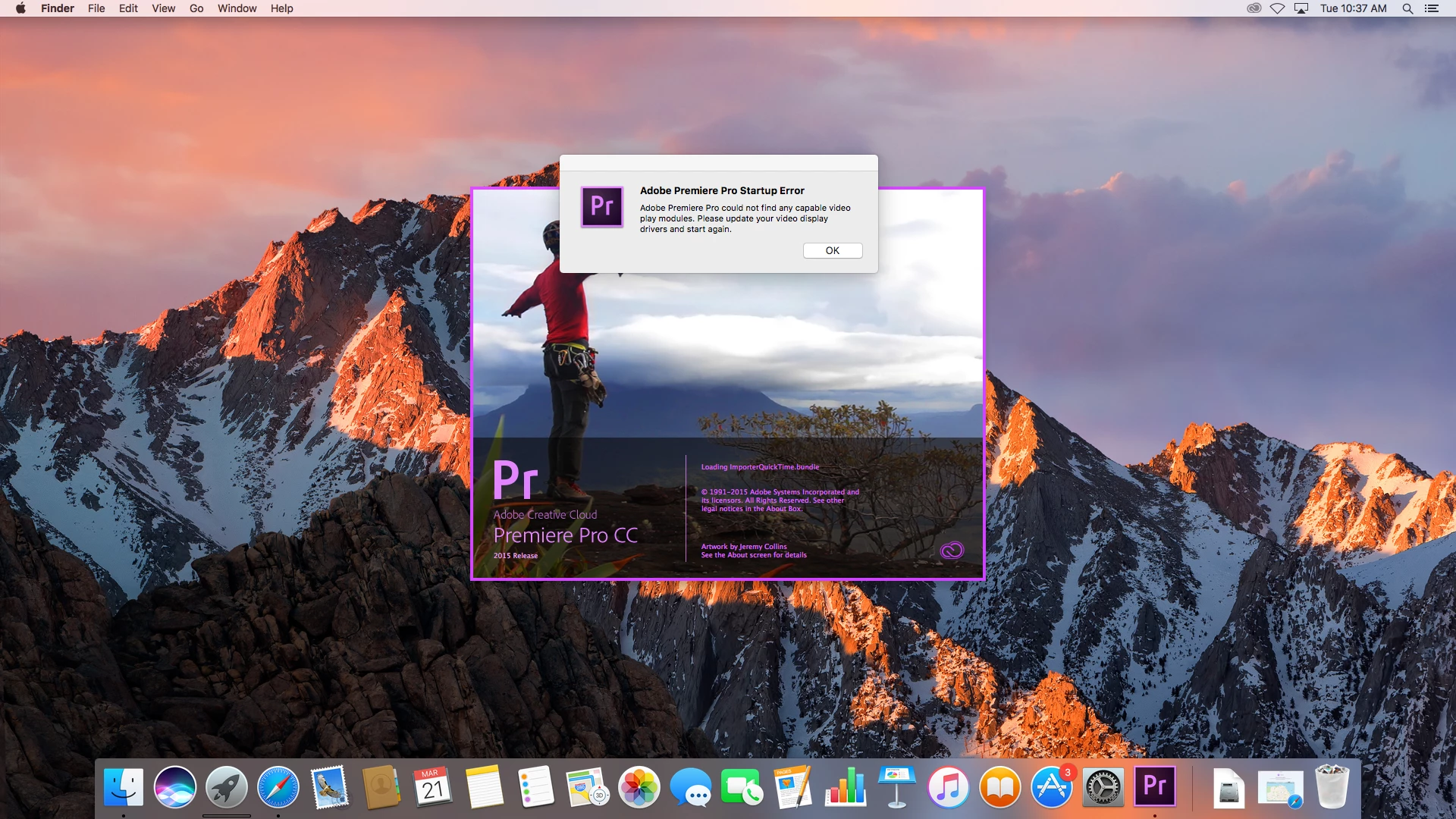
Premiere Pro Startup Error
  • March 27, 2017
  • 4 replies
  • 1064 views

Hi,

We are using iMAC computer in our LAB. All iMAC are bind with mac open directory. User profile are saved on centerlized share location. All user are network user and can login and acces their profile from any iMAC. We have recently upgraded our some iMAC into MAC OS Sierra. Afeter upgrading iMAC Premire Pro application not opening in user profile. Kindly provide some solution.

Regard

Anshul

[Title modified for clarity. — Mod.]

    This topic has been closed for replies.

    4 replies

    Vidya Sagar
    Participating Frequently
    April 6, 2017

    Hi anshultyagi,

    Have you resolved the issue? Please provide us more information on the issue. FAQ: What information should I provide when asking a question on this forum?

    Thanks,

    Vidya

    Participant
    April 6, 2017
    Please download the attached file to view this post
    R Neil Haugen
    Legend
    March 27, 2017

    That dialog box is about not finding any usable video system controls, not about user logins or settings.  It's seeing a hardware issue. And hasn't even got to User log-on yet, it wouldn't seem.

    Neil

    Everyone's mileage always varies ...
    Participant
    April 6, 2017

    Hi,

    When i log-in as Admin it work fine. Problem only come with user login.

    Thanks!

    Vidya Sagar
    Participating Frequently
    April 12, 2017

    Hi anshultyagi,

    Thank you for sharing the error log. Unfortunately, there is very less information related to the issue.

    Premiere Pro requires Administrator level rights to run the program smoothly. Please run Premiere Pro as an Administrator.

    Thanks,

    Vidya

    Sheena Kaul
    Legend
    March 27, 2017

    Moving to Premiere Pro

    March 27, 2017

    你好请问我登录时访问被拒绝是怎么回事?

    R Neil Haugen
    Legend
    March 27, 2017

    From the little you've said, I don't think anyone could do anything but make blind guesses as to what exactly the problem is you're having, let alone offer a solution.

    What is your system, have you run the software before and it's just now changed to deny you to log-on, or is it brand new on your computer and you haven't logged on before? If this is a CC version, what's the status of the CC Desktop app, is it running, and are you signed in to your profile?

    Neil

    Everyone's mileage always varies ...