
Participating Frequently
April 23, 2021
Answered

Premiere Pro Timeline Issues
  • April 23, 2021
  • 1 reply
  • 439 views

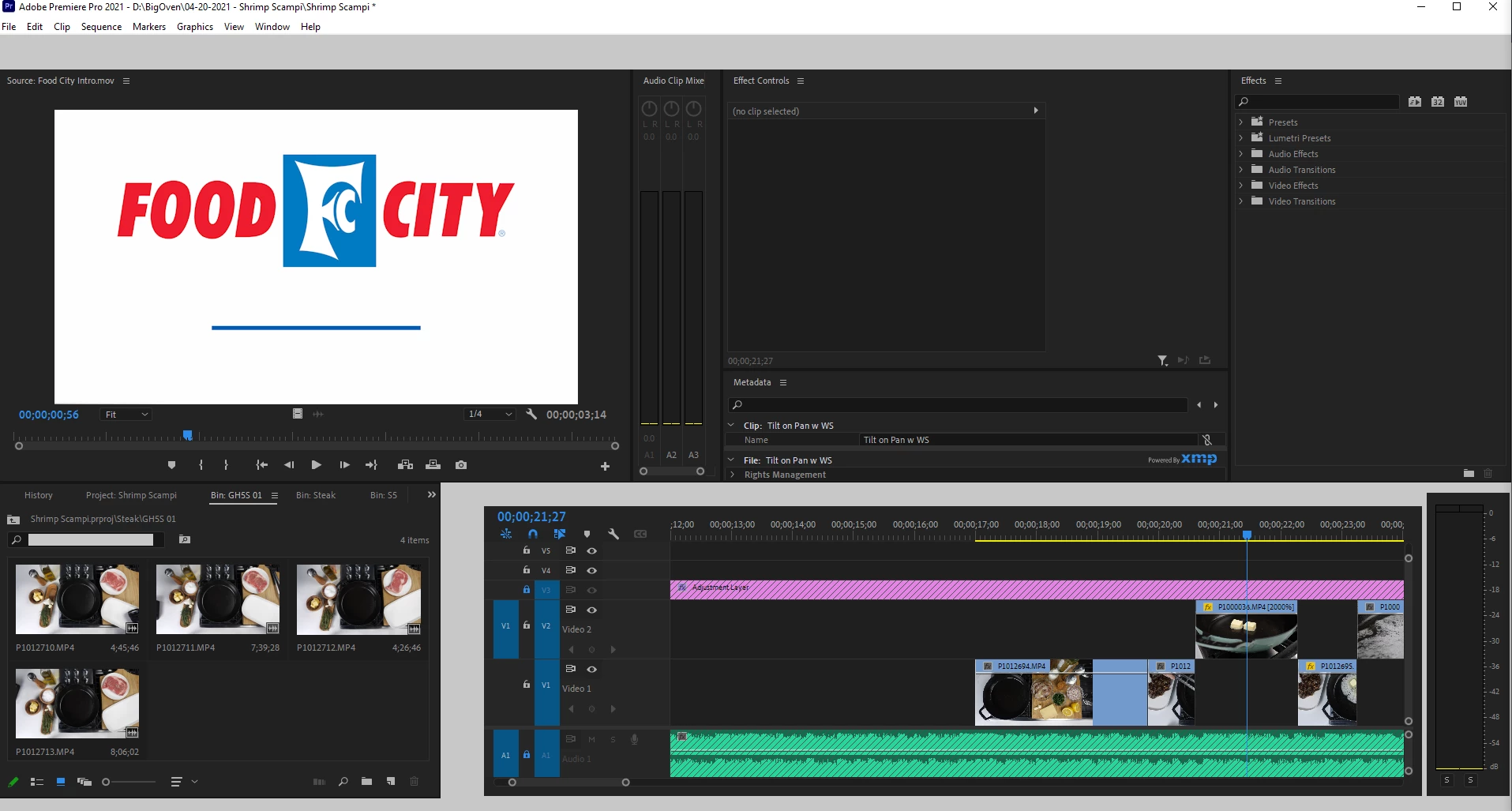
So it would appear that (once again) the most recent update has caused some sort of issue with Premiere working for me. For whatever reason, when I try to work with something in my timeline, it will either not respond to any inputs, it will have parts or entirely gray out (see image), or just crash.

Is anyone else experiencing this issue and/or have a solution as to what the problem is? I'm working with the same file types and constraints that I have been for months now without issue until the past few days.

This topic has been closed for replies.
Correct answer Kevin-Monahan

Zachariah,

Sorry about that. I would try the typical troubleshooting steps: copy/paste clips to a new sequence, delete media cache, and trash preferences. I would also use a stock workspace and reset that workspace in the Window menu. Finally, consider transcoding and/or creating proxies to edit with. Render and replace any tough clips at a minimum. Come back after trying a few of these things.

Thanks,
Kevin

1 reply

Kevin-Monahan
Community Manager
Kevin-MonahanCommunity ManagerCorrect answer
Community Manager
April 23, 2021

Zachariah,

Sorry about that. I would try the typical troubleshooting steps: copy/paste clips to a new sequence, delete media cache, and trash preferences. I would also use a stock workspace and reset that workspace in the Window menu. Finally, consider transcoding and/or creating proxies to edit with. Render and replace any tough clips at a minimum. Come back after trying a few of these things.

Thanks,
Kevin

Kevin Monahan - Sr. Community & Engagement Strategist – Pro Video and Audio
Participating Frequently
April 23, 2021

Hi Kevin


It looks like the combo of clearing the media cache and reseting the workspace back to a stock version seemed to resolve the issue.


Does this mean that I'm not going to be able to customize my layout from here on out? Or should just the process of reseting/clearing be enough?