



Premiere Pro unlinks my AE clips on every start
I use Replace with After effects composition function in Premiere Pro practically in every video. Not long ago I updated to Premiere Pro 2024. Now all the layers I have made via this function get disconnected everytime I quit Premiere Pro and launch it again later. It wouldn't have been a problem if the relink media function worked, but it does not. When I try relinking my media the progress bar does not move at all (tried waiting for an hour) trying to connect to dynamic server. Quitting and relaunching Premiere Pro does not help. So having investigated the problem I discovered that After Effects remains in my processes even after I close Premiere Pro, and I suppose it launches everytime when dynamic link is involved.
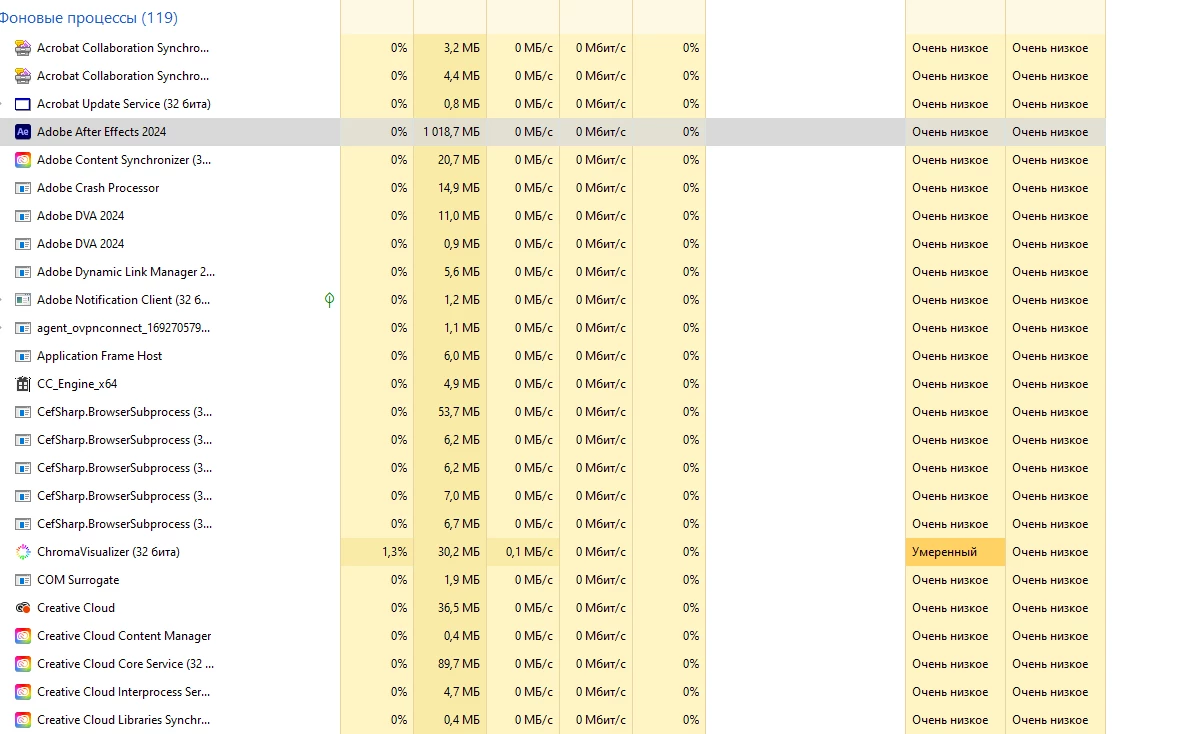
So if you forcely close it, Premiere Pro relinks the AE media on next launch. But later on when you close Premiere Pro again the problem reappears.
When I tried exporting my project once all the visible media were relinked, Premiere Pro said I had some unlinked media left. So I found this one and tried to relink it the way described above and I failed - closing the AE task did not help and this media tried connecting to dynamic server for ages. I then closed the dynamic link manager process and it helped. The next day I got it all over again and this time none of the workarounds helped. Right now I have an unlinked Ae animated map I created via the dynamic link which I cannot relink. Adobe, please, do something with it hence it multiplies to a null all the advantages of having Ae via the dynamic link....
 AdChoices