
premiere project (not the autosaves) not saving to autosave folder
so recently, premiere was not autosaving at all. Not sure what was going on... deleted preferences, hit the computer soundly on the side a few times, updated Premiere to 23.6, reverted to 23.4, updated again to 23.6 and eventually it resumed working... However, previously, when I closed the project, it would add the final save to the autosave folder (which is located on my media drive - while the project is also saved on a folder on my startup drive which is mirrored automatically on dropbox). I liked this alot because my media drive always had the latest version of the project on it, so if I had to work at a clients, I just brought the drive along... not working anymore. autosaves functioning properly, and it seems to be saving to creative cloud (although I've never relied on that...). just no final project in the autosave folder. I did reset my preferences before checking this...
Anybody have any ideas what's going on? Not a make or break, just a function that was useful to me, the option is still available in autosave preferences, just not working. Thanks as always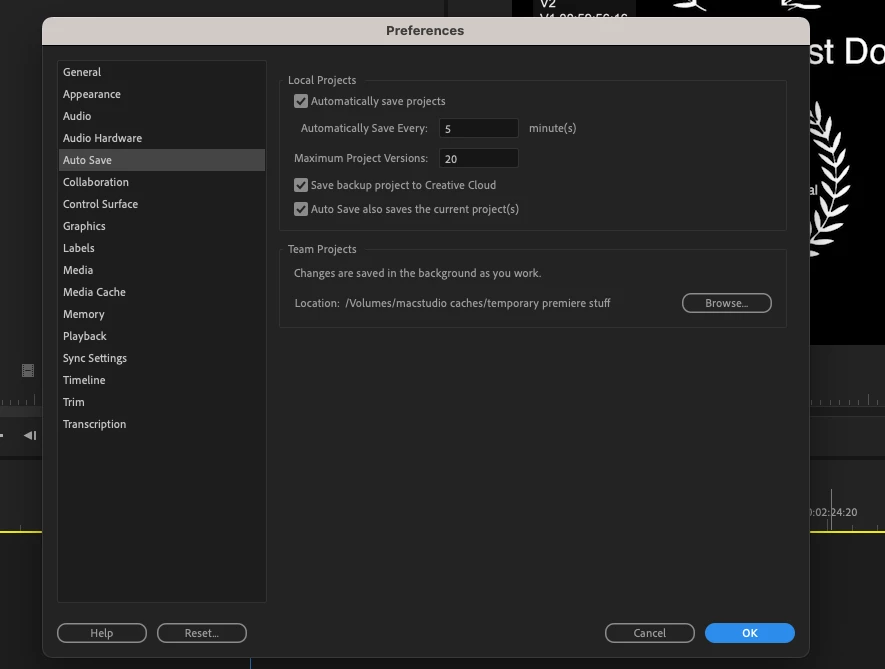
 AdChoices