
Premiere's source monitor and lumetri scopes panel goes blank while working on lumetri color panel
ok, i hope this is not unique to me.
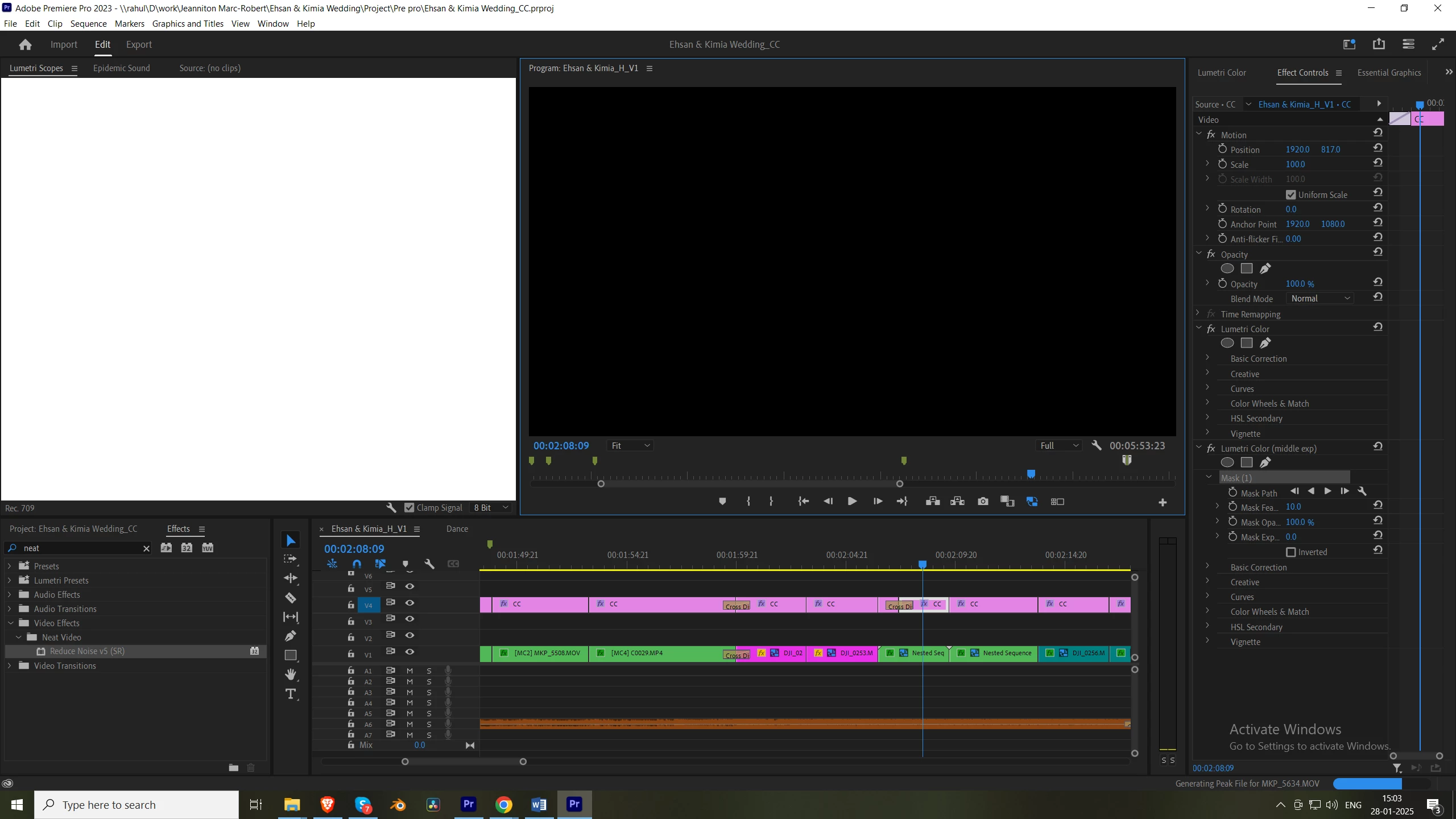
Premiere's source monitor and color scopes panel goes blank while i am working on lumetri color panel. I am able to grade for 5-10 minutes and then the "entire screen goes black" and when it comes back the lumetir scopes and source monitor are in this way as shown in the picture below.
Grading is working perfectly smooth in 2022. However 2023-24-25 i am facing this problem. I upgraded the nvedia drivers as well to the laterst studio version 566.36.
Below are my specs:
Processor - 11th Gen Intel(R) Core(TM) i9-11900K @ 3.50GHz 3.50 GHz
RAM 64.0 GB (63.9 GB usable)
System type 64-bit operating system, x64-based processor
Graphics - Gforce RTX 3060
I really hope someone is able to help find a solution to this.


 AdChoices