h brucew15377208
Participant
December 10, 2020
Question

Premiere scaled image hides lower layers

  • December 10, 2020
  • 1 reply
  • 185 views

I frequently place a "slide" (an 80% resized .png file) over background images/video.
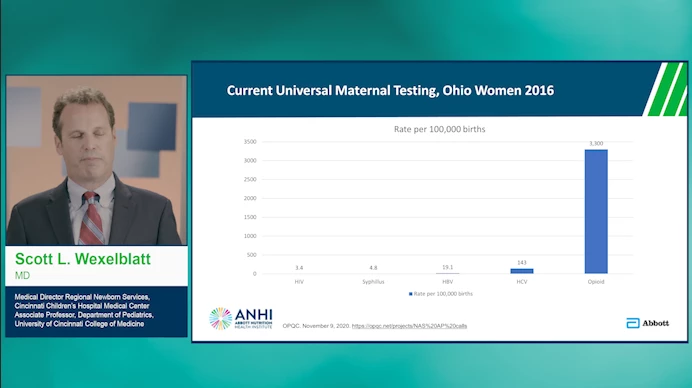
In the timeline it looks like this:
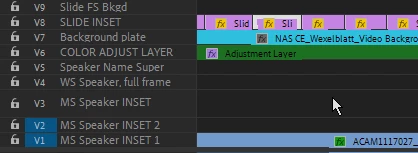
 

Frequently, it blocks lower layers in Premiere  program monitor, but it will render fine. There is no masking here.
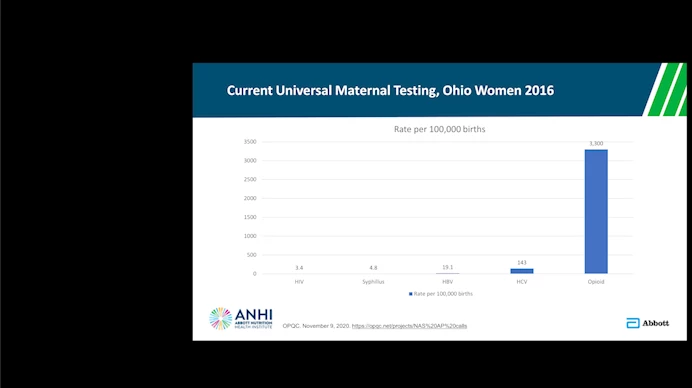
 

If I disable/enable the image items (individually)  on the timeline, this ususally fixes the problem. But then when I reeopen Premiere for a later edit, the lower layers are again hidden.  Problem occurs with JPG or PNG imaages. Haven't really tried with other formats. 


It's especially painful with 100+ "slides!"


Any ideas on why this is happening/how to cure?


Thanks!


This topic has been closed for replies.

1 reply

Ann Bens
Community Expert
Community Expert
December 10, 2020

What is on the adjustment layer?


h brucew15377208
Participant
December 10, 2020

In this project it contains luimetri settings for speakers' studio video (Adjustment layer and video layers are below this.). This problem occurs with/without the adjustment layer present.


MORE background info:

  • The problem occurs on both Mac and Windows machines.
  • In projects where this is a problem, sometime the entire program window goes black, not just the layers below the PNG.
  • If program window is black, system will not record Export Frame (Cntl+Shift+E) [logically because there is nothing there as opposed to black]. If window is partiall visible, I get a partial image, but the same size as the program window:
  • Sometimes I have to restart Premiere or even fully reboot.