Participant
November 20, 2024
Answered

Premiere Subsequences/Nested Scenes NOT Staying Together

  • November 20, 2024
  • 2 replies
  • 707 views

Hey! First time posted to the community, so hoping I can find some help. Up until about a week ago my subsequences worked fine, but now no matter what I do they won't remain consolidated into one clip. I often like to use multicam editing so making a subsequence is ideal for that. but now everytime I drag my subsequence to the timeline, it drops the contents of the subsequence rather than the consolidated clip. I've tried doing some digging and it just seems like too niche of a question to find an answer for. 


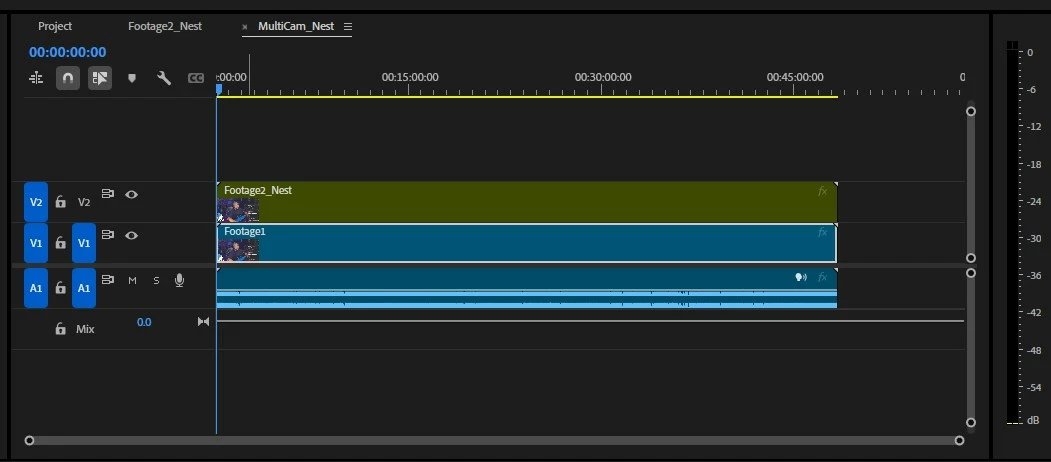
I've attached a few images. 1 being the Nested scene I'm trying to edit, 2 being the contents that drop onto the timeline when I try to add my Subsequences/Nest scenes


Anybody got me on this one?

This topic has been closed for replies.
Correct answer Ann Bens

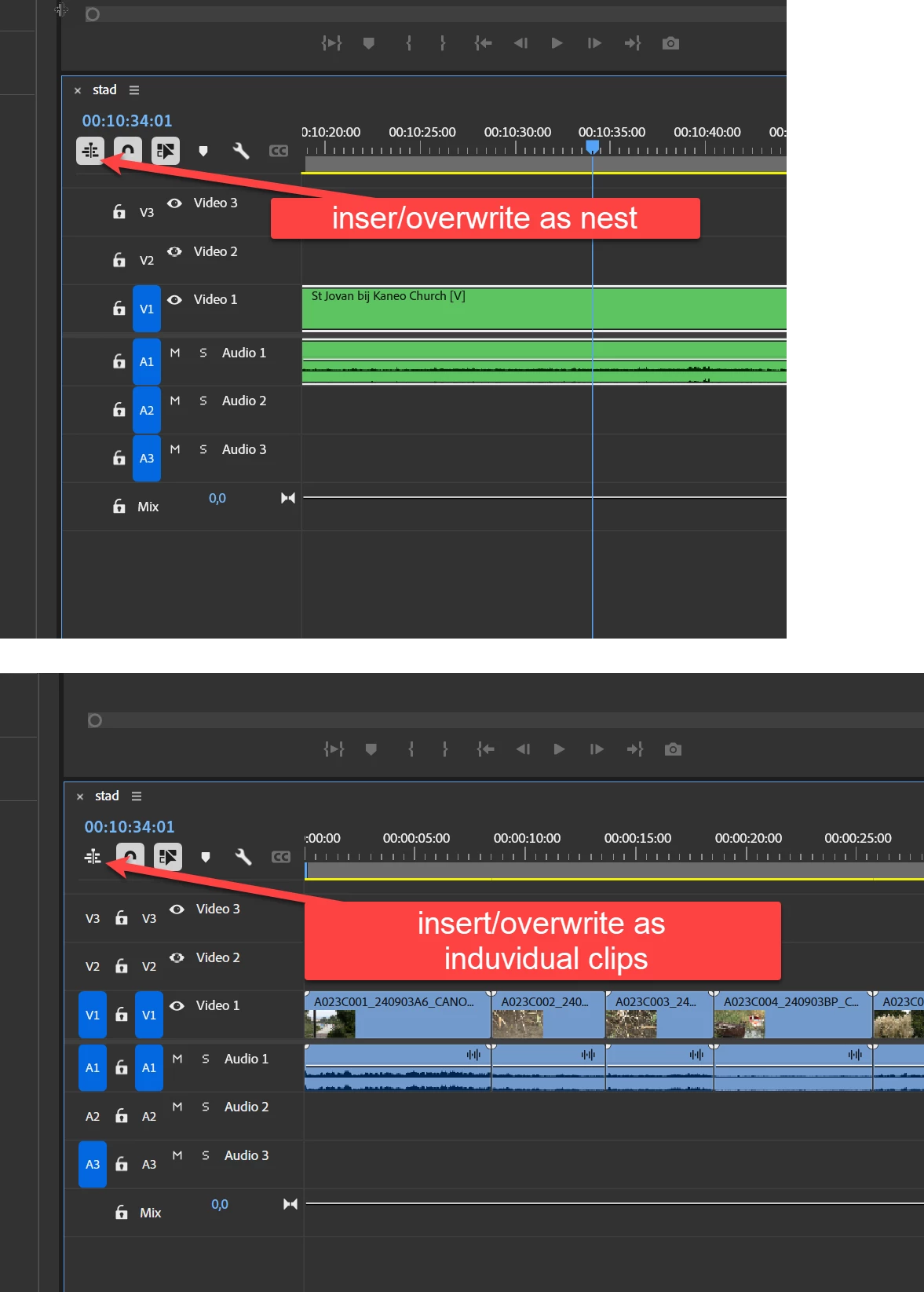
The icon is not very obvious:

2 replies

R Neil Haugen
Legend
November 20, 2024

He is referring to the "nest or not" icon there third from the left. Right below the timecode.

Everyone's mileage always varies ...
CGDannyBAuthor
Participant
November 20, 2024

Is that not the Linked Selection Tool? i tried using that one and didn't get any successful results

Ann Bens
Community Expert
Ann BensCommunity ExpertCorrect answer
Community Expert
November 20, 2024

The icon is not very obvious:

Community Expert
November 20, 2024

Please click the 3rd tool at the top of the toolbar and then try dragging your nested sequence back into the timeline.

CGDannyBAuthor
Participant
November 20, 2024

Not sure which tool you're referring to. If you mean the "Linked Selection" Tool or one of the options under the "Ripple Edit" Tool. But I tried both and no luck. Let me know which tool you meant if I'm misunderstanding