



MarekMularczyk
Community Expert
Community Expert
July 22, 2025
Answered

Premiere System Resources Use on Windows

  • July 22, 2025
  • 2 replies
  • 351 views

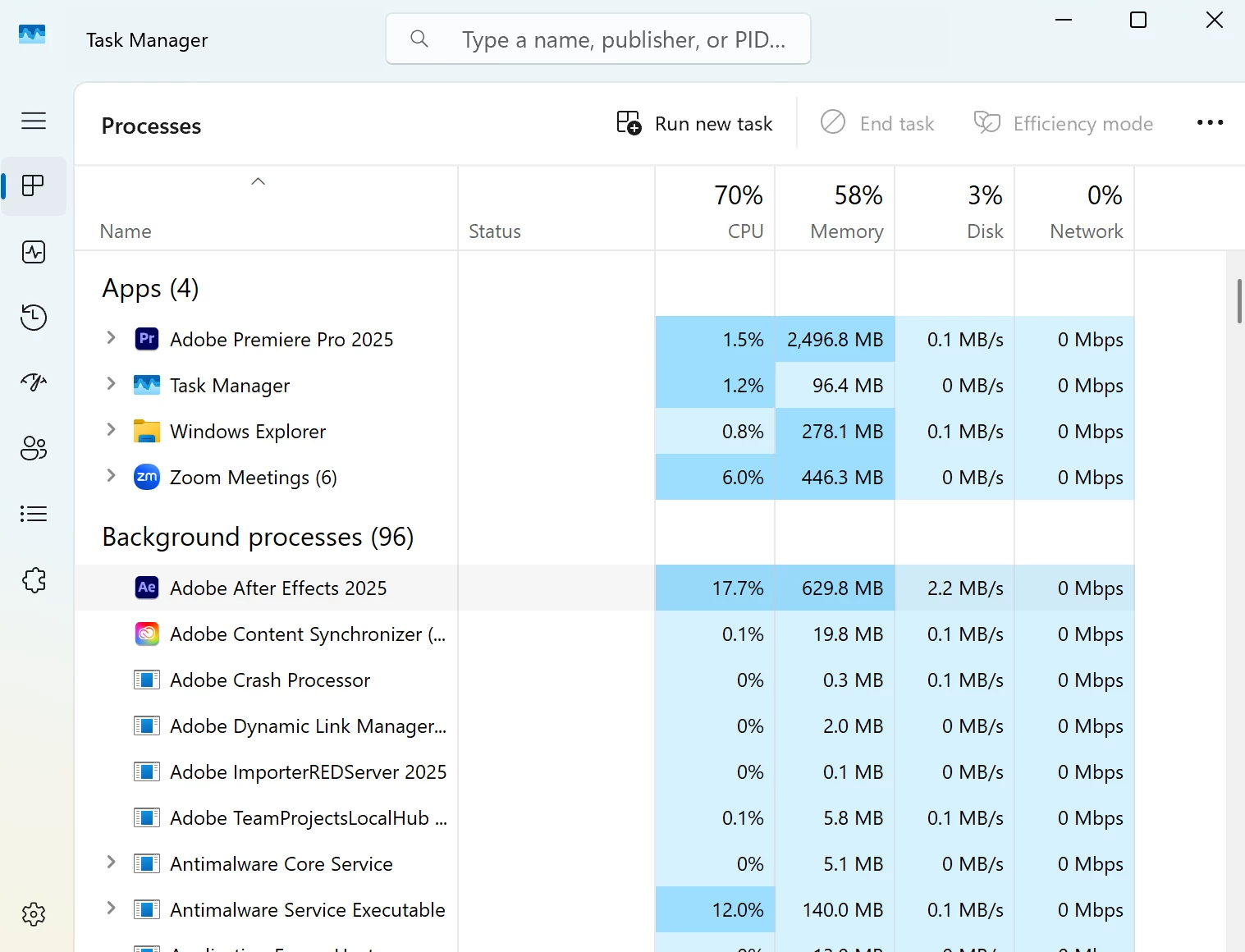
Premiere (and other applications) seem to use almost all available resources on Windows, even now after upgrading to more RAM (32GB). It was the same before with 16GB and it's the same now with 32GB:


Why is Premiere using so much RAM and Processing power and also, anyone who knows Windows well, why is it showing such high RAM and CPU usage despite Premiere only showing only using 2.5GB RAM and 1.5% CPU ?

Correct answer Ann Bens

Is it possible to schedule Defender to run outside working hours?


That is a question for Microsoft.

I would not turn off Windows Defender as long the machine is connected to the internet.

2 replies

Community Manager
July 24, 2025

Hi MarekMularczyk,

It seems like there is an Antimalware scan running in the background. Does reosurce utlization drop once the scan is completed? In the past, I've seen antivirus scans use a lot of system resources when they do the periodic scans. Also, you may want to sort the Processes by CPU% in Task Manager to see which one is using the most.


Thanks,

Sumeet

MarekMularczyk
Community Expert
Community Expert
July 30, 2025

Where would it come from (antimalware scan)? I don't use any antivirus.


Adobe Community ExpertAdobe Certified Professional
Ann Bens
Community Expert
Community Expert
July 30, 2025
quote

 I don't use any antivirus.


By @MarekMularczyk


Window Defender?


You can turn the AntiMalware off.


I have it turned off.  Instead, using Malware Bytes.

Kevin J. Monahan Jr.
Community Manager
Community Manager
July 24, 2025

Thanks for reporting on this Marek. Is anyone else experiencing this? It's the first I've heard of it. 


Thanks,
Kevin


Kevin Monahan - Sr. Community and Engagement Strategist – Adobe Pro Video and Audio