Studio-7
Participant
March 15, 2018
Question

Premiere Timeline Stops Playing Video

  • March 15, 2018
  • 1 reply
  • 4617 views

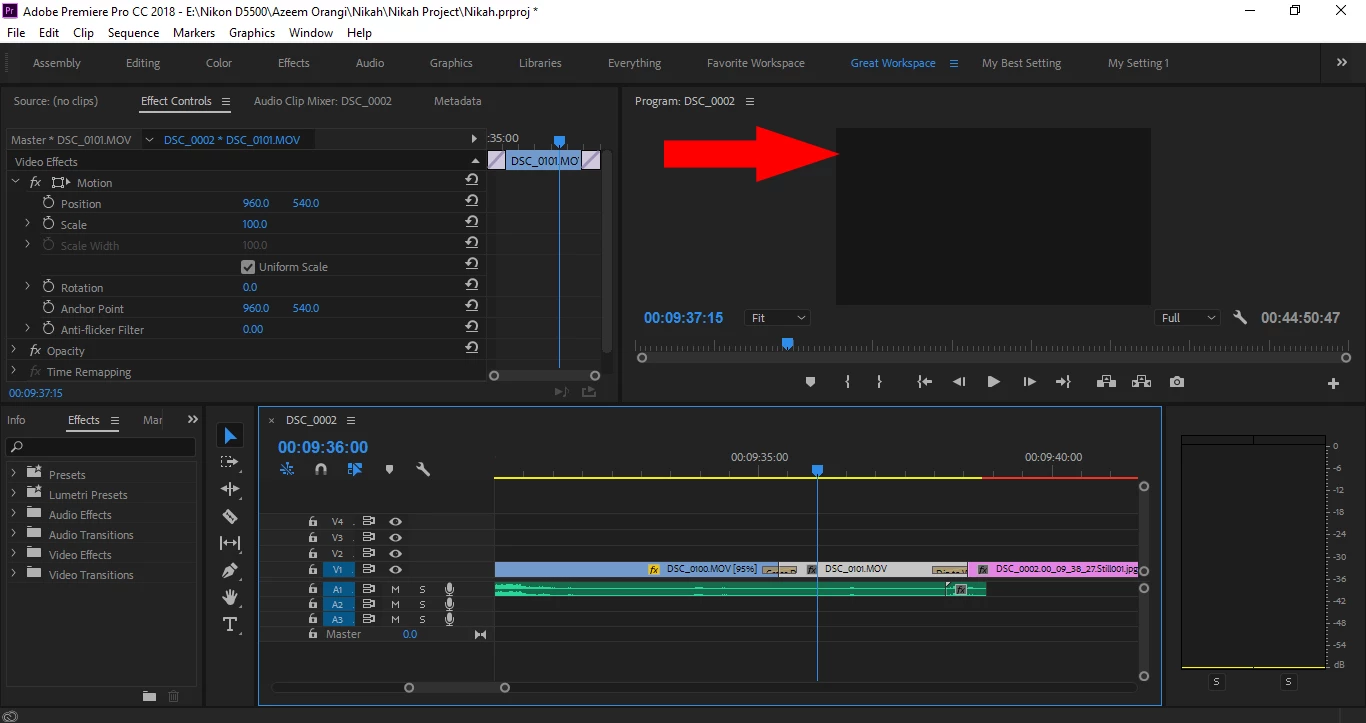
Premier timeline stops playing videos, the video screen turns white... Changing Workspace only turns the video screen from White to Gray.

I can save my work but when I try to exit Premiere, screen turns light gray and Premiere hangs... Have to get out of Premiere using Task Manager.

Cleaned Media Cache... Doesn't solve this problem.

Restarting Laptop makes it work again.... Than the Laptop screen goes black, blue and turns back to find Premiere showing WHITE instead of the video playing in the Timeline.

Any solutions all you friends? Thanks a lot
This topic has been closed for replies.

1 reply

Peferling
Inspiring
March 15, 2018

It appears that you might have a corrupt clip (or corrupt cache file/code for a clip).  If it occurs on a particular clip.  Disable any FX applied and try again.  If it still crashes then disable it (right click, deselect "Enable"), and see if the timeline plays back normally.  If it does, re-enable the clip, then relink the clip (right click, "Make Offline".  Right Click, "Link Media") to force PPro to rewrite the cache file for that clip.  See if that helps.

Studio-7
Studio-7Author
Participant
March 15, 2018

Thanks a lot for your answer. It happens playing different clips, it seems the problem lies in the Mercury... For it happens even when I am exporting video. I get to know Mercury crashes when I notice the change in the resolution of my screen.

Peferling
Inspiring
March 16, 2018

Then switch to software mode and see if the issue resolves.  If it does.  Then update the driver.  If this a new issue, (it's worked before), then check to see if windows automatically updated your driver and roll it back the previous version that worked.