
Inspiring
July 22, 2024
Question

Premiere Won't Export

  • July 22, 2024
  • 1 reply
  • 1259 views

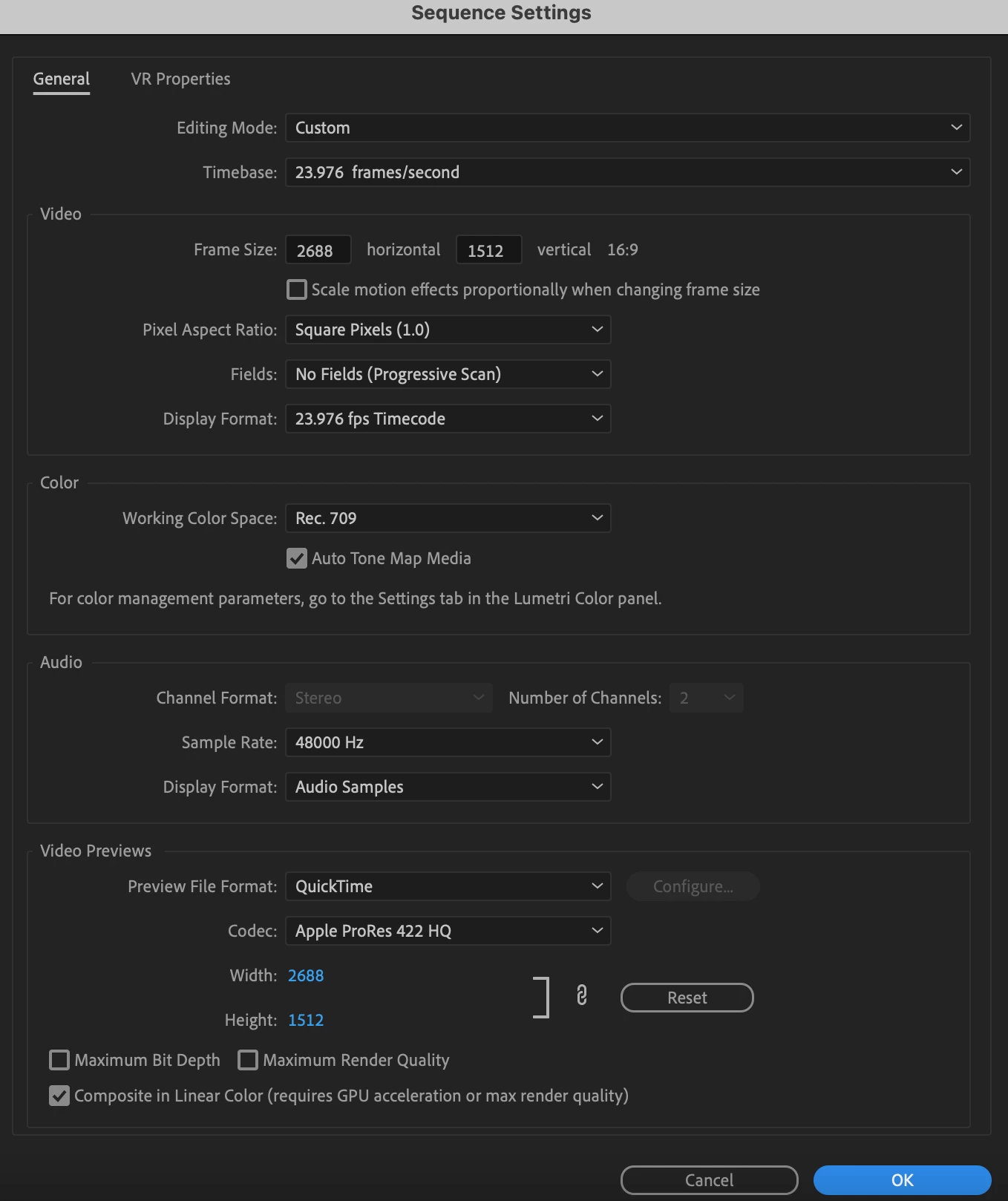
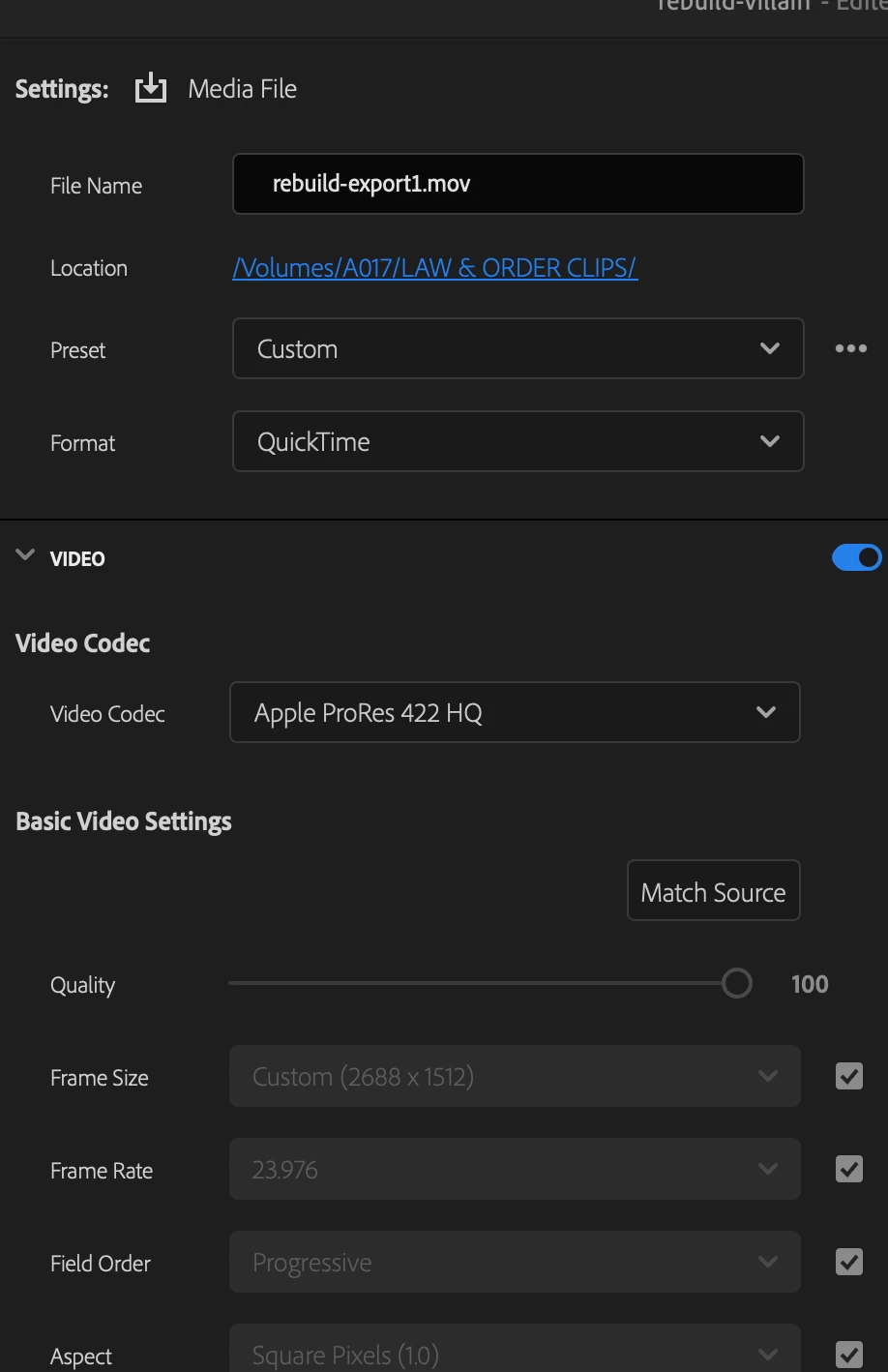
I'm at my wit's end - I can't get Premiere to export without quitting. I've tried different codecs, different save locations, unistalling and reinstalling Premiere...nothing is working. Here are my settings; I'm trying to export a file that is 2:30 minutes long, so it shouldn't be a heavy lift. I've rebuilt the file to see if there was some mysterious gremlin in the original file and it still won't export. I don't see any error messages anywhere.

Please help. I'm running a Macbook Pro with Sonoma 14.5 and roughly 50gb of free memory; have been trying to save to an external SSD with 700gb of free space.
This topic has been closed for replies.

1 reply

Community Expert
July 22, 2024

Hi! Sorry you're having issues. What version of Premiere is this?

There's noting odd about your setup -- other than you have an odd frame size. Any particular reason for the 2688 x 1512?

-------------------------------------------------------------------------JVK | Editor/Designer/Software Instructor. Pr, Ae, Ch, Ps, Ai, Id
Inspiring
July 22, 2024

This is version 24.5 the latest update.
What would you recommend the frame size be?

Community Expert
July 22, 2024

Well, that depends on where it's going and also what the aspect ratio was of your original footage. Typically, most (but not all) video is 16:9, so at an HD size that's 1920x1080. At UltraHD that's 3140x2860, etc. etc. Social media outputs can be vertical (9:16), square or a rectangle (4:5). So what's in your sequence and where are you posting it?

-------------------------------------------------------------------------JVK | Editor/Designer/Software Instructor. Pr, Ae, Ch, Ps, Ai, Id