

Temístocles Gonçalves
Participant
May 19, 2023
Question

Premieree pro Locate file can't access MacOs Library folder

  • May 19, 2023
  • 2 replies
  • 428 views

I need to link files from my Dropbox folder, which by default is located inside my C:/Users/Library/~ folder. Premiere's Locate window simply cannot access that folder. I can see it on the Locate window, but can't click it, double clicking it does nothing.
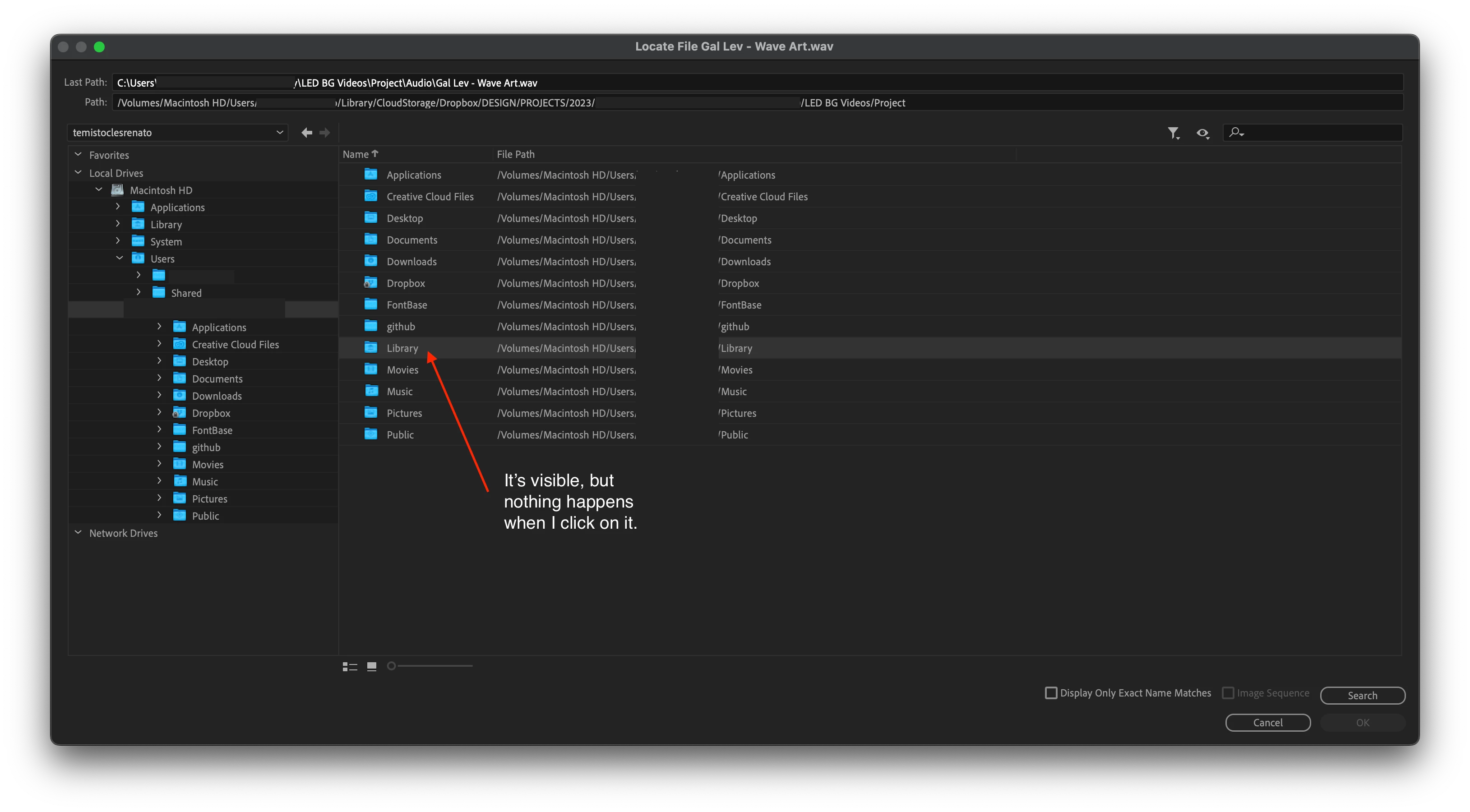
I've already tried to change sharing settings, with no success.

2 replies

R Neil Haugen
Legend
October 15, 2025

Folders controlled by a sync app like Dropbox are bluntly problematic for working in an NLE. Sometimes the NLE simply doesn't get 'permissions' ... and often, the syncing process changes data in file headers to track when they've been touched and/or synced, and that change can make NLEs think the file isn't the same one they last accessed.


Everyone's mileage always varies ...
Participant
October 15, 2025

Thanks for this info @R Neil Haugen! Do you know of any work arounds to get the locate files window to work when its acting up like this? Or do we just have to manually import the file again and relink in the Premiere software?

R Neil Haugen
Legend
October 15, 2025

I'm somewhat familiar with this in PCs, not though in Macs. The permissions and such are similar but different.


And we had enough trouble getting anything to work smoothly ... Dropbox, WeTransfer, a couple others ... and ended up going to LucidLInk which sets up a virtual drive on the computer that works across Macs and Pcs (our partner in Cape Town is all Mac) and just works.


Some people have been able to work sort of with Dropbox synced folders, but many have to use Dropbox as essentially a transport service but copy the files to another local folder setup.


It seems about everyone's process is a bit different.

Everyone's mileage always varies ...
Temístocles Gonçalves
Participant
May 19, 2023

Additional info:
Premiere Pro 23.3.0

MacOs Monterey 12.5.1

15 inch 2018 Macbook Pro

Participant
October 15, 2025

Were you able to figure out what the issue was? Having the same problem!