Participating Frequently
June 18, 2018
Question

Premire Pro freeze and windows disappear

  • June 18, 2018
  • 1 reply
  • 285 views

Hi!

I have a probleme with premiere pro. Everytime a start working on something, the software becomes really slow and I have the restart the program. When I open the same project again, the interface looks like this.
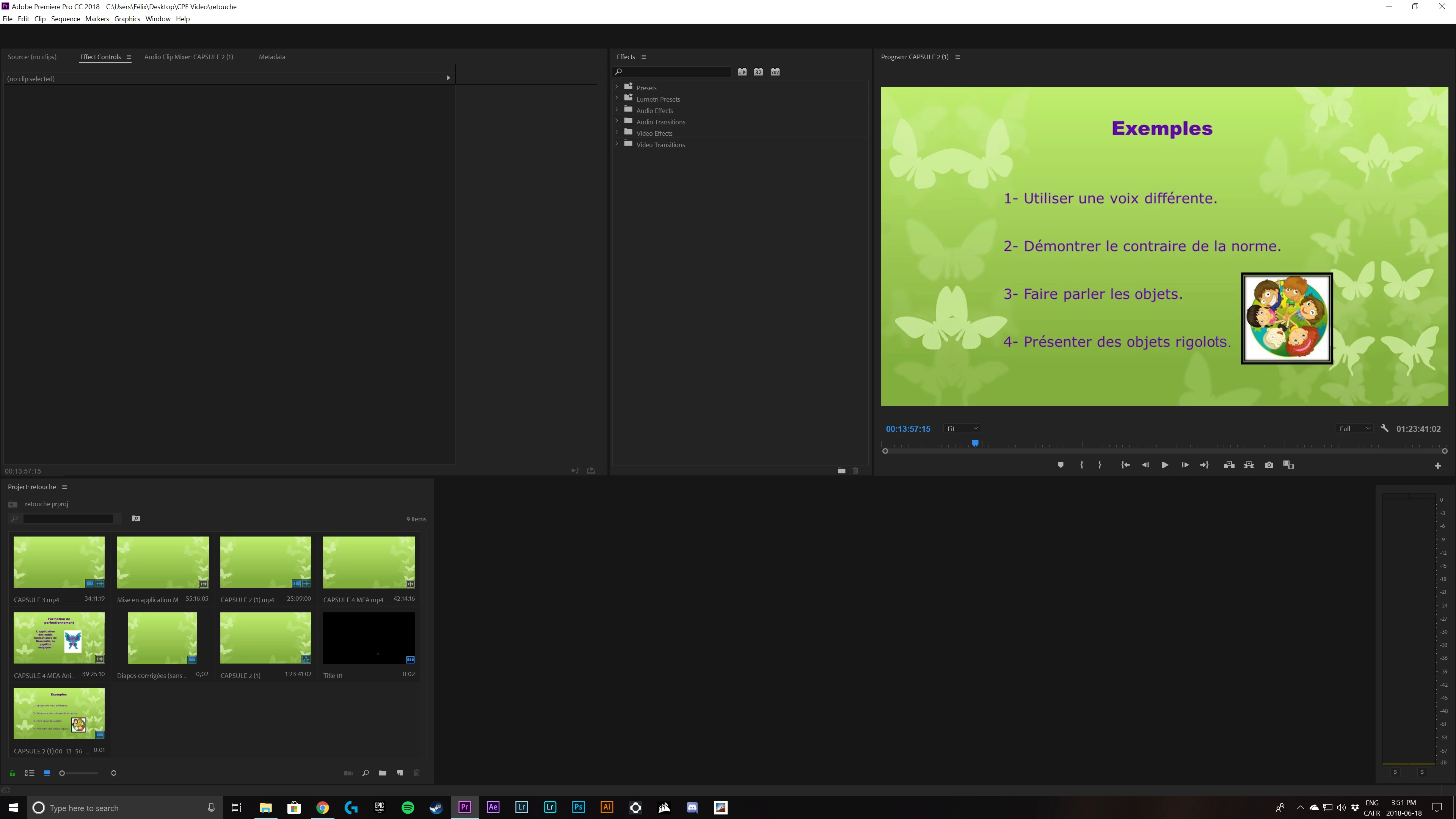
http://

The timeline goes away, with the workspace bar at the top. When I click on it it pops back but everything is slow and does respond immediately.

Why is it doing that?

    This topic has been closed for replies.

    1 reply

    Inspiring
    June 18, 2018

    Some more info about your workstation would be helpful. What are the specs of the machine you're editing on, what operating system are you using and what version, what version of Premiere are you using, etc.

    Other important info is what KIND of video files are you editing.

    First things first, a sluggish NLE can generally be helped by clearing out your computers different Caches of misc data (System/User/Local). In addition to that you should also try repairing permissions and broken data sectors. Keeping on top of system maintenance is crucial for editing on again machines.

    As for where your windows are going it might be something like a second monitor that's tripping things up. If you're using two monitors and your windows disappear, try going up to Window> Workspaces> "Reset to Saved Layout". This generally does the trick.

    FCMediaAuthor
    Participating Frequently
    June 18, 2018

    Ive tried to reset my workspace and it didnt do anything different.

    I use a custom PC:

    7820x i7 CPU

    GTX 1060 6GB,

    32gb Ram,

    windows 10 pro

    Premiere pro cc 2018 (latest version)

    Im working on basic 1080p 24fps mp4 files. It should not be having problems. Sometimes it work correctly, some time it does not.

    What is NLE?