Participant
January 31, 2022
Question

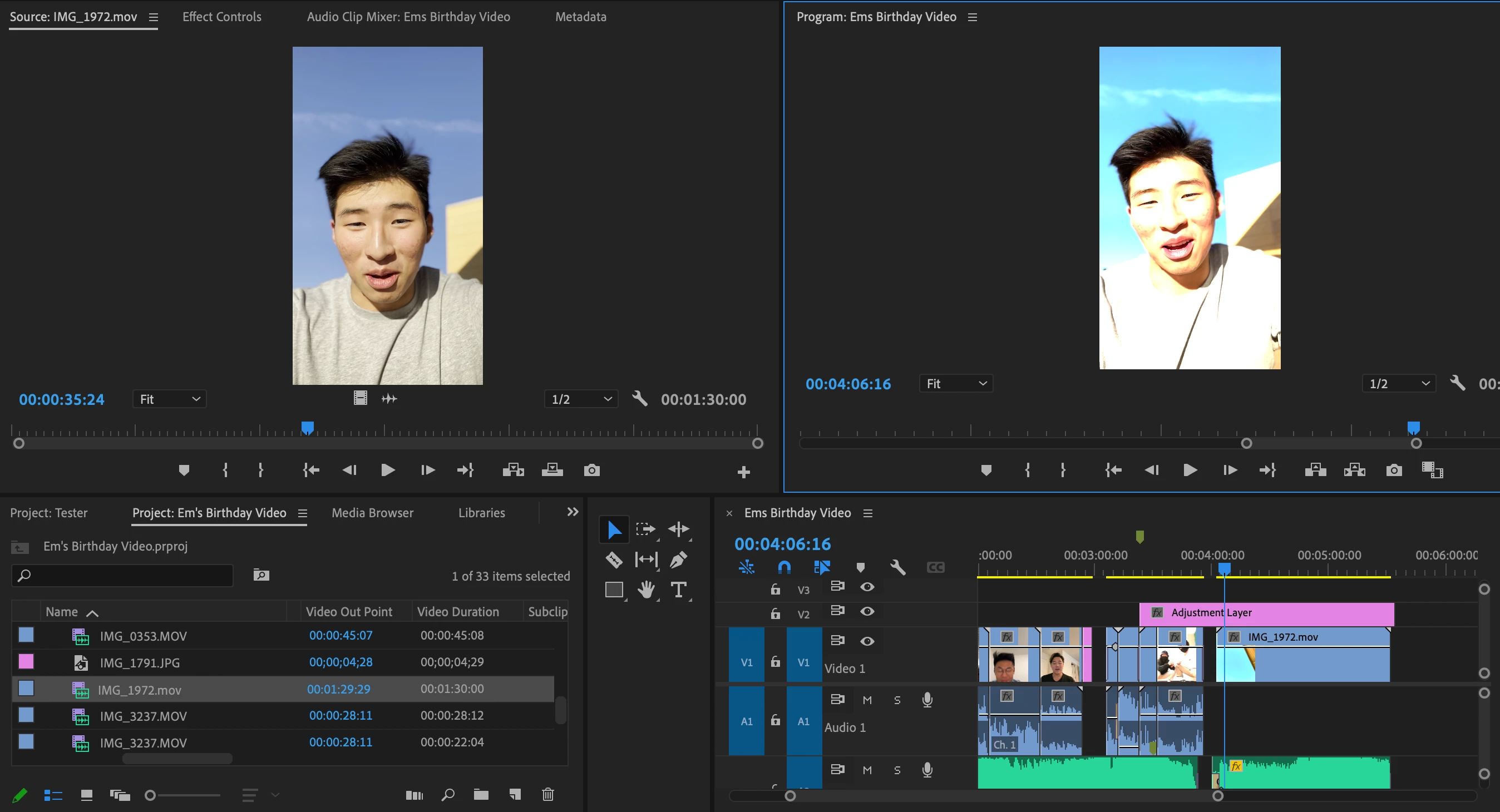
Preview automatically contrasts when put into my timeline!

  • January 31, 2022
  • 2 replies
  • 146 views

I am new to Adobe and am editing a video for a personal project. I've uploaded a video that I filmed in cinematic mode, and every time I add the video to my timeline it turns super weird. I believe it is automatically contrasting my video. What is going on?


I have attached a screenshot of what is going on to this post!


PLEASE HELP!
This topic has been closed for replies.

2 replies

R Neil Haugen
Legend
January 31, 2022

You're shooting on a phone that's using HLG as a color space, which is not wise as very few screens can actually display it yet. And then Premiere 2022 isn't doing so well with that with the completely new color system it has.


In the project panel, right-click/Modify/Interpret Footage, Override to Rec.709. Make sure the sequence color management is also set to Rec.709. Should get this one working.


And go change your phone out of HLG ...


Neil

Everyone's mileage always varies ...