
Y_TEA
Participant
July 23, 2020
Answered

Preview not working

  • July 23, 2020
  • 3 replies
  • 911 views

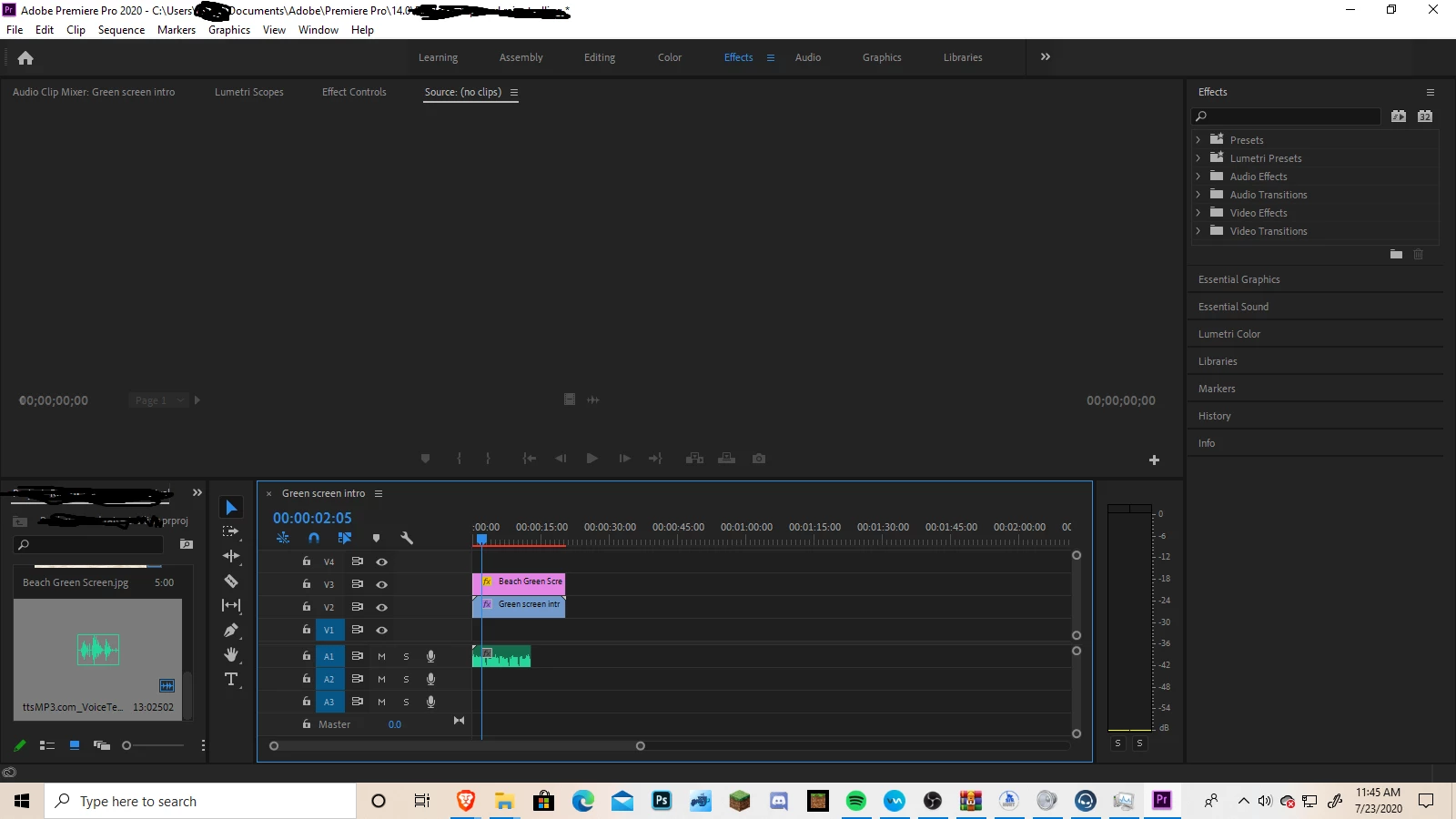
Im still pretty new to Premiere Pro, but I can't get the preview to work. Based on what I saw its something minor I pressed but I still can't get the preview to work.

This topic has been closed for replies.
Correct answer Meg The Dog

Try going to the menu Window > Workspaces > Reset to Saved Layout.

MtD

3 replies

Ann Bens
Community Expert
Community Expert
July 23, 2020

Please do NOT add images via the "attach files" box, as you are then forcing everyone to DOWNLOAD the file to view it outside their browser. Drag/drop the image files directly ONTO your reply box so other users can see them without needing to download unknown strange files.
Thank you! 

Meg The DogCorrect answer
Inspiring
July 23, 2020

Try going to the menu Window > Workspaces > Reset to Saved Layout.

MtD

Participant
July 23, 2020

I've been having similar trouble, too. If you adjust the size of the preview window then it suddenly appears (from what I've done). I've also been having issues with the timeline slider & preview slider being switched around (as in, when I try to drag the timeline slider, the preview slider moves, and vice versa).

R Neil Haugen
Legend
July 23, 2020

Are you talking about the Program monitor (which is tied to the Timeline panel) or the Source monitor, normally tied to a clip in a bin?


If you change the CTI ... current time indicator or 'playhead' in the Timeline panel, necessarily the CTI in the Program monitor moves.


If your Source monitor is ganged to a timeline, moving the CTI on the timeline would move the CTI in the Source monitor. But unless you've 'ganged' the Source monitor to a sequence in a timeline, it will have its own internal timeline showing.


Neil

Everyone's mileage always varies ...