
Cobra
Inspiring
June 22, 2021
Answered

Previewing TEXT fonts on the fly

  • June 22, 2021
  • 2 replies
  • 727 views

After using Vegas for 6 years now I switched to Premiere. I love it but everything is SO different, its like going to the elementary school again and learning everything from scratch..

QUESTION:

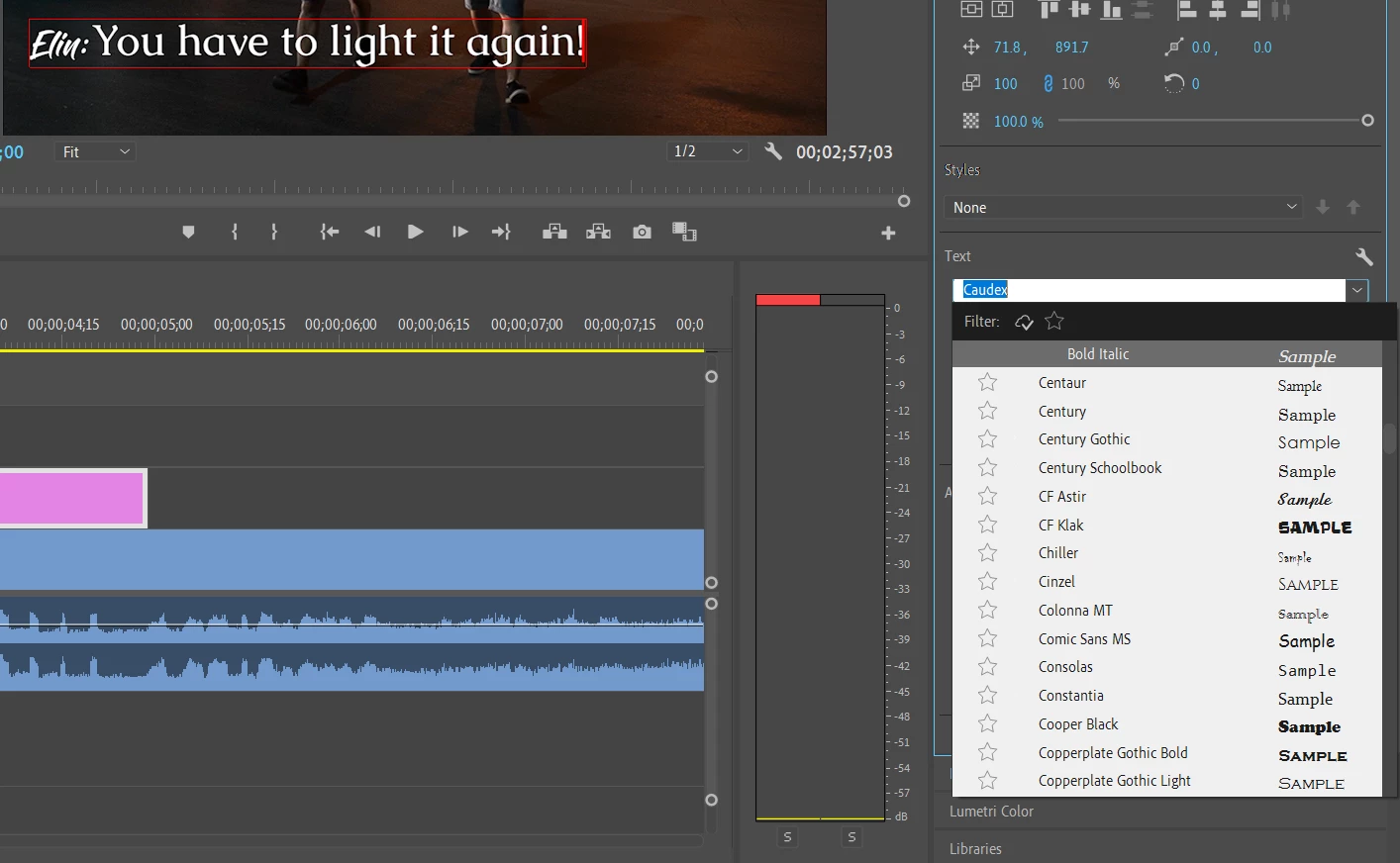
In Vegas when I was using the ARROW keys I could easily see the text changing on the screen so I could see the result on the fly without having to click on the font every time. Is there a way for that with Premiere Pro? It is VERY helpful feature and saves TONS of time.


This topic has been closed for replies.
Correct answer Vishu_Aggarwal

You can do so in the Premiere Pro by using the Middle mouse Scroll Wheel. Just select all the text and hover your mouse over the font tab (do not select it or open the drop down) and scroll. 


2 replies

Warren Heaton
Community Expert
Community Expert
October 24, 2021

Having the type object update or the actively selected text update as you scroll through font choices in the Text pop-up menu works as you're describing in After Effects, Photoshop, Illustrator, and InDesign.


It would be great if we also had that behavior in Premiere Pro.


You can jump to AE, PS, or AI to make your font choices there and then copy and paste the results to a Premiere Pro type object (the text prompt needs to be active during the paste).  The copy and paste behavior for actively selected text should maintain Character panel attributes as well as fill color.

Another option is to go to https://fonts.adobe.com/fonts where you can use the Sample Test field to preview your text in a given font.  If you need to install a font that you like, you can do so from this page and it should sync to Premiere Pro via your Creative Cloud account.


Vishu_Aggarwal
Vishu_AggarwalCorrect answer
Participating Frequently
June 23, 2021

You can do so in the Premiere Pro by using the Middle mouse Scroll Wheel. Just select all the text and hover your mouse over the font tab (do not select it or open the drop down) and scroll. 


Vishu AggarwalAdobe Certified Instructor, Professional and Expert
Cobra
CobraAuthor
Inspiring
October 24, 2021

It doesn't seem to work. You can select other fonts but you do not SEE the result of the font on the fly like in VEGAS.