


robk1233312
Known Participant
June 12, 2023
Question

Previous auto save versions Adobe Premiere (can't find them)

  • June 12, 2023
  • 2 replies
  • 309 views

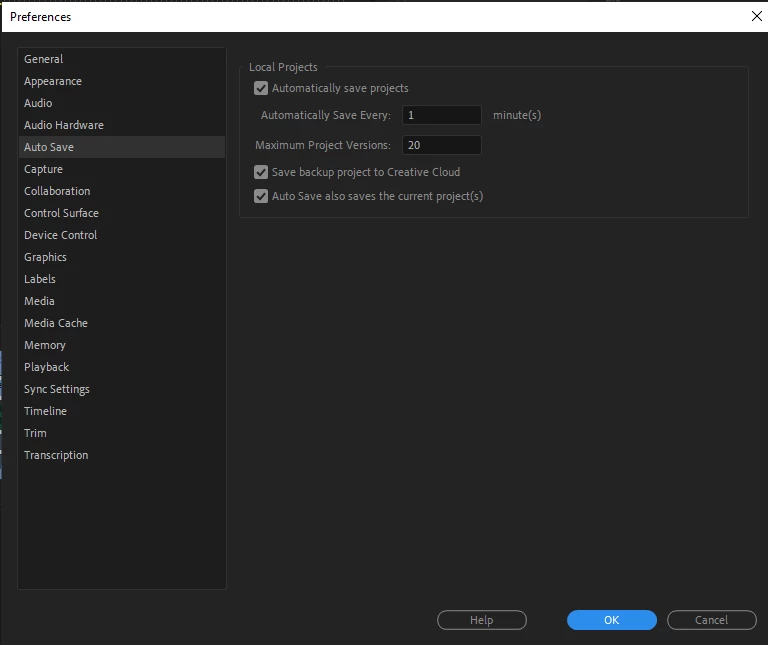
I have version 23.4.0 and these are my auto-save settings:
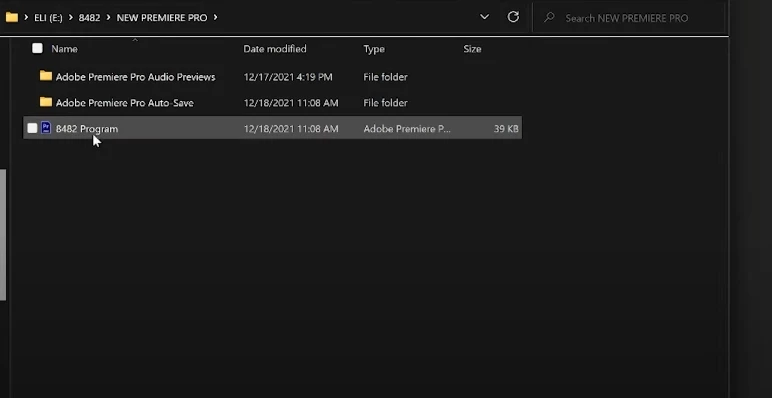
When I open the folder where my file is saved, there's no extra folder of previous auto saves. I found a few YouTube tutorials on where to find it, and according to those videos, there should be an extra folder with those previous versions (see the screenshot below of the video I watched) - but I don't have that extra folder. The Adobe Premiere file of the actual edit has no extra previous versions.
Thank you!

This topic has been closed for replies.

2 replies

Remote Index
June 12, 2023

Hello robk etc.,


Premiere Pro will reset the location of your auto-saves under certain (mysterious) conditions without notifying you.

Check where the current location is set by going to File > Project Settings > Scratch Disks. You can (re-) set the location where you want the auto-saves to be held here.


(Note this setting is associated with projects not computers.)


Also you can try a search in the Finder or File Explorer to see if auto-saves have been saved to other locations.


R.

kglad
Community Expert
Community Expert
June 12, 2023

<moved from animate>