
Participant
August 14, 2024
Question

привязка эпизода по ключевым кадрам на таймлайне | linking an episode by key frames on the timeline

  • August 14, 2024
  • 4 replies
  • 384 views

моя проблема заключается в том, что изначально в premiere pro включена функция привязки перетаскивания эпизода по ключевым кадрам на таймлайне. нажав на неизвестную мне горячую клавишу, эта фанкция была отключена, из-за чего изменять видео стало крайне неудобно.

на видео показано, как эпизод не в зависимости от кадра перемещается по таймлайну, что вызывает трудности с перемещением блока и изменению видео.
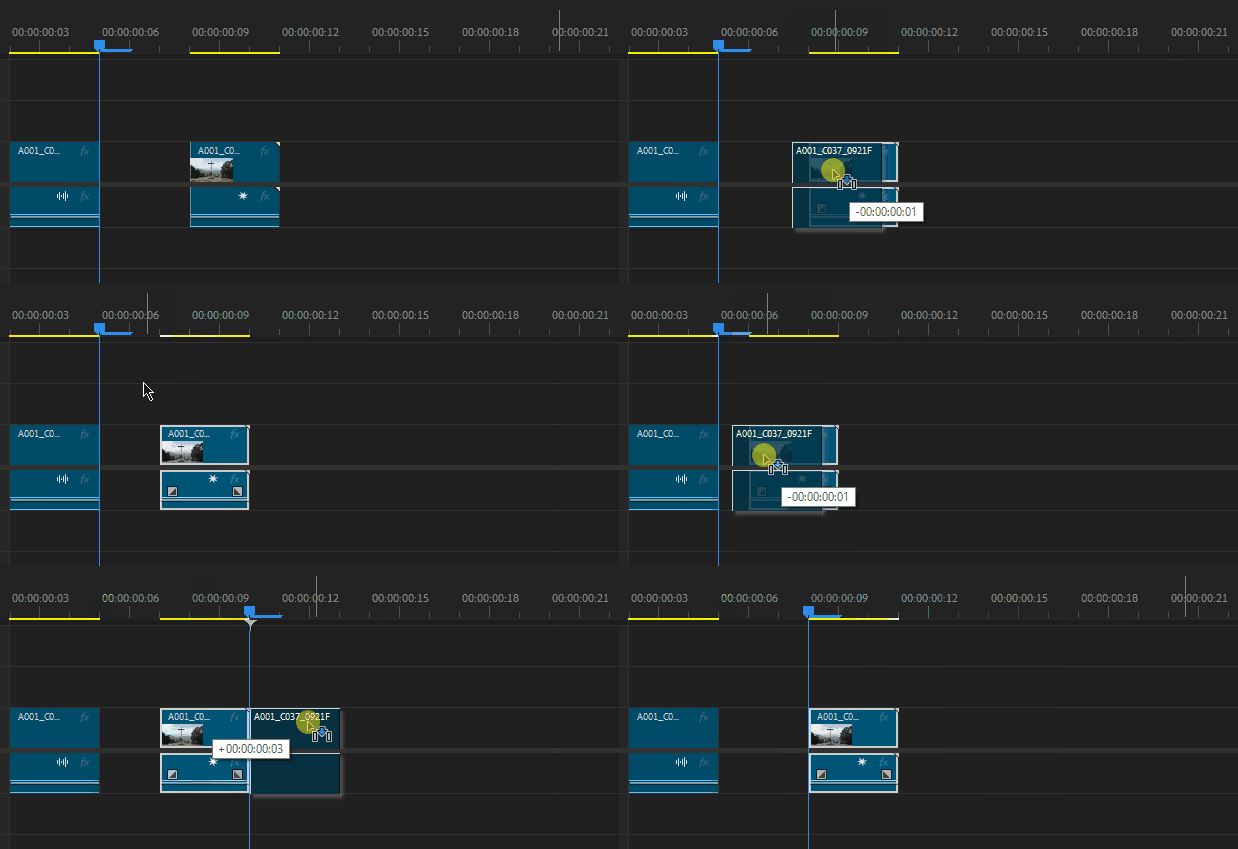
my problem is that premiere pro initially includes a function for snapping a sequence by dragging key frames on the timeline. By pressing a hotkey unknown to me, this function was disabled, which made editing the video extremely inconvenient.

the video shows how the sequence moves along the timeline regardless of the frame, which causes difficulties with moving the block and changing the video.

This topic has been closed for replies.

4 replies

Ann Bens
Community Expert
Community Expert
August 14, 2024

Not quite understanding the issue but

You cannot put a clip in between frames.

You can do this only with audio (audio units).

There is a setting in the Preference (timeline) to snap playhead

Kevin J. Monahan Jr.
Community Manager
Community Manager
August 15, 2024

Hi @shizaincel,

Thanks for reporting this issue. I'm unclear if this is a bug or a limitation of the software. Let's move this post to the discussions forum for troubleshooting. If the community can replicate the issue, we can move it back to the bug reports forum. Did you read Ann's response? Have you tried what she suggested? Sorry for the frustration.


Thanks,
Kevin

Kevin Monahan - Sr. Community and Engagement Strategist – Adobe Pro Video and Audio
Participant
August 14, 2024

this is not snap, snap is turned on

Ann Bens
Community Expert
Community Expert
August 14, 2024

Try the S for snap

Participant
August 14, 2024

p.s. restart, deleting and reset of premiere pro is not helping