
Participant
July 24, 2018
Question

Problem changing stereoscopic 360 video to monoscopic in premiere pro

  • July 24, 2018
  • 1 reply
  • 2455 views

Hello!

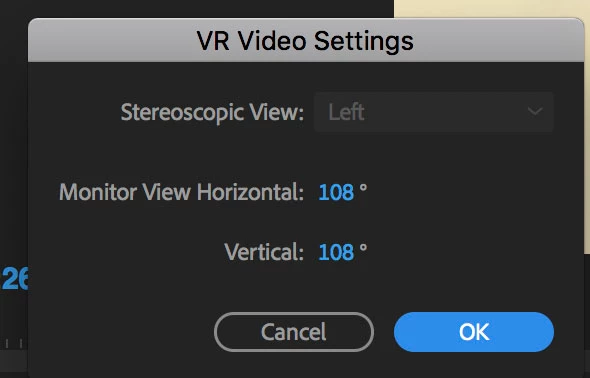
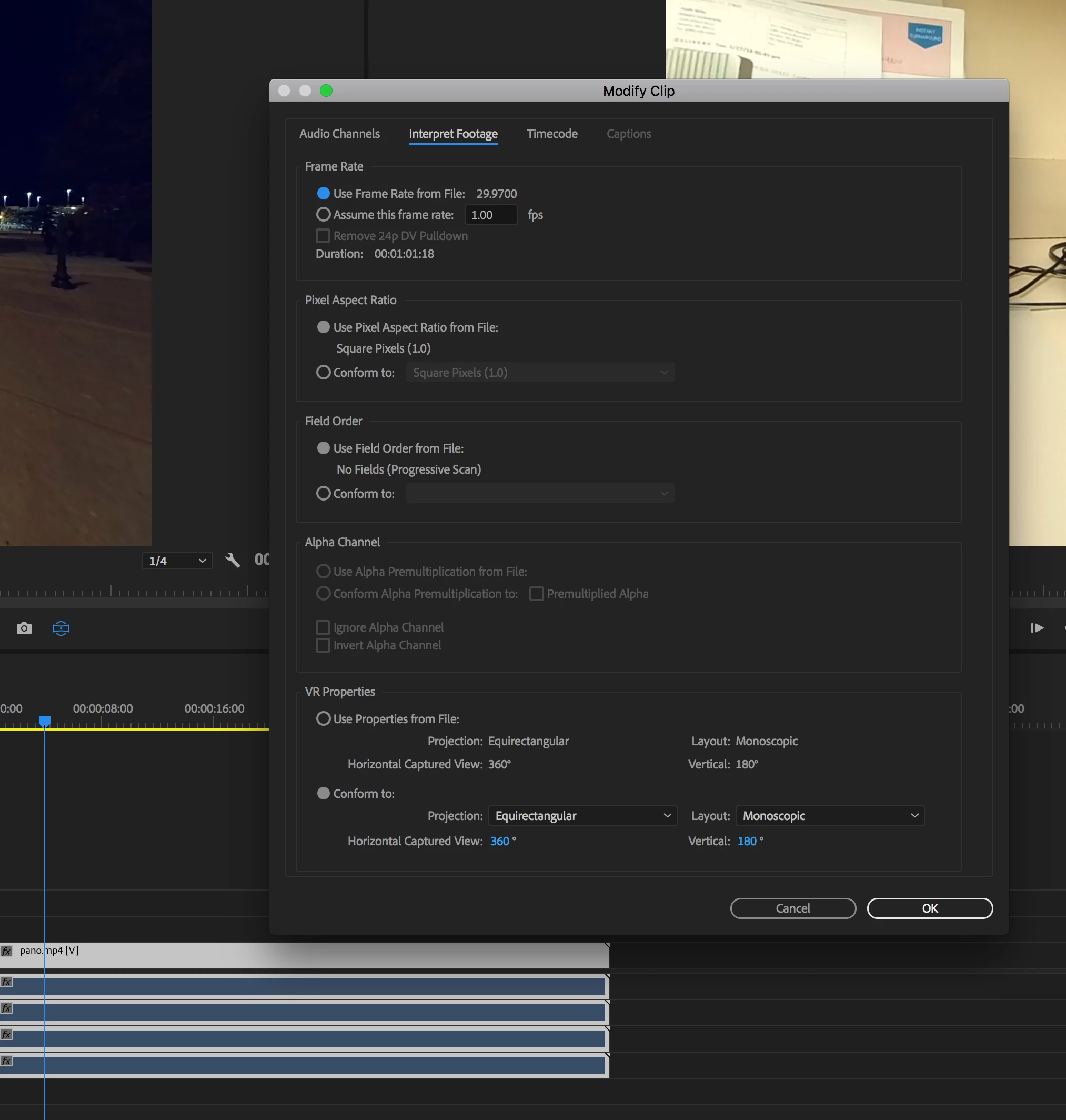
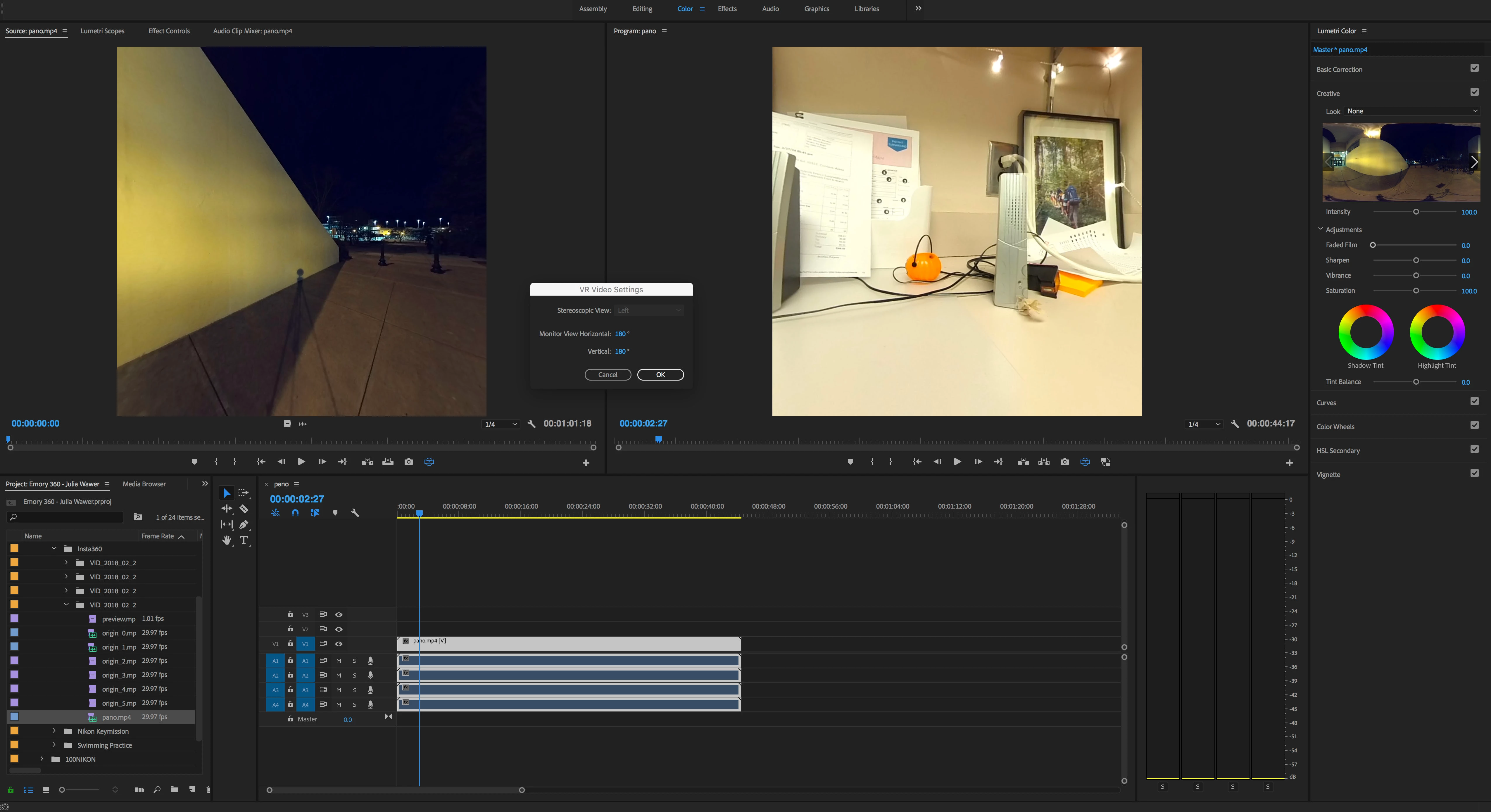
I'm having a problem getting Premiere to display my footage - both the source and program monitors - as monoscopic. When I click try to change the settings under the "VR Video Settings" the only option is "left" and the pull down is greyed out. So essentially I'm only seeing half of the Equiretangular view. When I right click on the clip and go to Modify -> Interpret footage -> Conform to -> Projection: Equirtangular Layout: Monoscopic Horizontal capture 360 Vertical 180 is displayed.

I shot on two cameras, Insta360 Pro and Nikon Keymission. It only shows one half of the capture for both cameras, so it doesn't seem to be an issue from the camera:

Here's screen captures:
Here's the details of the footage. It still won't display, even when it is correct in the settings under "VR Properties."
This topic has been closed for replies.

1 reply

kulpreet singh
Inspiring
July 24, 2018

Hi stevenn67327555,

When I click try to change the settings under the "VR Video Settings" the only option is "left" and the pull down is greyed out.

You need a Stereoscopic layout (under VR Properties).

For more information visit: Adobe Premiere Pro Help | Support for VR Workflows

Thanks,

Kulpreet Singh

Participant
July 24, 2018

Hi Kulpreet,

Thank you for the response. The cameras that I shot this on were not Stereoscopic. So when I change the layout to stereoscopic, it messes up the files in the the source window. So, I'm still having the problem that the footage appears as a square and I can't set the stereoscopic view to anything else but left.  See examples.

When I choose "Stereoscopic Over/Under"

When I choose "Stereoscopic side by side"

And even if I go back and try to change the VR Video settings, stereoscopic view is still greyed out and stuck on left.

Thanks,

Participant
March 8, 2019

Hi,

I have exactly the same issue and was hoping you have found a solution?

Thanks.