
Participating Frequently
January 21, 2025
Question

Problem importing numbered files to a template

  • January 21, 2025
  • 5 replies
  • 342 views

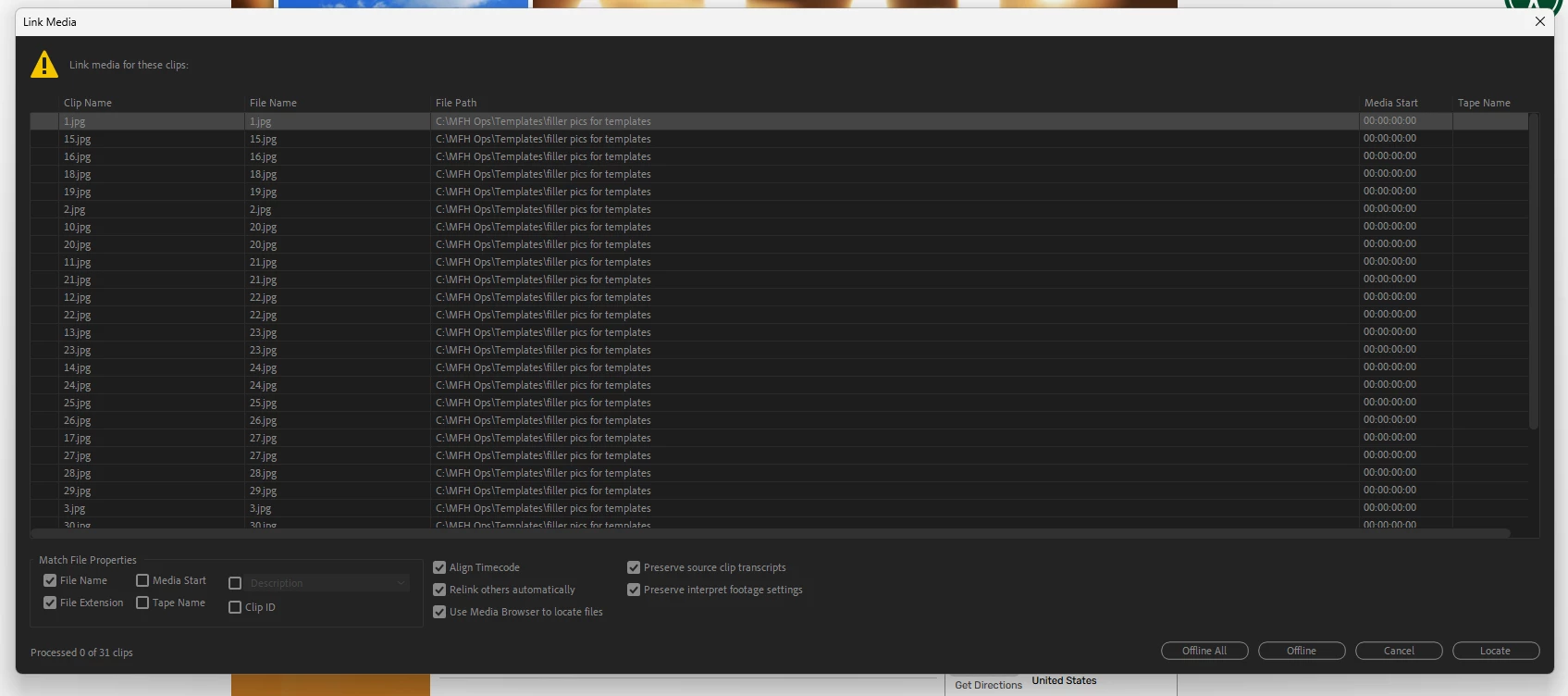
When I link mediasome of the files are importing the wrong numbered files. I have fixed this and it reverts back. can anyone tell me if I am doing something wrong if if there is a way to fix this permanently?
5 replies

Participating Frequently
January 22, 2025

I havent changed the names because I have more than 30 templates. The pics are numbered. There are between 30 and 150 picctues in each template. What would you suggest?

Participating Frequently
January 21, 2025

When I used a fresh new template numbered 1 to 31 everything matched. After I imported the pics were jumbled the same way and the import is permanently changed to the wrong numbers without saving anything

Participating Frequently
January 21, 2025

Yes I renamed the files and everything worked for a few weeks. I am having the same problem on two different PCs. We used templates for many viseos per week and this is become a recurring issue. I have tried using a fresh master template that is perfect and it does the same thing.


IanB_360
Community Manager
Community Manager
January 21, 2025

Hi @charlied123 

When you say you fixed this? Do you cahnge the clip name in the project for the clips that are linking up to the wrong clip? Have you tried to name the clips with more than just a numerical value to see if they stay linked to the proper clip?

Ian

Participating Frequently
January 21, 2025

I have circled some of the jumbled flies. here.