Participant
March 27, 2017
Question

Problem in Adobe Premiere Pro CC 2017

  • March 27, 2017
  • 4 replies
  • 1706 views

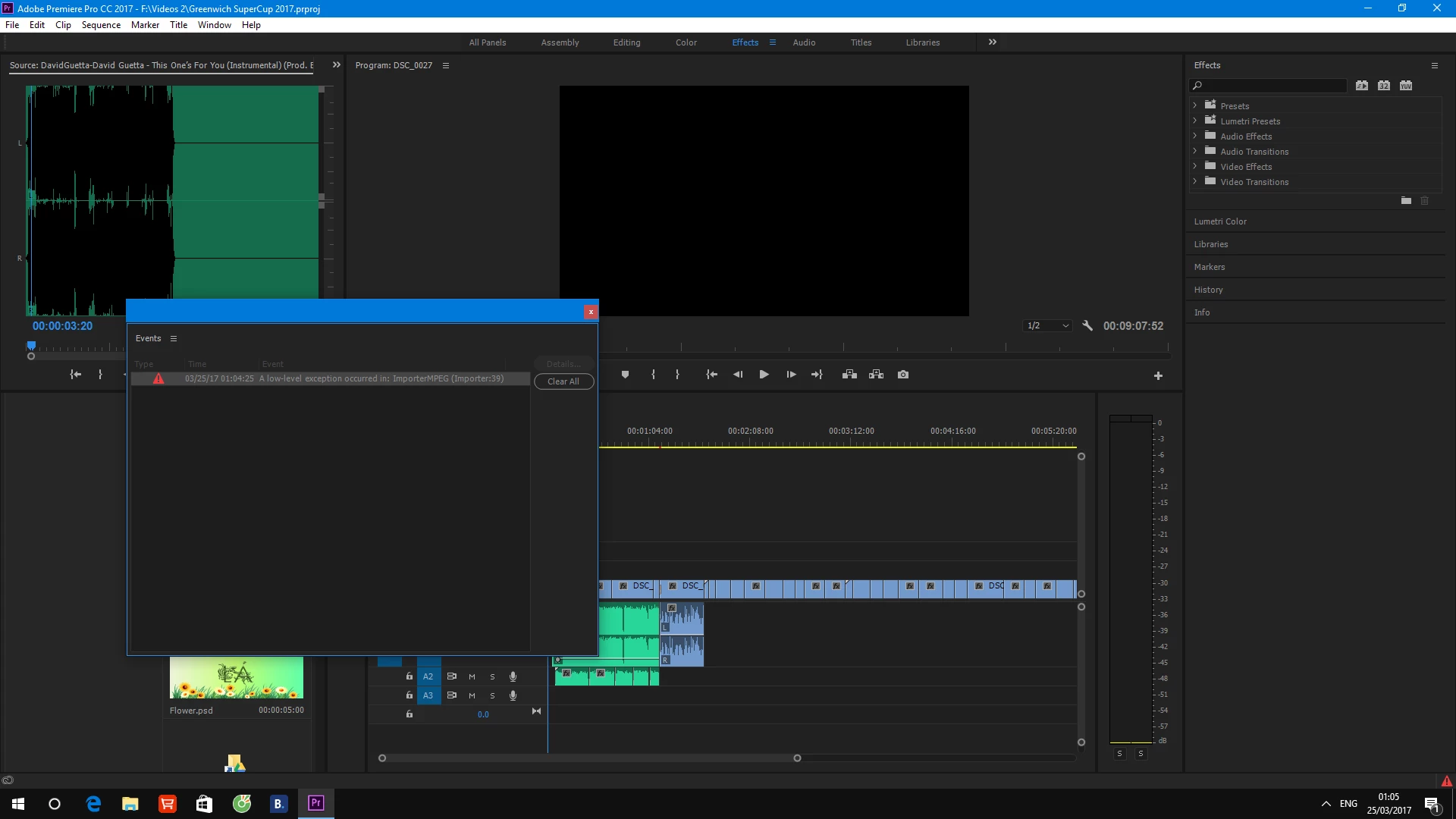
Hello everybody. Recently, I have a issue whenever I import an audio file into Premiere. It said that "low-level exception occurred in: ImporterMPEG (Importer:39)". I tried to re-install many time but it did not work. Listen to this audio in the link down below, can you guys figuring out for me what is this error? How can i fix it?

Link to the problem video: https://drive.google.com/file/d/0B4Sc-XByNdZrLUdualdfQktRY0E/view?usp=sharing
This topic has been closed for replies.

4 replies

Participant
April 9, 2017

I have the same issue as bklUP: a error happens saying "low-level exception occurred in: importer MPEG (Importer: 37)", and then it freezes up all the display of the project, including in the sequence editor. What should we do to unfreeze?

Willy ROMY
Participating Frequently
May 4, 2017

Same for me here... (error + freeze) Solutions anyone ?

Legend
May 4, 2017

I recommend using only .wav files for audio.

BriannaKBanuelos
Participant
March 31, 2017

I have a similar problem except mine says "low-level exception occurred in: importer MPEG (Importer: 37)" It just started doing it the day after I had already inserted the video clip into the project sequence. It did not occur the first day. Now it freezes up the visual and makes it unable to display in project after reaching that clip, whether in the sequence editor or in my video bin. Could this be a problem/bug with the update?

Legend
March 29, 2017

I recommend using only .wav files for audio.

Vidya Sagar
Participating Frequently
March 27, 2017

Hi duyt,

Try clearing the media cache & try to import audio again.

FAQ: How to clean media cache files?

Please let us know the status.

Thanks,

Vidya

Participant
March 29, 2017

still not working

Inspiring
March 29, 2017

Open the audio file in Audition or Audacity and then save it with a different filename as a 16bit LPCM wav file at 48kHz. Then import into Premiere. The chances are there is a small defect in the audio file which premiere is not liking. Another program (Audition / Audacity) may overlook the issue.

By the way - turn the audio level down! Never peak the audio into the red.