
Inspiring
December 6, 2019
Answered

Problem with consolidate sequence (Premiere 2020)

  • December 6, 2019
  • 6 replies
  • 4995 views

Hi! Seems, I found a bug while performing the sequence consolidation process. I have the next project structure. The project has a file with an extension ".txt"
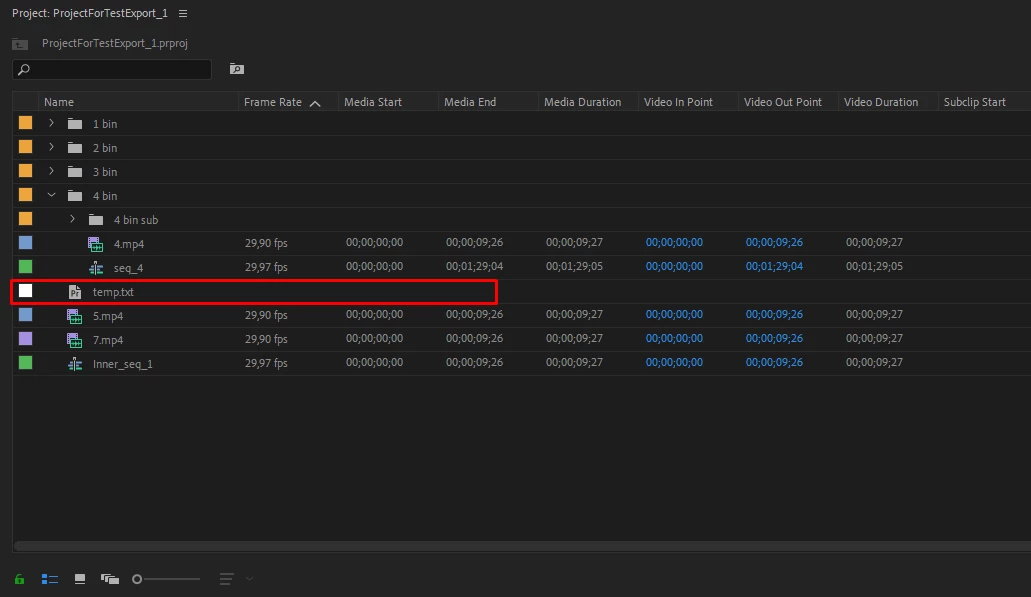
 

If I try to consolidate seqeunce with these settings (please see screenshot).
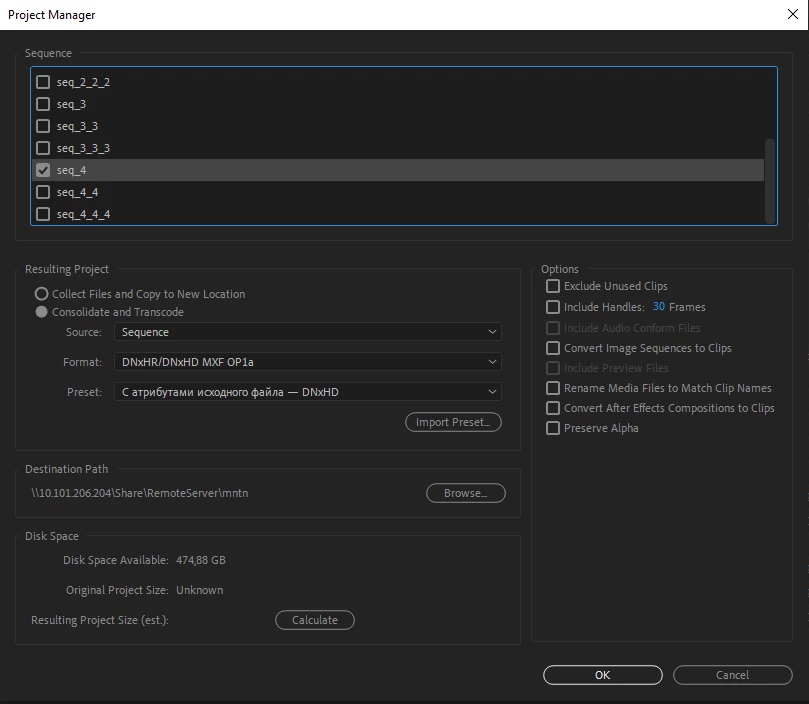
 

I get the next errror

"An unknown error occured during the Project Manager operation. Please save yout project and retry the operation"
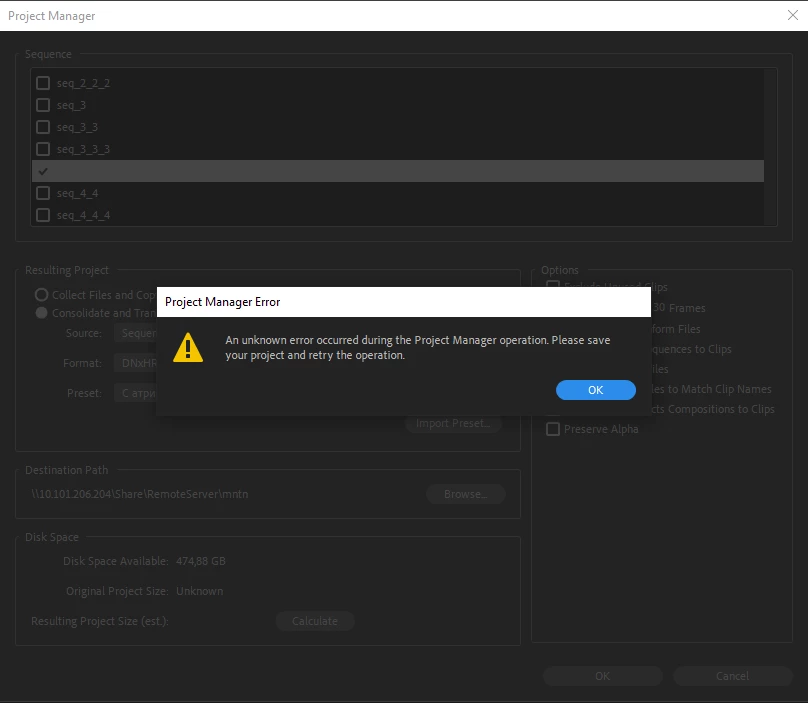
If I delete ".txt " - file from the project, the consolidation process completes successfully.

I would like a clearer understanding of the error from the issued message. It took me about 30 minutes to figure out what the problem was.

This topic has been closed for replies.
Correct answer R Neil Haugen

Premiere can "hold" text files, which is handy for keeping progress notes and to-do things in the project.


But it doesn't actually "understand" and properly import them. Which is why it chokes when using the Project  Manager to do this sort of thing.


Remove the file, then add it back in the consolidated project.


Neil

6 replies

leighm38689251
Participating Frequently
November 23, 2022

Hi, This is Helpful, But mine still not working and has the error without the Text file, any ideas?

R Neil Haugen
Legend
November 23, 2022

Please post a new thread giving your rig, media, and effects, and what specifically your're having a problem with ... when.


Neil

Everyone's mileage always varies ...
Participant
May 21, 2020

Having the same issue in 2020....


No BRAW, no .txt files, no special charachters... literally nothing. and it still fails. Its getting insanely hard to support premiere when these issues stick around for years.

R Neil Haugen
Legend
May 21, 2020

Go complain on the UserVoice system ... that's what gets metrics to the upper managers what decide budgets. And they live by metrics.


Post a link here for any post over there you created or voted up. And then all of us should go hit it also.


Again ... they live by metrics. Weird as that sounds, yup. Give 'em the metrics.


Neil

Everyone's mileage always varies ...
Participant
March 3, 2020

I also had the same problem while i was collecting files for a project back up. I solved the problem by unchecking "Include Preview Files" in Project manager menu, option panel.


Giuliano

Participant
December 21, 2019

I have the same problem but i dont have a txt file in it. just footage.

what can do this error? 
thx

Inspiring
December 23, 2019

There are many reasons for this problem. Maybe it's help you https://community.adobe.com/t5/premiere-pro/project-manager-error/m-p/9853517

R Neil Haugen
Legend
December 6, 2019

That would be a good feature request over on their UserVoice system.


Like all the other ACPs, I'm just a fellow user of the programs. Not an Adobe staffer.


Neil

Everyone's mileage always varies ...
R Neil Haugen
R Neil HaugenCorrect answer
Legend
December 6, 2019

Premiere can "hold" text files, which is handy for keeping progress notes and to-do things in the project.


But it doesn't actually "understand" and properly import them. Which is why it chokes when using the Project  Manager to do this sort of thing.


Remove the file, then add it back in the consolidated project.


Neil

Everyone's mileage always varies ...
Inspiring
December 6, 2019

Thank you! I understand that, and now I will take it into account. But new users who encounter this error will not understand what happened. From the text of the error it is not clear what caused it. Maybe should fix it somehow and display a more understandable message to the user?