
Inspiring
February 26, 2025
Question

Problem with Multi-cam program monitor

  • February 26, 2025
  • 2 replies
  • 315 views

I’m having a problem with the multicam feature with Premiere Pro.   I’ve used this feature multiple times, but I seem to have to hit a roadblock recently.


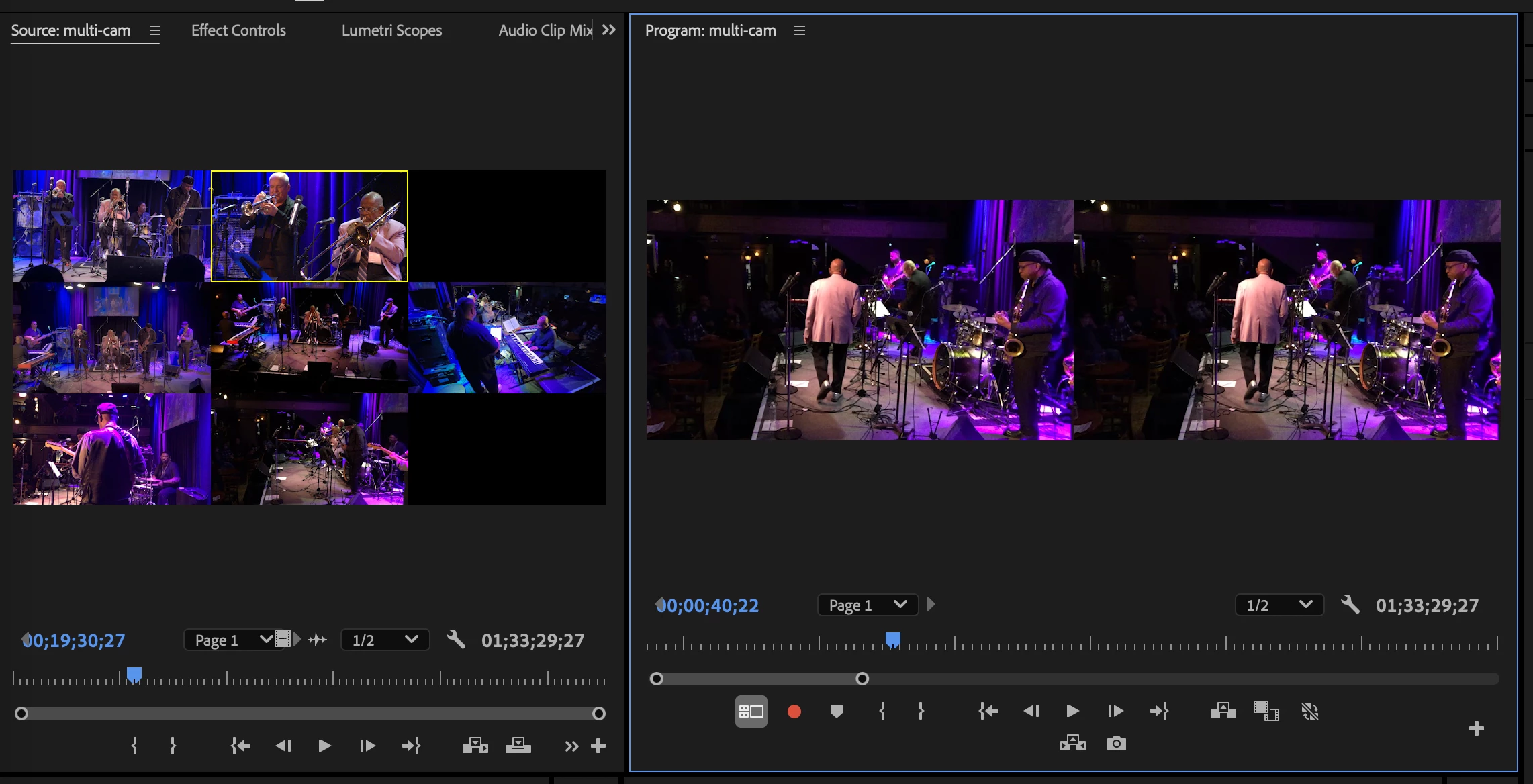
I haven’t been able to access the multicam option within the program monitor.  I only see a one camera option.   I can access the entire multicam file by clicking on it within the project panel which opens up in the source monitor, but I can’t edit with that.


I saw that this was a problem a few years with an older version of Premiere Pro, but I’m using the latest version.   I’ve tried a few of the suggestions listed in the previous post, and even tried to reset my presets, but nothing seems to work.


Premiere Pro 25.10

MacBook Pro with M3 Pro

2 replies

Community Expert
February 26, 2025

Make sure the track with the multi-camera source sequence is targeted.

eplouieAuthor
Inspiring
February 26, 2025

I'm not quite sure how that works - I don't remember doing anything like that.

Community Expert
February 26, 2025

"Targeted" means that the track your multi-camera source sequence is on in your editing sequence is highlighted blue.


R Neil Haugen
Legend
February 26, 2025

How are you opening the sequence on the timeline? And are the Program monitor options set for Multicam playback?

Everyone's mileage always varies ...
eplouieAuthor
Inspiring
February 26, 2025

The sequence starts with a single camera.    Take a look at the enclose screenshot for the program monitor - I believe it was set up for Multicam.