
Problem with nesting: I can't drag my nested sequence in another projects timeline!
Hi there !
I'm using Premiere Pro CC 2017 and I'm having a hard time trying to use and edit a nested sequence in another projet.
What I want to do is to create a call out title template that I can reuse in every other project. So I create the different graphic elements of my call out title, select them all -> right click -> "nest". This unites them in a new nested sequence and creates this green bar. I then save and close the project.
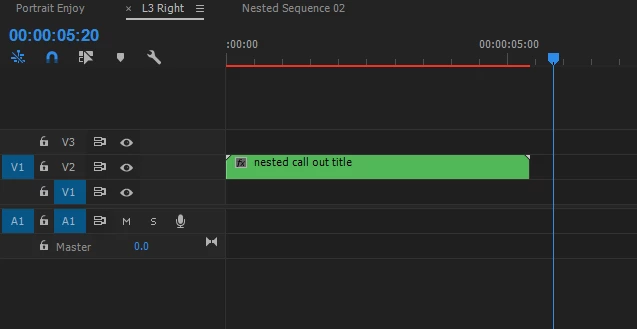
I open a new project where I want to reuse and edit the nested sequence. I go on import -> import selected sequences -> and I chose the nested sequence. I end up with this:

And here's my problem: I can't drag the imported sequence in my timeline. Well, I can... but only in the audio track, not in the video, duh. The two graphic elements that came with the import are the actual nested elements... but why do they come separately ?
Can someone help me out ? What did I do wrong in the process ?
Many thanks !


 AdChoices