

Problem with overlaying track not being visible all the time - possibly connected to timewarp keyframes
Hello,
if run into a problem during a video project, which I haven't been able to solve neither by experimenting nor by googleing.
I am editing a series of videos (three to be exact), which are very similar and all feature a kind of opening credits, which are flying words created with AE, exported to PP, the background keyed out with an ultra-key so that only the words remain and then layered over the video. This works fine and creates a nice effect in two of the three videos (and another seven videos from the same series, but whose structure is quite different only the opening credits work the same in those).
However in the third video the overlayed (flying words) video disappears at a certain point and only reappears close to it's end. As the exported video from AE is the result of a template and way to slow, etc. for my taste I inverted it's time and did some time-mapping using the time-warp function and key frames (I hope I'm using the right words, as I'm using the Adobe software in German). It seems like the video disappears after the second keyframe for time-mapping and only reappears when the underlying video changes (not related to a keyframe). I checked that there are no keyframes for opacity or anything similiar. Also tried to recreate the sequence, the ultrakey and everything related (including all the keyframes) and always ran into the problem while doing the time-mapping. To make things even more weird the overlayed (flying words) video becomes visible throughout its whole length once I turn off all the underlying layers of video.
I hope that this was understandable and somebody has an idea what I can do to fix this issue (which isn't an issue in the two other totally similar videos - they have different video files but exactly the same structure, effects and everything and the files are even shot with the same camera/created using the same AE template).
For better understand I attached some Screenshots:
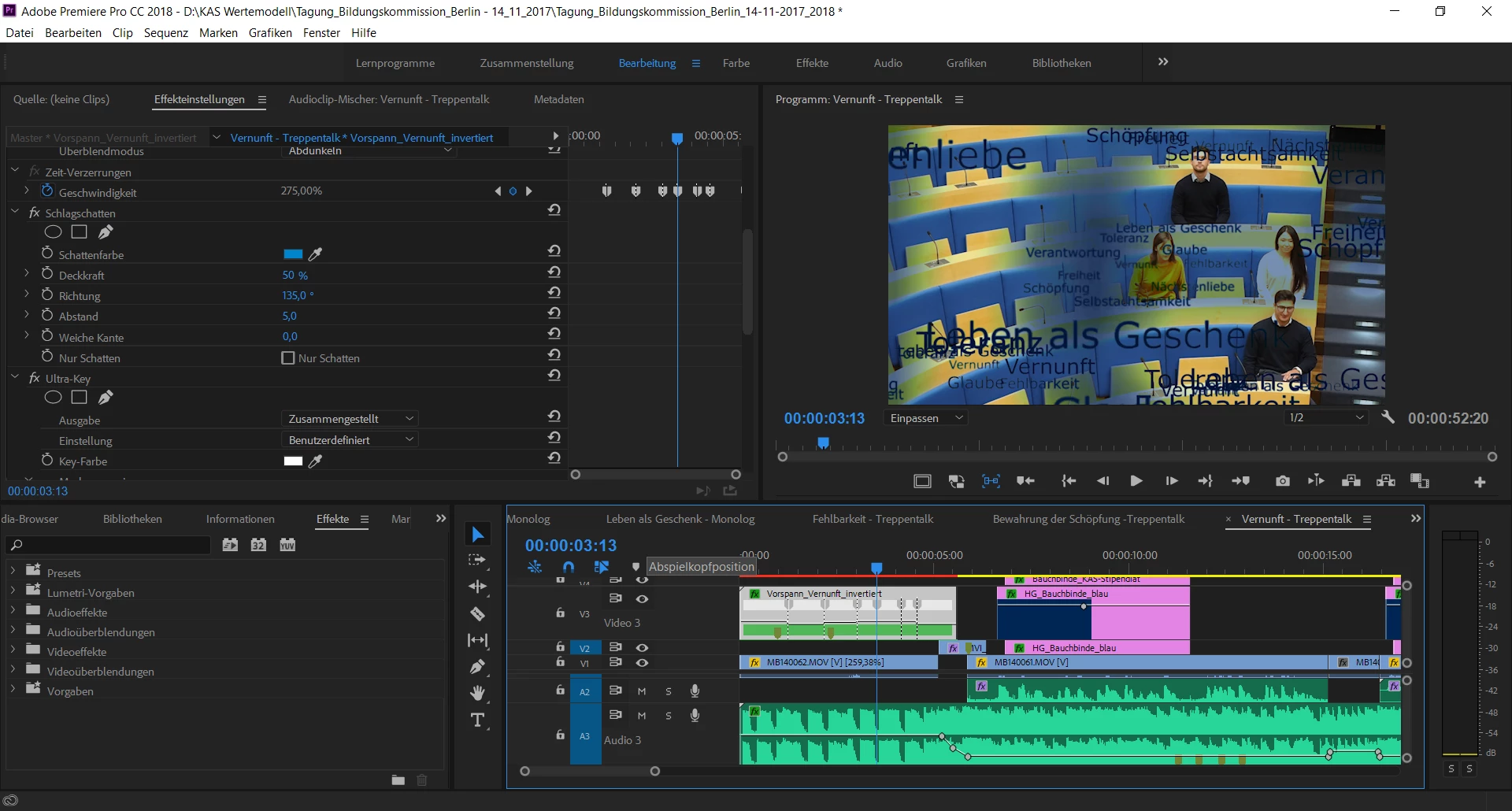
(how the effect is supposed to work - one of the two sequences where everything is working just fine)
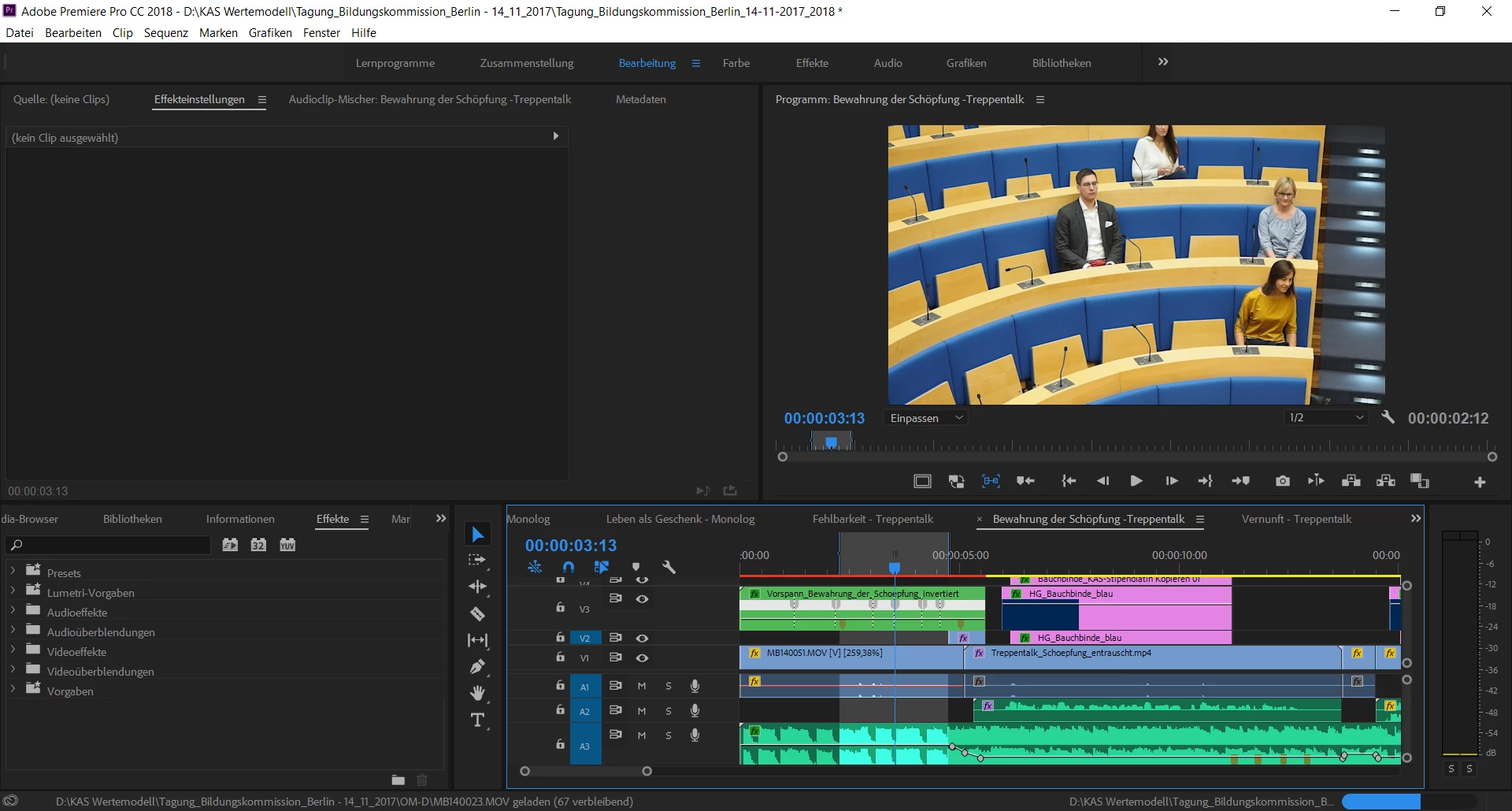
(the faulty sequence - notice there is a quasi identical sequence with the same (actually copied) keyframes for time-mapping and the ultra-key as in the sequence working as it should in the screenshot above. The area between the in- and out-markers is the one where the "V3" track with the flying words is not visible, even though it should be)
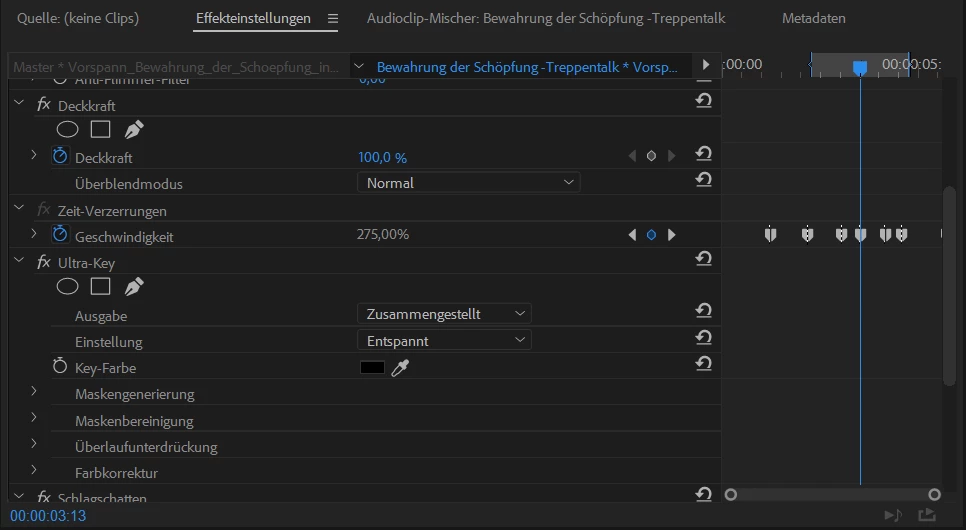
(the settings of the sequence miraculously disappearing in the middle and the reappearing - as you can see the opacity is set to 100%, no keyframes, same for the ultra-key)
 AdChoices