Participant
March 8, 2018
Question

Problem with sizing frame/ cropped frame

  • March 8, 2018
  • 2 replies
  • 555 views

Hello,

I have this problem and since im quite new to premiere i need some help please!

Im using Premiere Pro CC 2015, and i have a few different clips on the timeline, since they dont have all the same proportion, i cropped them in "scale", in "video effects/ motion", as i seen in youtube tutorials. However, when i export the media or preview it in the program monitor fullscreen, all the clips are exactly as they were before i cropped them, why is that?? When i play it in the program monitor (not fullscreen) all the clips are cropped properly.

Can someone help me please? Thanks! I'll leave here some screenshots!This is how i would want it to fit the screen.
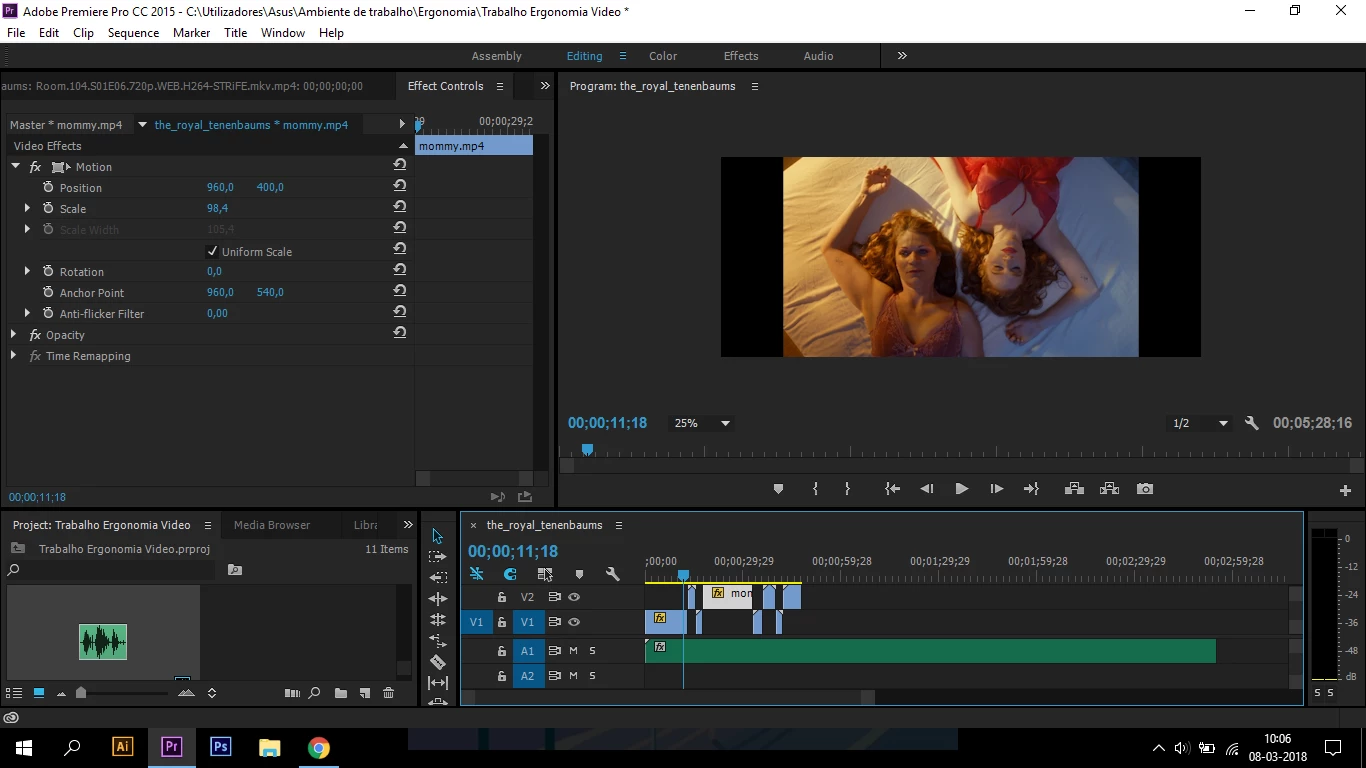
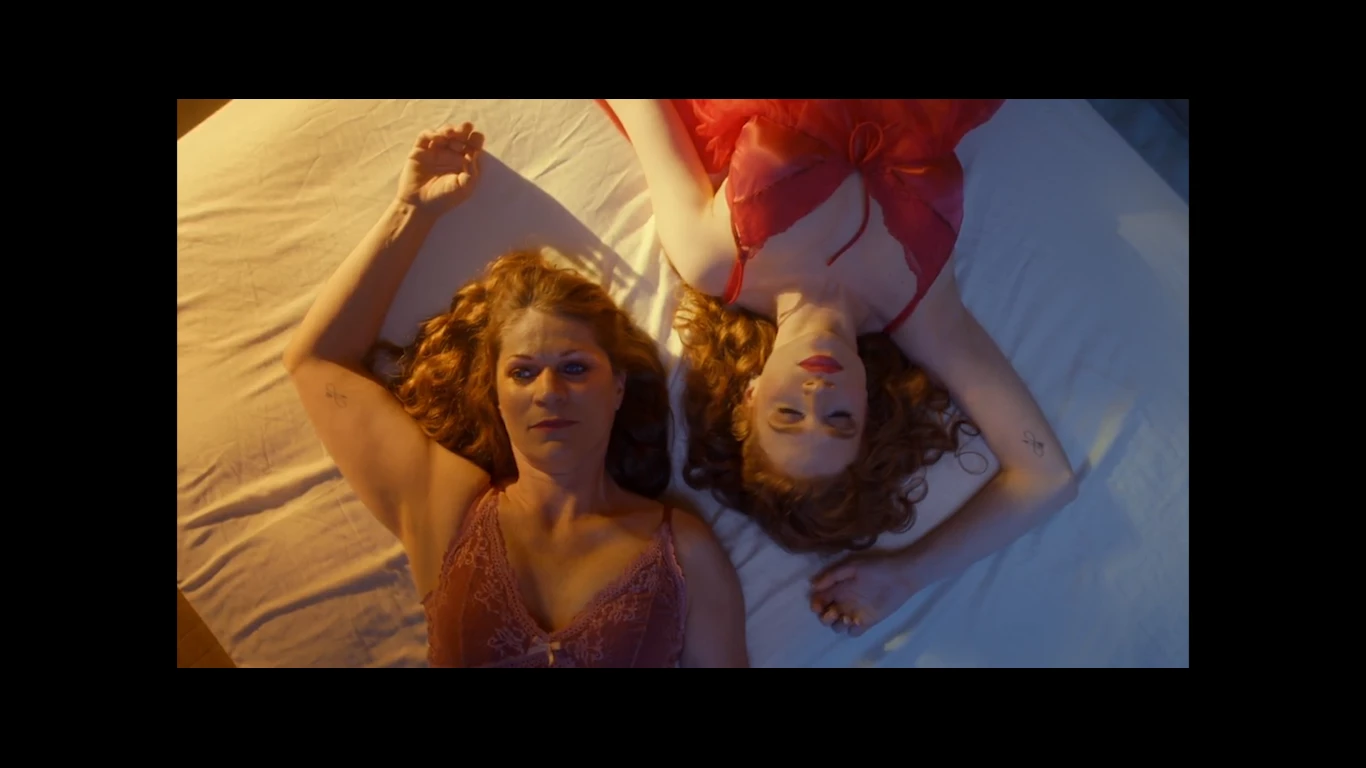
And this is how the program monitor fits in fullscreen (it changes the size of the clip)

This topic has been closed for replies.

2 replies

Richard TOULON
Legend
March 9, 2018

What is the setting of your sequence ? It seems that you are using a very wide format and try to fit with a 16/9 file format like 1920x1080.

If you use set to frame size or scale to frame size, you'll always get pillar box ( black bars on left and right ).

If you need it to fit screen entirely you'll have to scale up your footage if you keep this wide cinema like resolution from your sequence.

Legend
March 8, 2018

My first thought when something isn't working in an older version of the software is to upgrade to the newest version.

You can have both 2015 and 2018 installed on the same machine.  (Go to Advanced Settings during the install of 2018.)

Participating Frequently
March 8, 2018

Set Program Monitor to FIT to make sure you are seeing correct representation and not a portion of screen that is scaled - currently set to 25% in your screen shot.


Thanks

Jeff

stefan_gru
Inspiring
March 8, 2018

sofias9696393​: Besides what Jeff advises, check what your Export Settings dialog box shows in the upper left corner:

Whatever it is set to now, change it and see if that fixes the problem. Report back here if this works — or doesn't.