
Participant
January 6, 2025
Answered

Problème objets graphiques essentiels

  • January 6, 2025
  • 2 replies
  • 305 views

Bonjour à tous,


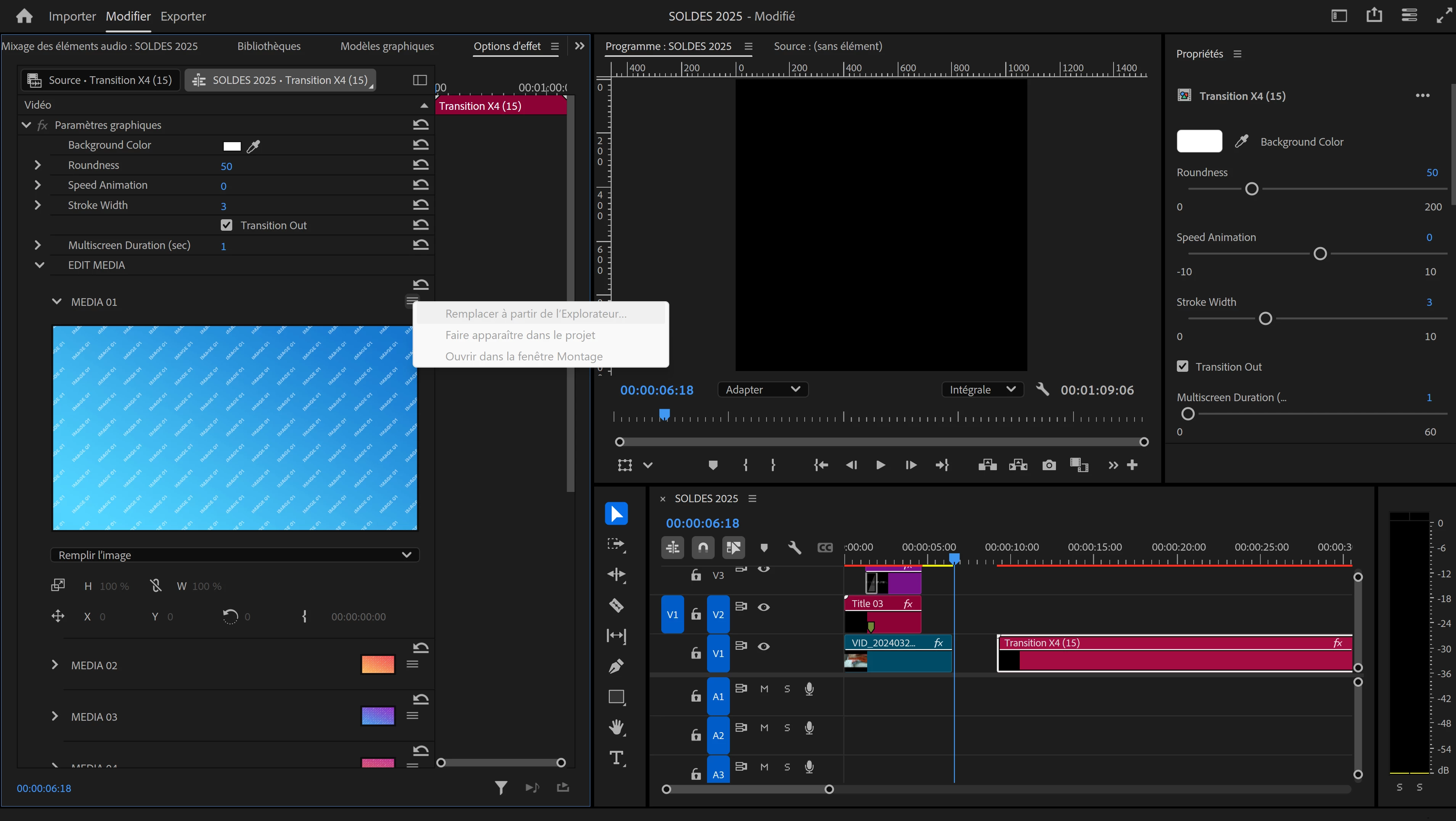
Depuis peu, je n'arrive plus à utiliser les objets graphiques essentiels que j'ai téléchargé sur Envato Elements via mon abonnement. En faite je ne peux plus remplacer les medias des templates que je télécharge, alors que ça fonctionnait avant. Je ne peux plus cliquer sur "Remplacer à partir de l'explorateur" dans edit Media.

J'ai la dernière version d'Adobe Premier.


Je ne sais pas si quelqu'un a déjà eu ce problème ?


Merci à tous pour vos réponses


Correct answer Ann Bens

Replace media in no longer available in the Effect Controls. You will have to use the Properties Panel from now on.

2 replies

Ann Bens
Community Expert
Ann BensCommunity ExpertCorrect answer
Community Expert
January 6, 2025

Replace media in no longer available in the Effect Controls. You will have to use the Properties Panel from now on.

Participant
January 7, 2025

Ok thank you very much for your response, in the properties panel it works.

R Neil Haugen
Legend
January 6, 2025

The changes have made the new version a bit puzzling at first. As with graphics and text, there's been a major change in how and where you work on it.


You now use the Properties panel for most things that you used to do in the Essential Graphics panel ... but the whole "context aware" thing is puzzling at first. As that panel's visible controls change the moment you change what is selected in the Program monitor.


That's what is meant by "context aware". So where you click makes a big difference in the controls you have available to use.


Next, the replace media process has changed ... I would really recommend going to their help files for this and reading what they've got. It's actually explained decently, and covers several things you will need to know.

Everyone's mileage always varies ...