Participant
November 2, 2024
Question

Problème premiere pro 2024 : impossible d'ajouter fichier mogrt

  • November 2, 2024
  • 1 reply
  • 248 views

Hello la communauté, 

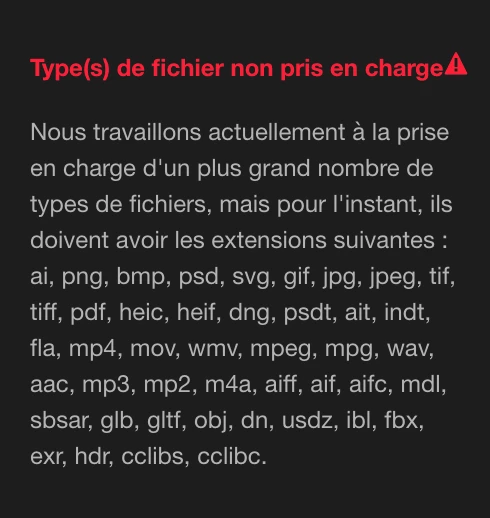
Je ne parviens pas à ajouter dans les objets graphiques essentiels de fichiers .mogrt dans la version 2024 de Premiere Pro. Soit avec le +, il ne permet par d'ajouter le fichier, sinon quand j'essaie d'ajouter dans une bibliothèque, il m'affiche ce message en dessous. Quelqu'un a-t-il une solution à proposer ?

Merci beaucoup pour l'aide !


This topic has been closed for replies.

1 reply

Theresa Rostek
Community Manager
Community Manager
November 4, 2024

Hello @Vooobee,


The plus symbol is for Adding additional folders to read from. You should be able to

  1. Click the plus symbol and point to the folder that the mogrt is located in
  2. Drag and drop the mogrt onto the Essential Graphics panel to install it to the local directory
  3. Press the plus symbol at the bottom right of the Essential Graphics panel to install a mogrt to the local directory
  4. Go to Graphics and Titles >  Install Motion Graphics Template to install a mogrt to the local directory
  5. To add a mogrt to a Library from Essential Graphics, it must already be installed to the Local Directory, right click on it and select "Copy to Library"


Here's the helpX page about Mogrts for more information.


Cheers,

Theresa

Motion Graphics, Premiere Pro