Problems working with IMAGE files in latest 2017.1 update
I am experiencing problems working with image files within Premiere Pro CC since updating the latest patch 2017.1 (11.1.0 (222) Build).
When placing images on the timeline, no matter what file type (JPEG, PNG, PSD, TIFF) they sit with a red render bar and makes performance of my entire software completely sluggish. Image files take A LOT of time to render, over 10x longer than average, but will render any other file on my timeline quickly and as normal. Once rendered image files still make playback and working with the images files slow and sluggish. Exporting is the same, the export will run fine up until the point it reaches any image files, then it will take a lot of time to export through those image files before continuing to render the rest of the time completely normal.
I was not experiencing these problems in previous 2017.0.1 patch, I cannot downgrade back to this patch as current project was created in 2017.1 and cannot be reopened in older software versions.
Current sequence settings -
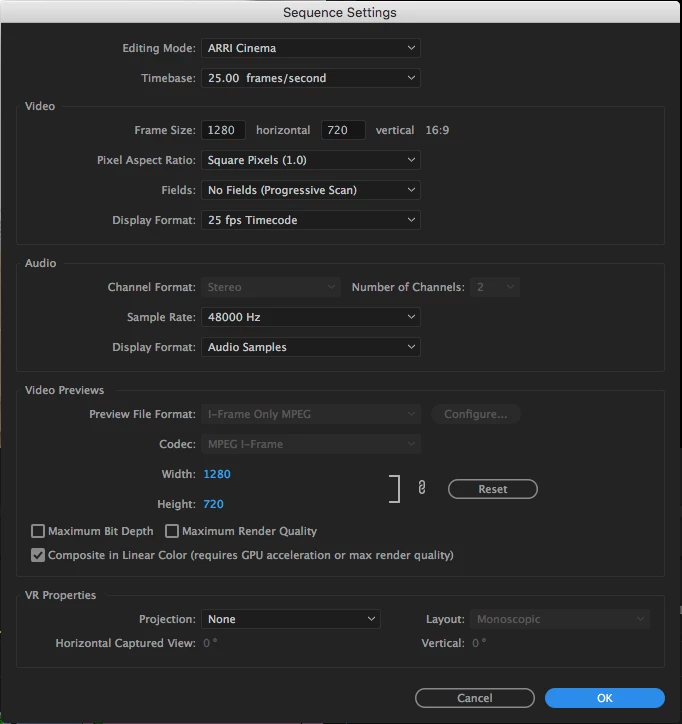
Any advice is appreciated.
 AdChoices