Inspiring
August 5, 2017
Answered

program monitor colour shift when paused

  • August 5, 2017
  • 2 replies
  • 539 views

I have my program monitor set up on a 2nd monitor.  WHen the vid is playing there is a noticable sheet towards the green.

Any ideas what might cause this?

I'm on windows 10, pprocc, gtx970 all up to date.
    This topic has been closed for replies.
    Correct answer Meg The Dog

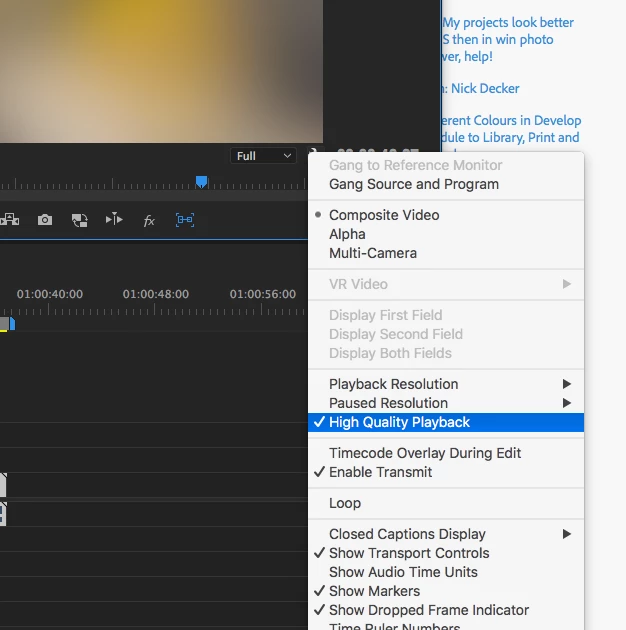
    If you click on the wrench at the bottom right of the Program Monitor, is High Quality Playback checked (toggled on)?

    MtD

    2 replies

    R Neil Haugen
    Legend
    August 5, 2017

    You should manually check to make sure the driver for that 970 is up to date.

    I'm using the GTX970 and two-monitor output without issue. I have my better monitor set for use as playback full-screen using the Mecury Transmit option. I also have that set to use Shift-C to toggle on/off using the second monitor for playback.

    Neil

    Everyone's mileage always varies ...
    gethoAuthor
    Inspiring
    August 7, 2017

    the driver I'm using is the most recent certified one. (384.94).  I don't know about the mercury transmit thing, I'll google it.

    Meg The DogCorrect answer
    Inspiring
    August 7, 2017

    If you click on the wrench at the bottom right of the Program Monitor, is High Quality Playback checked (toggled on)?

    MtD

    Legend
    August 5, 2017

    One of the problems with using the Program Monitor for critical viewing is that the OS and GPU driver can and do alter what you see.  Better to do this kind of thing using a proper I/O device from Blackmagic or AJA, which passes the signal directly from the timeline to your external display unaltered, thus ensuring a proper viewing environment.