
Participant
April 26, 2024
Question

Program Monitor Screen Static

  • April 26, 2024
  • 5 replies
  • 879 views

MacBook pro - 2019
MacOS Sonomoa 14.4.1
Adobe Premiere Pro - V 24.3.0 (build 59)


My computer shut down unepectedly yesterday, and so I updated the OS to the one above.  everything worked well, and now today I return to my project to find this on my Program Monitor.  Everything else on the program seems to running well, e.g., Audio, timeline, effects, etc.  The only issue is this Program Monitor playback.

Has anyone seen this before?

I am happy to answer any questions to give more info to find a solution to this.
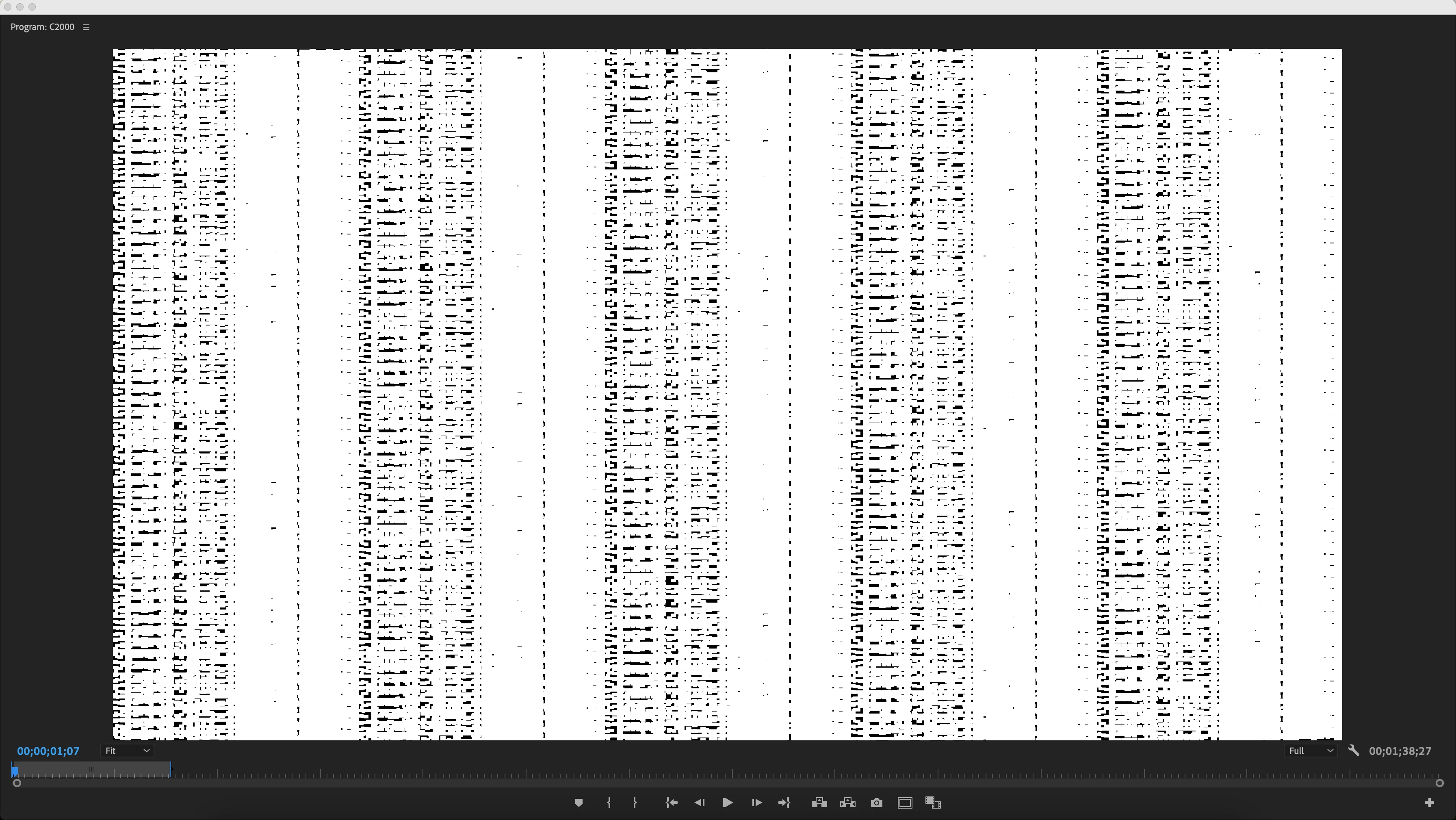
This topic has been closed for replies.

5 replies

Participant
September 15, 2024

Hi Ahhh Geez, I'm having this exact problem all of a sudden! Does anyone have anything to say? ? ? ? ? ?  

MBP 2019 

2.6 GHz 6-Core Intel Core i7

AMD Radeon Pro 5500M 4 GB

Intel UHD Graphics 630 1536 MB

32 GB 2667 MHz DDR4

Sonoma

Premiere v24.6.1 (build2)

Participant
May 5, 2024

I unistalled V 24.3.0 and reinstalled 24.1 and the problem is gone. 

Participant
May 4, 2024

Yes!! Me too. I'm having a similar issue! Never had it before. My Program Monitor looks like this (below). I unistalled Premiere and then reinstalled it. Cleared the cache, tried importing the project into a new project. Nothing helps.

I'm running:

MacBook Pro 2019

Premiere 24.3.0 (Build 59)

Sonoma 14.4.1.

2.3 GHz 8-Core Intel Core i9

AMD Radeon Pro 5500M 8 GB
Intel UHD Graphics 630 1536 MB

64 GB 2667 MHz DDR4


When I press "play" or drag the cursor, it runs okay, but this is what comes up if it's not playing, no matter where the cursor is sitting in the Timeline or in the Program Monitor.  Not good! Please help!


Participating Frequently
April 30, 2024

I am having this same exact problem ! I didn't update my os though. It just started happening. It's only when the video is paused and then it shows back up withn I play it. I shut down the computer and then left it for a few hrs and that seemed to work but it just came back. And it's showing up in my exports now. If anyone has any advice, I'd gladly hear it. 

Kevin-Monahan
Community Manager
Community Manager
May 1, 2024

Hi @mariahg50739929,

Can the team get info about your system and media? That would be tremendously helpful. FAQ: https://community.adobe.com/t5/premiere-pro-discussions/faq-what-information-should-i-provide-when-asking-a-question-on-this-forum/td-p/3929027 outlines the info the team would need.


Thank You,

Kevin

Kevin Monahan - Sr. Community & Engagement Strategist – Pro Video and Audio
Participating Frequently
May 1, 2024

Yes it's a macbook pro 16-in, 2019. 

Intel UHD Graphics 630 1536 MB, 

memory: 64 GB 2667 MHz DDR4

OS Version 14.4.1 (23E224)


running premiere pro 2024 - 24.3.0 (build 59)

Community Expert
April 26, 2024

did you try to reset the preferences?