

Programmatically Change a Motion Graphics' Text Font Size
I have a Motion Graphics template downloaded from Mixkit.co
I want to change the Text's Font Size to from 104 to 90:
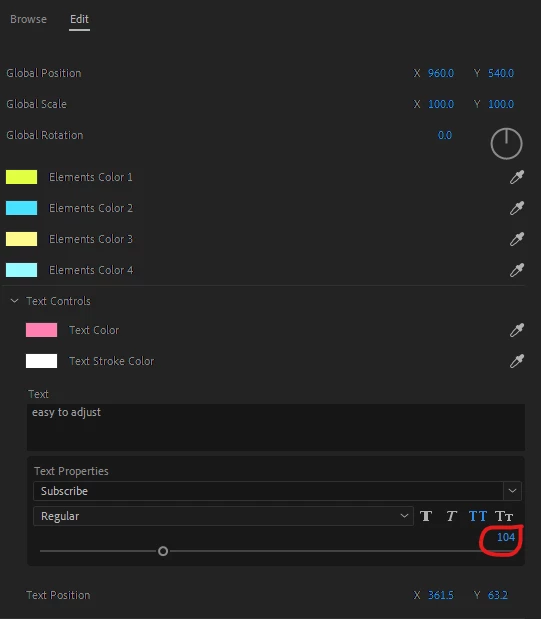
I am able to access the Component Parameters of the MoGRT by using this:
app.project.sequences[index].videoTracks[index].clips[index].components[index].properties[index].getValue()
Specifically, this is my code:
// Insert a MoGRT
var markers = sequence.markers;
var filePresents = File("C:/Users/Home/Downloads/Compressed/mixkit-animated-drop-title-26/mixkit-26.mogrt");
var timePresents = markers[0].start.ticks; // already inserted a marker in the sequence
var MoGRTClip = sequence.importMGT(filePresents.fsName, timePresents, 1, 1);

// Getting the MoGRT's text
var comp = MoGRTClip.getMGTComponent()
var params = comp.properties;
var text = params.getParamForDisplayName("Text");

$.write(text.getValue());
Running the above prints out:
{"capPropFontEdit":true,"capPropFontFauxStyleEdit":true,"capPropFontSizeEdit":true,"capPropTextRunCount":1,"fontEditValue":["Subscribe-Regular"],"fontFSAllCapsValue":[true],"fontFSBoldValue":[false],"fontFSItalicValue":[false],"fontFSSmallCapsValue":[false],"fontSizeEditValue":[104],"fontTextRunLength":[14],"textEditValue":"easy to adjust"}I can see there is a key called "fontSizeEditValue" set at 104, and a "textEditValue" key set to "easy to adjust".
If I do:
text.setValue("Some New Text");this results in the Motion Graphic's text being updated to "Some New Text", which is all good.
However, I'm trying to change the font size as well.
Here is what I've tried:
// Attempt #1
text.setValue('{"capPropFontEdit":true,"capPropFontFauxStyleEdit":true,"capPropFontSizeEdit":true,"capPropTextRunCount":1,"fontEditValue":["Subscribe-Regular"],"fontFSAllCapsValue":[true],"fontFSBoldValue":[false],"fontFSItalicValue":[false],"fontFSSmallCapsValue":[false],"fontSizeEditValue":[90],"fontTextRunLength":[14],"textEditValue":"Some New Text"}'); // changed the values for fontSizeEditValue and textEditValue
Running this results in:
1. The preview of the MoGRT in the sequence flickers,
2. The value of text got updated to "Some New Text", based on what's seen in the Essential Graphics "Edit" panel,
3. Clicking in the Essential Graphics "Edit" Panel to view the Font Size results in the error: "Sorry, a serious error has occurred that requires Adobe Premiere Pro to shut down...", and then Premiere Pro shuts down.
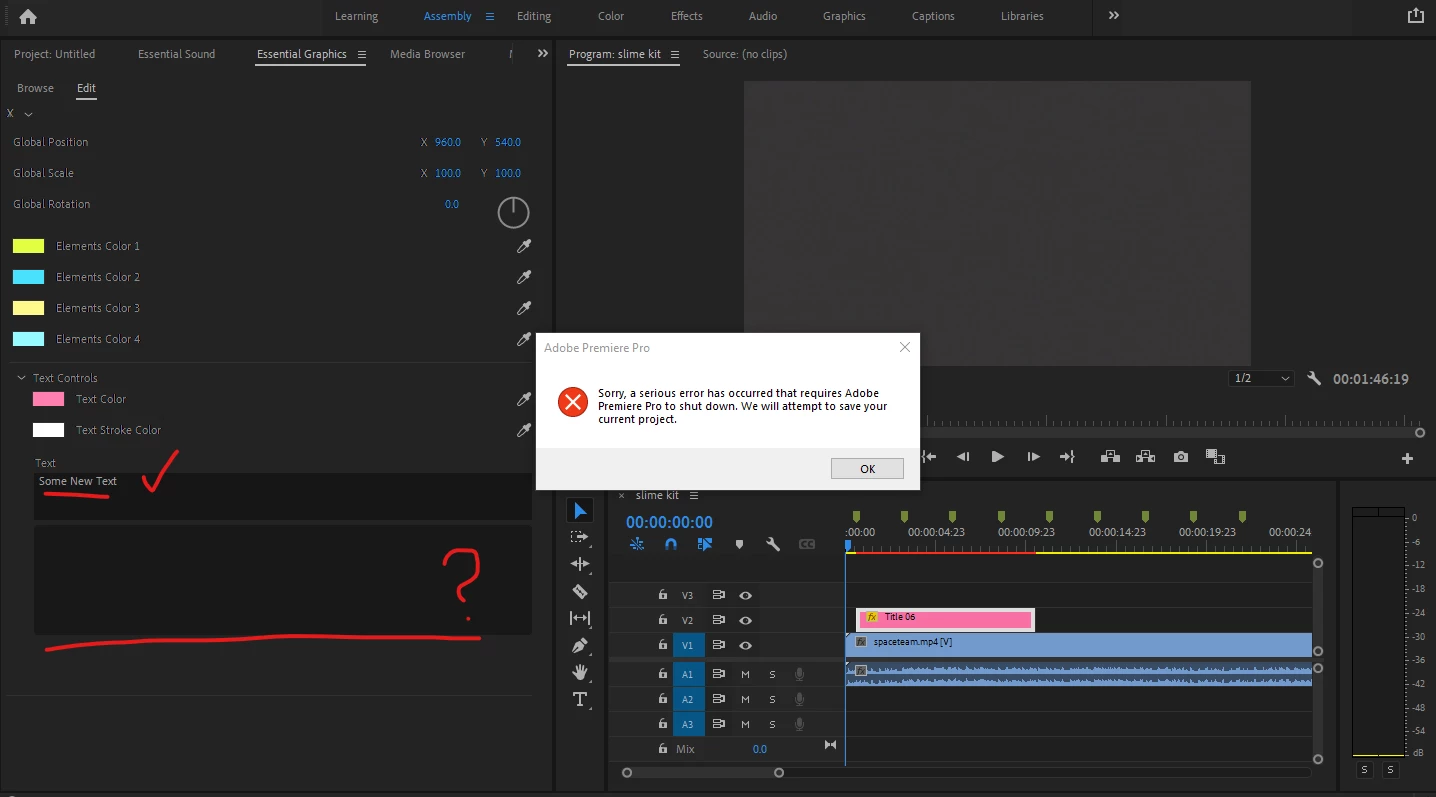
// Attempt #2:
text.fontSizeEditValue = 90; // didn't work
text.textEditValue = "Some New Text"; // didn't work
// Attempt #3:
text.fontsizeEditValue = [90]; // didn't workI've searched through the Premiere Pro Scripting Guide and Adobe CEP Samples documentation but I have not found anything on changing the text's font size.
Any help would be much appreciated. Thanks!


 AdChoices