Project is greyed out and not showing up.
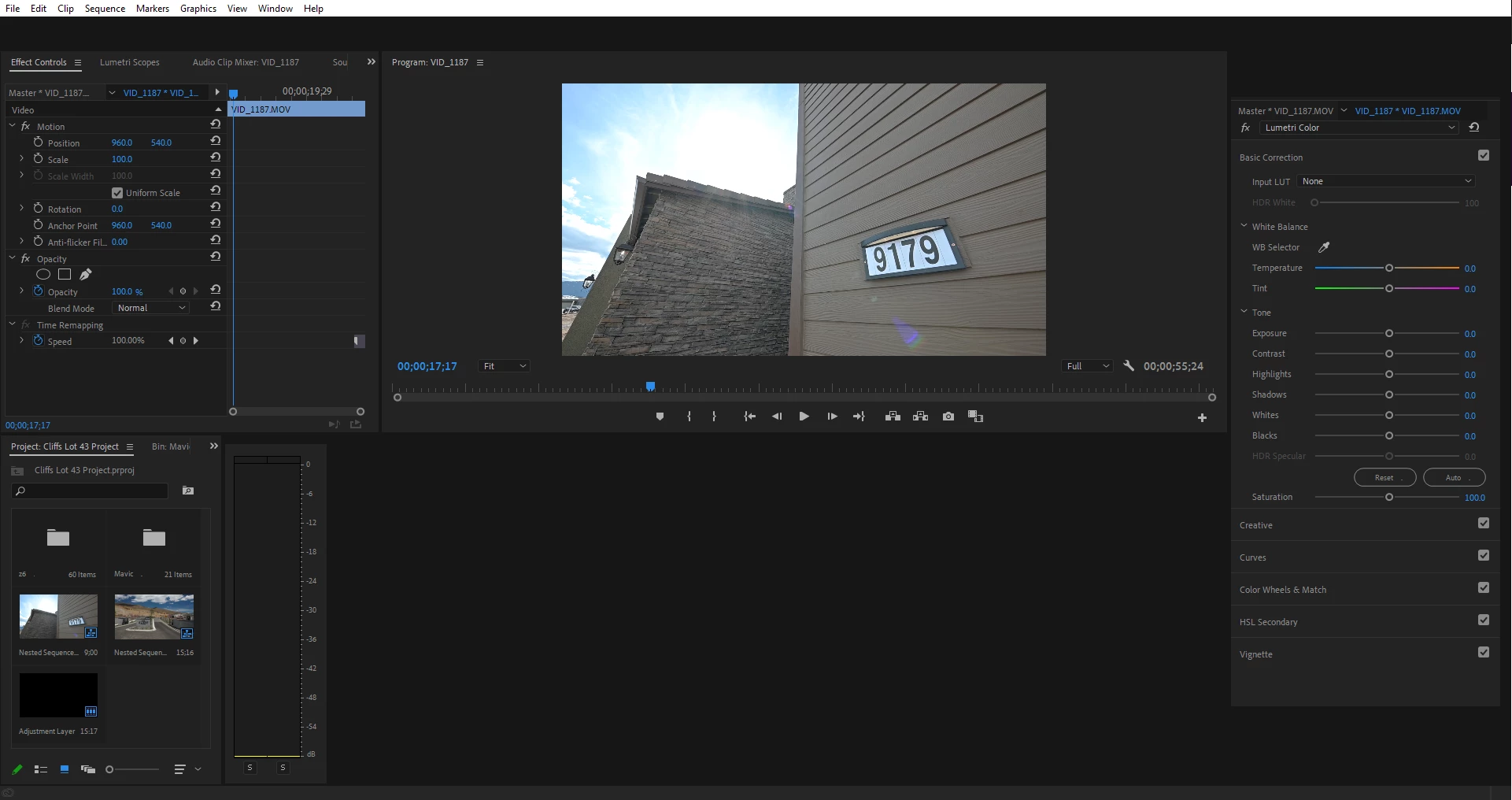
Above is a screenshot of what I am seeing. Tab that are supposed to be there like on the right it is supposed to have essential graphics above lumetri color, Essential Sound under it etc. It does not show up. These things only show up when I clip any of the top bar tabs like, File, Edit, Clip, or Squence. When everything does show up, I can not navigate through my sequence timeline, so I am unable to actaully edit anything in this project. The blue timeline arrow does not move when clicking on timeline ruler. I can not click on the actual video files in my timeline also.
When I launch a different project, Premiere works perfectly fine. Seems to be a problem with this individual project.
Things I have tried:
Uninstalled V. 14.1 and Reinstalled
Downgrounded to V. 14.0 still project seems to be "corupt"
Restarted PC.
 AdChoices