
Project Manager / Render & Replace are missing an ESSENTIAL feature
Hello there,
Right, where do I begin with this one...
Firstly, I'll state that I prefere to use Render & Replace rather than the Project Manager, as it's simplicity and functionality is better, and the results are exactly the same. I got used to using Render & Replace because the PM used to have issues when using Consolidate and Transcode with Handles... Basically, it didn't work if your source media is an Interframe codec, and would copy the whole source media file rather than trimming it. It's fine with Intraframe codecs, for the obvious reasons - the project manager could not process/break the Long GOP structure of Interframe Codecs.
I'm not 100% certain if the Project Manager has been fixed for that issue, as I've stuck with Render & Replace which could always consolidate Interframe codecs. Why Render & Replace can do what the Project Manager should be able to do is beyond me, but hey ho, there we are.
Okay, so, the problem...
I have created a super simple timeline to demonstrate the issue. I've used a PiP moment to make it clear; in this screen grab you can see a BG clip, and two resized clips creating the PiP:

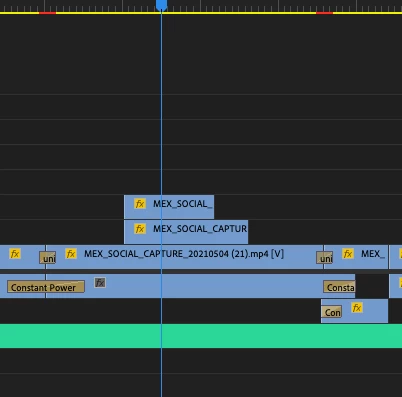
All three of the clips come from the same source media file, you can see the name on the clips on the timeline.
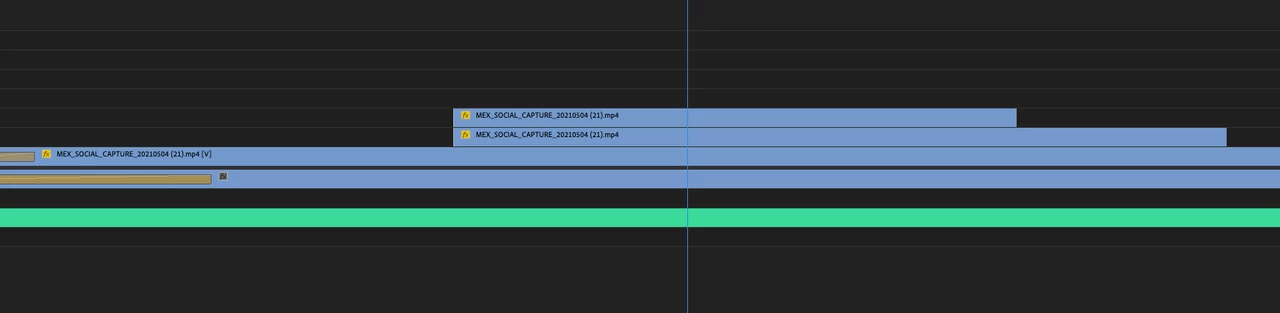
[img]https://i.postimg.cc/N0fb7z9h/Image3.png[/img]
I DO have Show Duplicate Frame Markers enabled, but as these clips are from different timecodes in the master source file, obviously the dup frame markers are not showing anything.
Now, I want to consolidate the media, so each clip on the timeline has a VERY specific number of handles and the clip is 100% independent; this is for addition post-production pipelines in VFX and grade.
However, when I go through the consolidation process, be it Project Manager or Render & Replace, if the clips on the timeline do share any frames, then the consolidated media files are merged into 1 file. This is bad. The transcoded media files should be absolutely unique and not shared with any other clips on the timeline, regardless of shared frames.
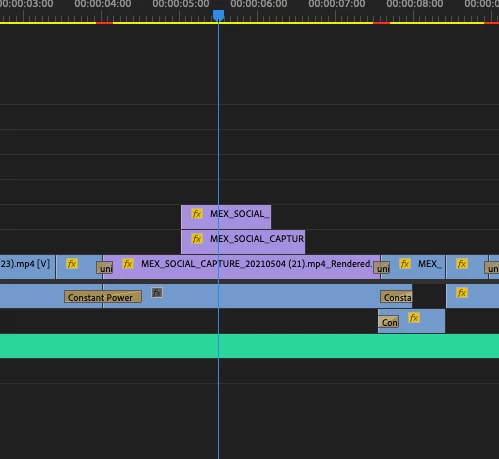
This is my new consolidated section of the timeline, as you can see, it all looks okay -
[img]https://i.postimg.cc/DzrJ0vyn/Image4.png[/img]
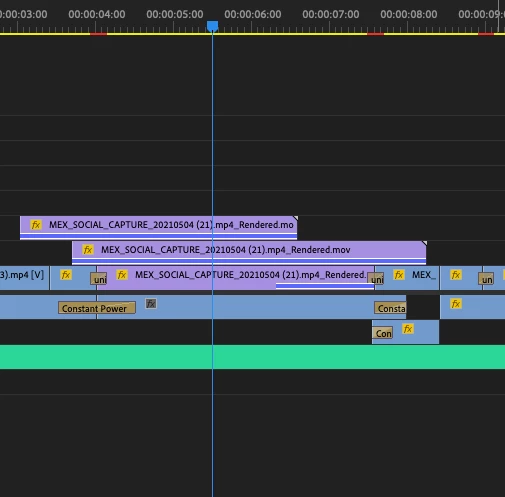
However, when I drag out the handles, you can see that the 25 frames handles are not there, and the Show Duplicate Frame Markers has kicked in, revealing that the 3 clips on the timeline do in fact share the same, newly transcoded, source media file-
[img]https://i.postimg.cc/7h2yP6wN/Image5.png[/img]
I need the consolidation to be absolute, like I said before, with each clip on the timeline having the same 25 frame handles. There can be no variations on this.
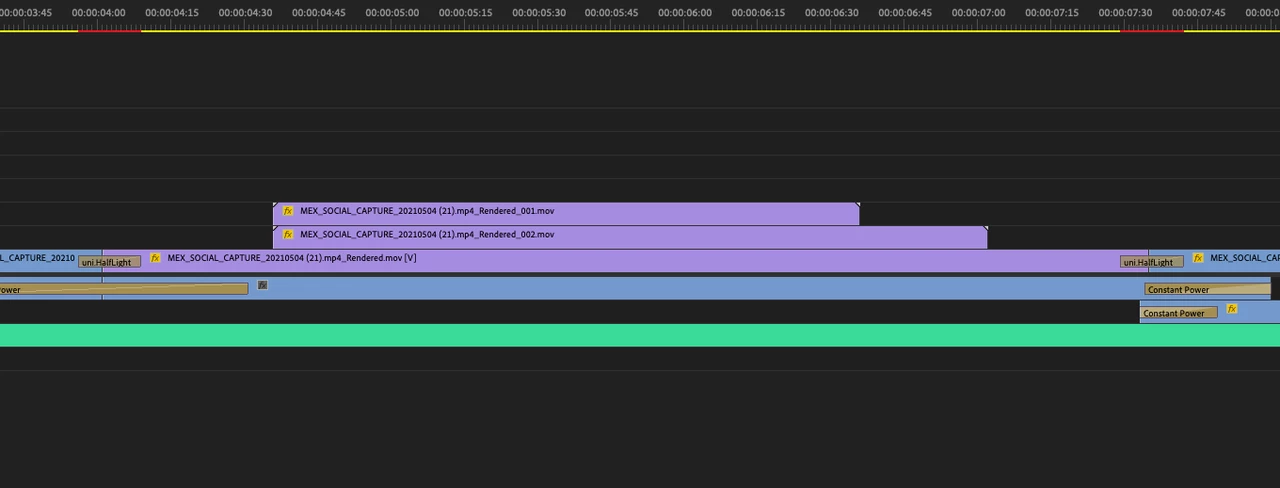
I did a quick work-around to demonstrate what the final result should be, but this involved doing each clip individually, which is obviously not practical in real world work environments, especially if your duplicated frames are hidden in handles. One can't be expected to drag out handles of every clip to see if there's any dupes. That would be insane. You can see in this image that I've dragged out the handles to their maximum, and each clip is exactly 25 frame handles, and you can also see that the name of each clip is different, with each clip having a unique source media file. This is what we need to have the option to create when using Project Manager and/or Render and Replace.
[img]https://i.postimg.cc/vTH3X2Sx/Image6.png[/img]
Please can somebody enter this discussion and take this forward. I'm curios to find out if there are any time-efficient work-arounds for this, but I'm pretty experienced at all this stuff, and have explored every possible option and setting in Premiere, and have reached the conclusion that Premiere does not have this functionality.
I look forward to any response.
Thanks.
[Moderator note: I added your images into the post.]
 AdChoices