
selinamiles
Participant
June 17, 2020
Question

ProRes RAW LUT issue on import

  • June 17, 2020
  • 4 replies
  • 2173 views

Hey Everyone! 

I'm stoked to see the ProRes RAW update for Premiere Pro! 


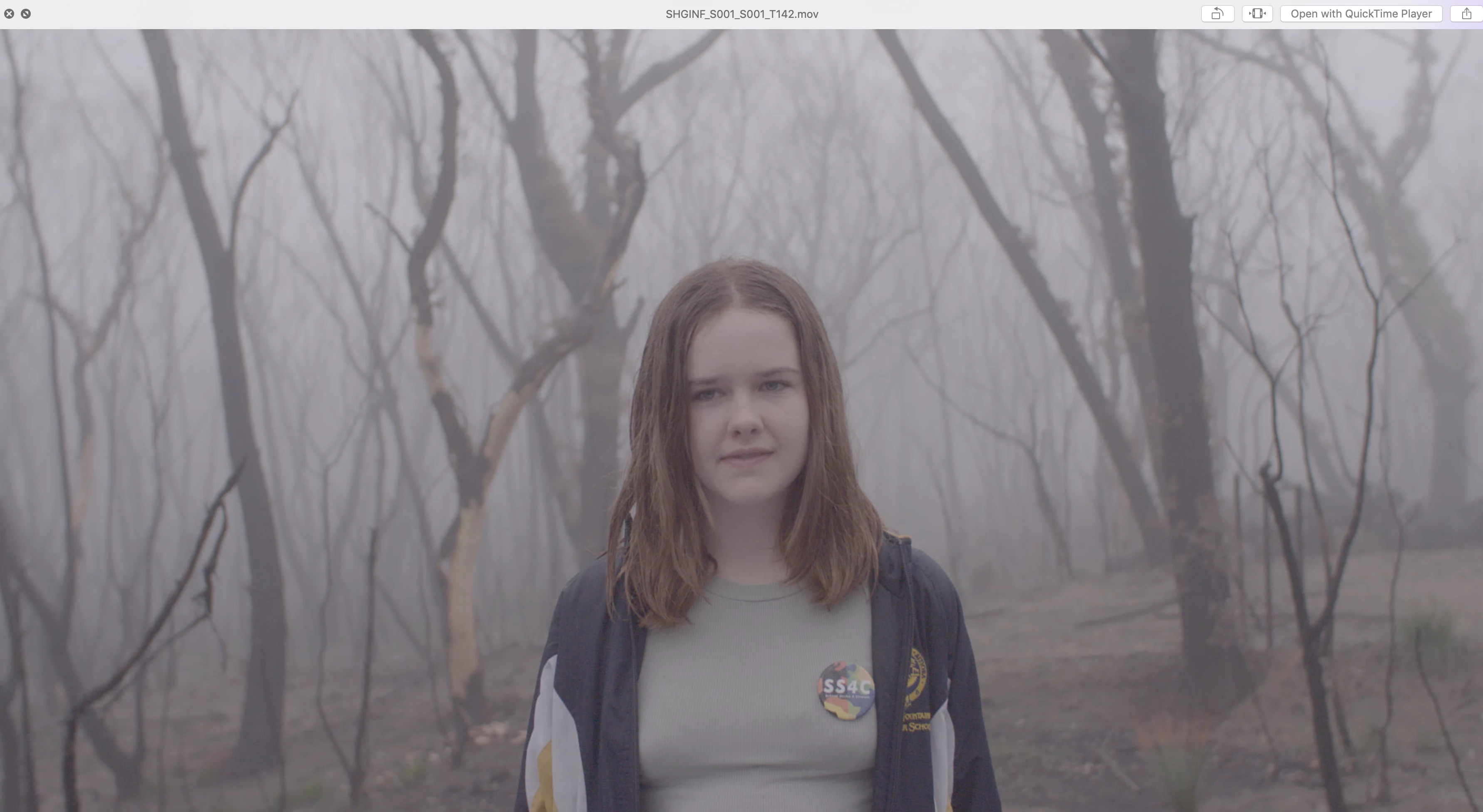
I'm having an issue achieving the correct S-log3 colour space on import. My files are ProRes RAW files in .mov format and were shot on a Sony FS5 using an Atomos Shogun. 


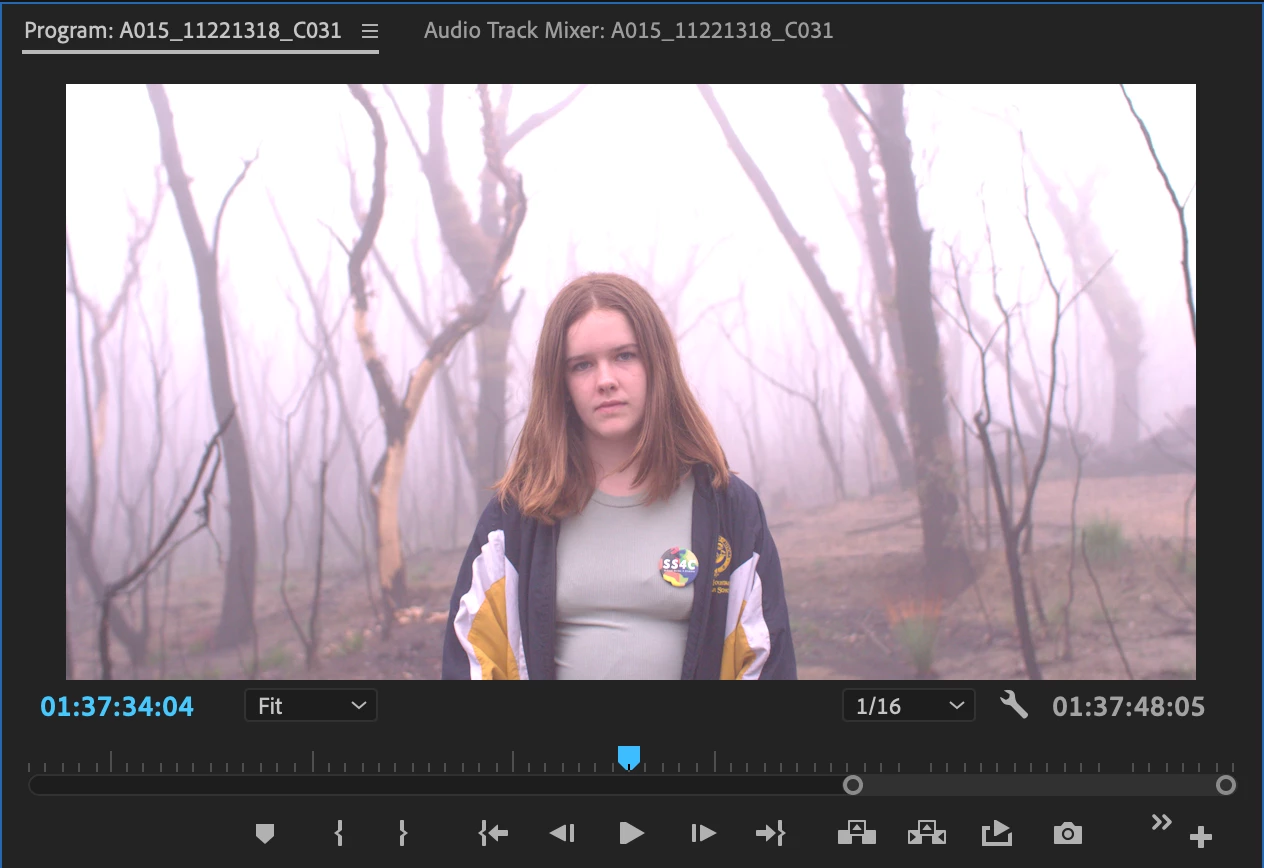
When they are imported into Premiere Pro 14.3, Premiere automatically applies what looks like a rec709 colour profile to the image. I cannot find any way to return to the SLOG3 image that was recorded. 


I have tried: 

- Disabling Master Clip Effects 

- Going to the Effects panel in the Source monitor to disable any Effects (no options appear) 

- Toggling Input LUT settings in Lumetri Panel Basic Colour Correction from None to other settings and back again

- Saving and reopening project 

- Dragging to timeline and disabling all Motion Effects 

- Dragging to timeline and toggling all Input LUT settings in Lumetri 

- Unlinking and relinking media 


I had similar problems in Final Cut which I used briefly before Premiere added RAW compatibility, but could get to the LOG image by changing settings although very buggy 


I have attached images showing what Premiere is giving me and what the LOG image should look like


Any help would be greatly appreciated! 


Thanks


[Moderator note: DO NOT attach files to the post via the attach files box, add them DIRECTLY to your reply by drag/dropping them onto the reply box so users can see them without having to download unkown files from stange computers. I have fixed this for you.]


This topic has been closed for replies.

4 replies

Inspiring
June 17, 2020

p.s.

try not to confuse levels ( Ylift, Ygamma, Ygain ) which are luminance values ( use scopes ) with COLOR. Color has nothin to do with this stage of your correction,


Inspiring
June 17, 2020

pps.


1st image washed out a little but pretty.

2nd image flat and looks more like a pro res or s log thing.


so, to fix 2nd image... so it looks more like first image... you would ( use scopes to check values)

a) bring black ( lift ) down a little to bottom of scope

b) lift white ( gain ) up a little to top of scope

c) play with midtones ( gamma ) to see what effect it has on overall distribtion of those high and low tones.... probably leave it alone or make really slight adjustment.


That should get you in ballpark.


Inspiring
June 17, 2020

I think the best solution would be to adjust one clip on your timeline via lumetri and save that as a LUT and apply THAT to all the other clips. Should get you in the ballpark.


Getting into more complicated stuff is silly at this point, cause I have no clue what you're dealing with.


The camera hdmi output is going into atomos. The atomos records what your camera sees in a different wrapper and codec. S log and raw are different animals, so who knows what you have for source now. The atomos records and the camera settings are two different animals. There are settings in both to adjust how stuff going out of camera hdmi is handled ( limited video, etc. ).


Just use lift gamma gain, fix one clip on timeline and apply to the others. Fine tune later.


🙂


chrisw44157881
Inspiring
June 17, 2020

adobe said its hardcoded that way. the log update won't come out till next month.(or later)

R Neil Haugen
Legend
June 17, 2020

S-Log-3 in ProRes RAW ... um ... I'm not quite understanding combining RAW and Log ... ?


Neil

Everyone's mileage always varies ...