
May 15, 2019
Question

ProRes4444 export changing frame rate to 21.98

  • May 15, 2019
  • 4 replies
  • 370 views

Hello. I'm really stumped on this one. I am exporting a 90mins sequence for colour (all as one video with an accompanying EDL). The post house has requested the file as ProRes4444.

When I export the sequence, even when the output summary indicates that the media will be output as 23.976, the final video ends up being delivered in 21.98fps. 

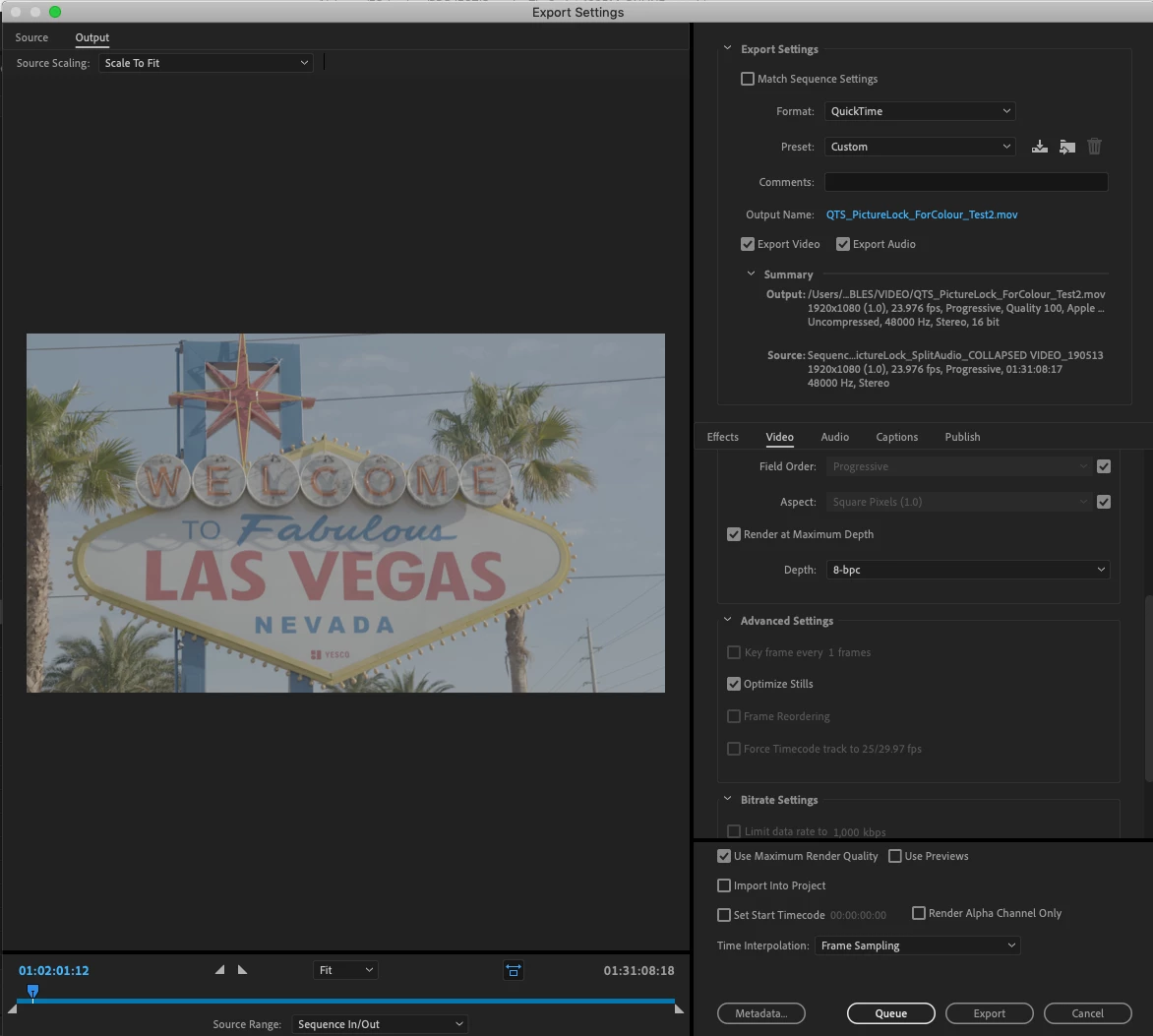
I've selected the following in my export settings:

Format: QuickTime

Present: ProRes4444

Video Code: Apple ProRes 4444

CHECK Render at Maximum Depth

CHECK Optimize Stills

CHECK Maximum Render Quality

The thing is, when I export only a small section of the timeline as a test - the frame rate is totally fine and the video is exported in 23.976. It's only when I export the large file that this 21.98fps issue is occuring. If anyone can help that would be so appreciated.
This topic has been closed for replies.

4 replies

Inspiring
July 28, 2023

Unchecking "Optimized Stills" fixed it for me. 

Mine got converted to 19.58 fps.

Community Manager
May 17, 2019

Hi scottm92321104,

Are you checking the fps value of the exported file in Premiere Pro or in any other application? If you are checking it outside Premiere Pro, try importing the exported file in Premiere Pro and check if it' showing the correct fps value or not.

Thanks,

Sumeet

May 15, 2019

Sorry the FPS is actually 21.89fps

Averdahl
Community Expert
Community Expert
May 15, 2019

CHECK Render at Maximum Depth

CHECK Optimize Stills

CHECK Maximum Render Quality

Uncheck all these to start with unless you know what they do and that you really need them. Some export issues are resolved by having those unchecked, iow leaving them at default.

May 15, 2019

Well Render at Max Depth is something I do traditionally for final exports. I will try however with these unchecked