
Participant
November 21, 2024
Answered

Protected Region missing in Premier Pro 2025

  • November 21, 2024
  • 1 reply
  • 447 views

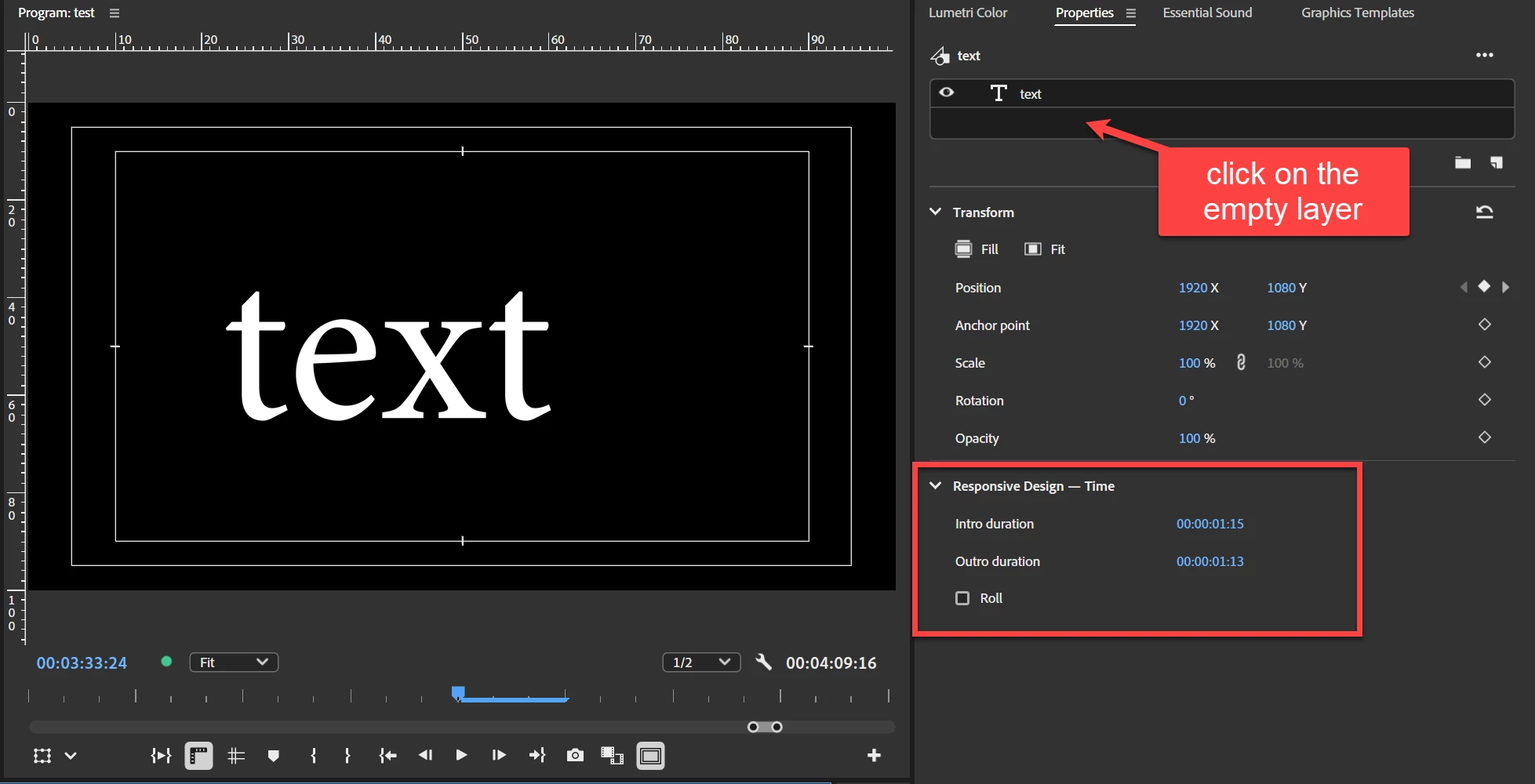
In PP you used to be able to drag a box in the effects control panel to set protected regions on the clip to adjust the time and not mess with your keyframes... you also were able to do it in the essential graphics panel. However in 2025 I cant find where to do it....
This topic has been closed for replies.
Correct answer Ann Bens


1 reply

Adobe Employee
November 21, 2024

The controls that used to be in the Essential Graphics panel are now in the new Properties panel 🙂

Participant
December 1, 2024

Right, but the protected region stuff didnt transfer with the rest of the essential graphics stuff.

Ann Bens
Community Expert
Ann BensCommunity ExpertCorrect answer
Community Expert
December 1, 2024