
Participant
February 15, 2019
Question

Proxy and full res clips don't match

  • February 15, 2019
  • 4 replies
  • 5720 views

I am having an issue with my edited sequence where my proxies and the full res videos appear to be out of sync. 

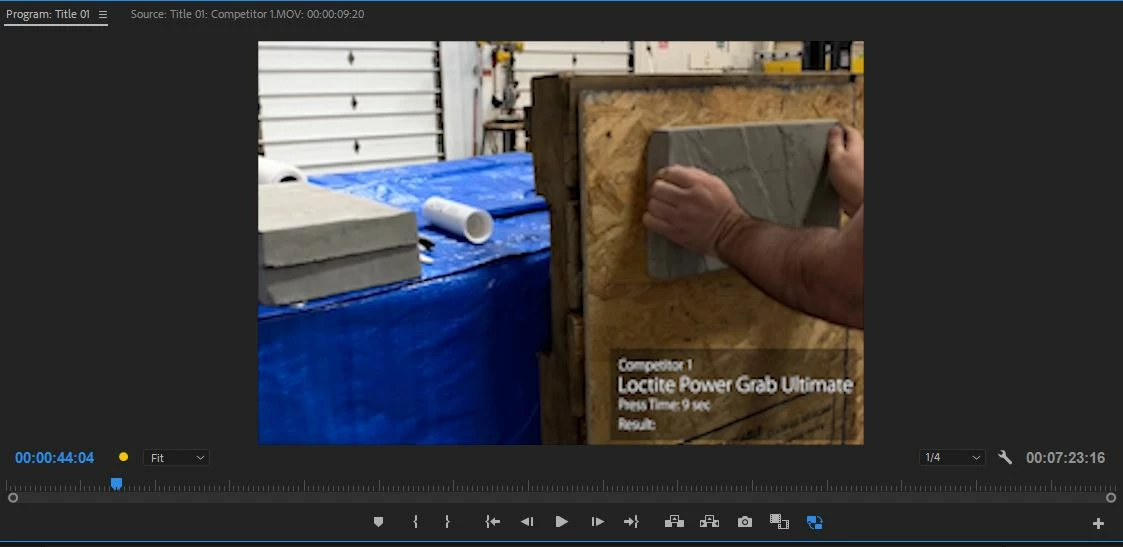
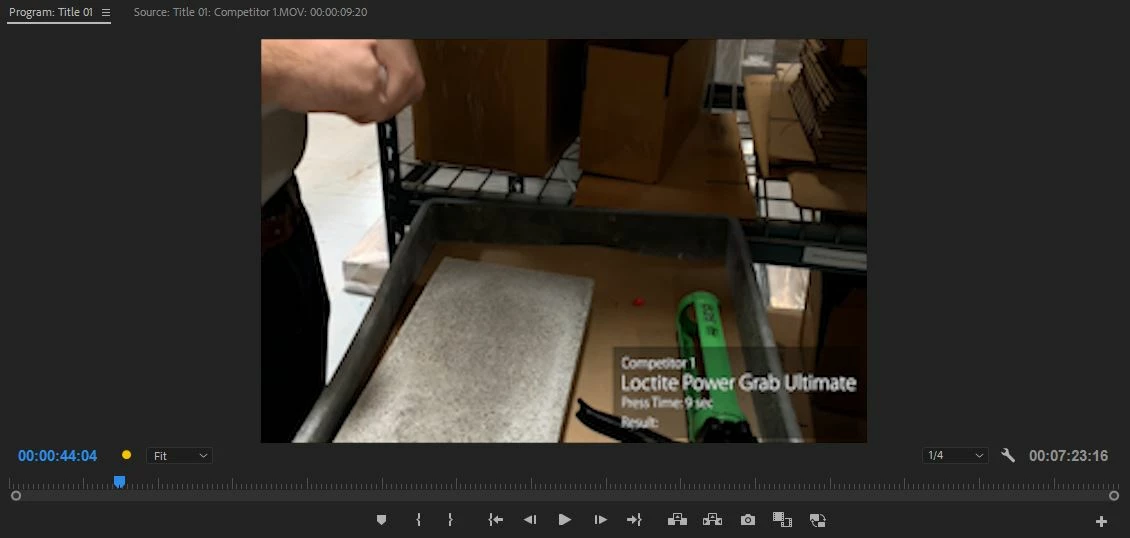
Currently, the edits made with the proxies are correct, but when I export, the full res videos export and are not edited the same way.  These are screen shots of one of the examples of the same frame, with proxies enabled and without.

With Proxies:
without Proxies:
This topic has been closed for replies.

4 replies

Legend
March 10, 2022

In general, this is a discovery for me. Previously, I have not encountered such a problem of matching the source and proxy. If such a problem persists, you need to choose the type of encoding that has the original shot. If you shoot in .MP4, then make a Proxy in a reduced resolution in the format .MP4. In general, I worked with Proxies other than the originals and there were no synchronization problems.

Question: through which program do you make a Proxy?

Innovated24
Participant
August 20, 2019

I had the same issue and just figured it out. My problem was that when I created the proxy I did so in H.264 since I am used to filming in MP4. This video I shot in MOV so when I created the proxy it stuck with the old format of H.264 instead if the quicktime format I should have used

Participating Frequently
March 10, 2022

how did you fix this? Seems this is my error too

Legend
March 1, 2019

What camera was used to film the original media?

Did you use the included Cineform presets for proxies?

Participating Frequently
February 15, 2019

By any chance did you use Interpret Footage to change the frame rate of the clip(s)? If so, Interpret Footage is not currently supported for Proxy. A possible workaround is to use Speed/Duration.

If that is not what you did, does the Proxy have the same frame rate as the Full Res? You can get Properties to see details on Full Res and Proxy. The frame rate should match.

FYI, some additional information on Proxy support can be found at: Adobe Premiere Pro Help | Ingest and Proxy Workflow in Adobe Premiere Pro CC

Participant
February 18, 2019

Hi Trent, thanks for the helpful response.  I did not use the Interpret Footage to change the frame rate and I verified that the Full Res and Proxy have the same frame rate.

For the clips that are having the issue, I am using the Razor tool to cut the clip and applying a Speed/Duration filter to the first part of the cut clip.  The proxy renders correctly but it appears that the full res clips are starting over at the cut point.  Any ideas on why that would be and how to resolve?

Thank you again, Alex

Participating Frequently
March 1, 2019

That is really odd. I have tried a number of tests, following what you described - attach Proxy, razor edit the clip in Timeline, apply Speed/Duration change and it keeps the clip synced for me. The only other thing I can think of is if you had relinked the clip at some point and it did not sync properly.

If you set Speed/Duration back to normal, does the Full Res and Proxy now sync correctly?

If possible, could you provide us with a small sample Project and clip that reproduce this issue? This would greatly help us with our investigation.

Thank you.