
Inspiring
February 10, 2025
Answered

Proxy files have different durations than original

  • February 10, 2025
  • 1 reply
  • 568 views

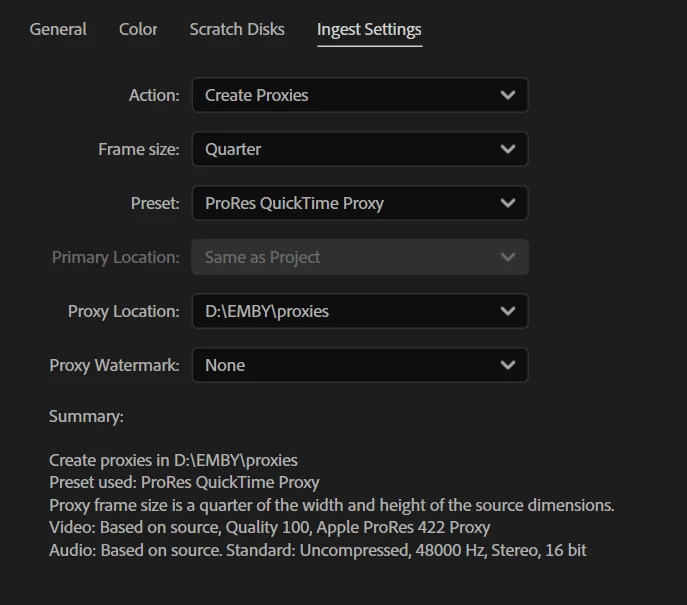
I set my ingest settings to create proxies like this 
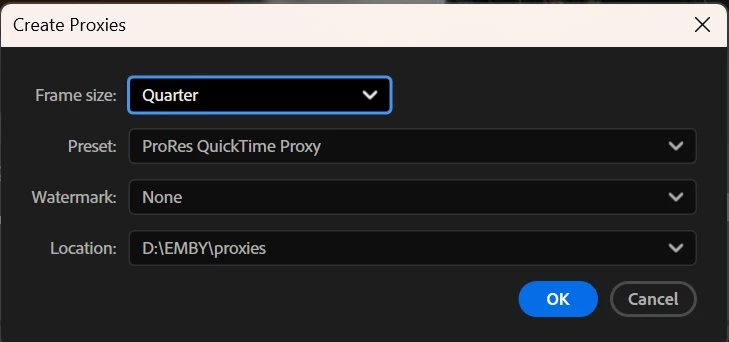
 but not all of them worked, so I had to make some of them manually with these settings
But now when I'm editing, I noticed that many of my clips (interviews) cut off in the middle. 
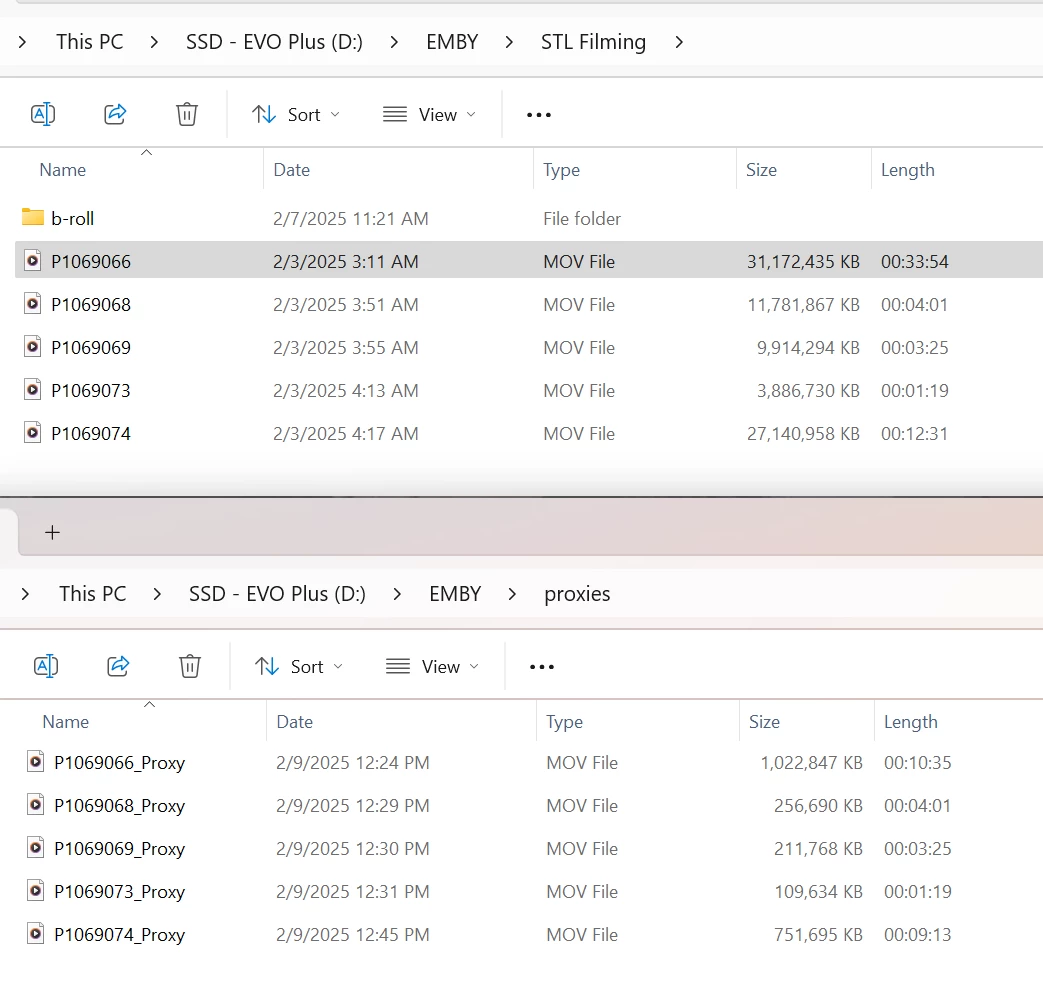
When I looked at windows explorer to see what was going on, I noticed that many of my proxy clips are shorter than the originals. I can't figure out why that would have happened, how to fix it, or how to see the end of all these clips in premiere. Thanks in advance to anyone who can help 🙂 
 

Correct answer ebM7886

Ok I tried making proxies in premiere 2024 on the same computer, and then premiere 2023 on an old computer and then in the beta version. All had the same problem. I also dropped an empty drive at the videographer so that he can copy the entire full file structure like you mentioned. 


BUT I also figured something else out... it's not just the proxies. Those 10 clips, that have the wrong lengths, are the wrong length as soon as they come into premier! So of course the proxies are the wrong length... bc that's how long those clips are in premier! So now I guess it's not a proxy question...


I don't know if that changes anything in terms of how you understand this, but that problem repeated itself on all versions, on all computers.


Got the drive. The files that were having issues for me are significantly larger files on the drive he gave me. But the same duration. very strange. I'm currently replacing them and seems like that solved the issue. So it wasn't a premiere problem all along! Sorry community but Kevin - thank you for helping me!

1 reply

Kevin J. Monahan Jr.
Community Manager
Community Manager
February 10, 2025

Hi @ebM7886,

Thanks for the question and welcome to our community. You're always welcome here. It is rather odd that the shorter media files have no issues with the creation of proxies. The longer clips are truncated. I also wonder why. There may be something unusual in your workflow. I think that the issue may be related to the original media. Were these media files shot on a camera or camcorder which records onto an SD card? If so, the may have been captured in a "spanned" manner. Tell us more about how you acquired the files (the camera you use and how media gets saved to the device), and we'll go from there. I hope we can help you. Sorry for the hassle.


Thanks,
Kevin


Kevin Monahan - Sr. Community and Engagement Strategist – Adobe Pro Video and Audio
ebM7886Author
Inspiring
February 10, 2025

Thanks Kevin! I'm not sure what camera it was since my videographer has not responded, but it's a panasonic, and the LUT im using is called Panasonic vlog. I believe he did shoot on SD cards and then sent me the files via dropbox. I checked on dropbox and the full length is there. I just did a test right now of retrying one file creating a new proxy, and it happened again. If he responds with the name of the camera I'll post

Kevin J. Monahan Jr.
Community Manager
Community Manager
February 10, 2025

Ah, OK. Cool. What you might try is to ingest via the Media Browser to make sure the spanned clips have the metadata required for the spanned clips to be handled as a single one when creating proxies on ingest. That is what I'd try first.


Do you have access to the original media? You would want to copy the entire folder structure off the SD card to your computer's media drive. The spanned files need the metadata contained on those folders. So, you don't cherry-pick the media out of the folder containing it, Select the top level folder in Media Browser and ingest that way. Try a test and see if that might solve your proxy creation issue. I hope the advice helps you. Let us know how it goes! Thanks.


Cheers,

Kevin


Kevin Monahan - Sr. Community and Engagement Strategist – Adobe Pro Video and Audio