Participating Frequently
May 4, 2017
Question

PrPro CC17 Stuck on "Open Project" screen when opening project from another computer

  • May 4, 2017
  • 12 replies
  • 6651 views

My team and I have been having this problem for a while, before CC17 but it is persisting even in the newest update 17.0.2. When someone opens a project that was started on another workstation premiere will get stuck partially through opening it. It doesn't time out or show an error. It just never moves from this screen:
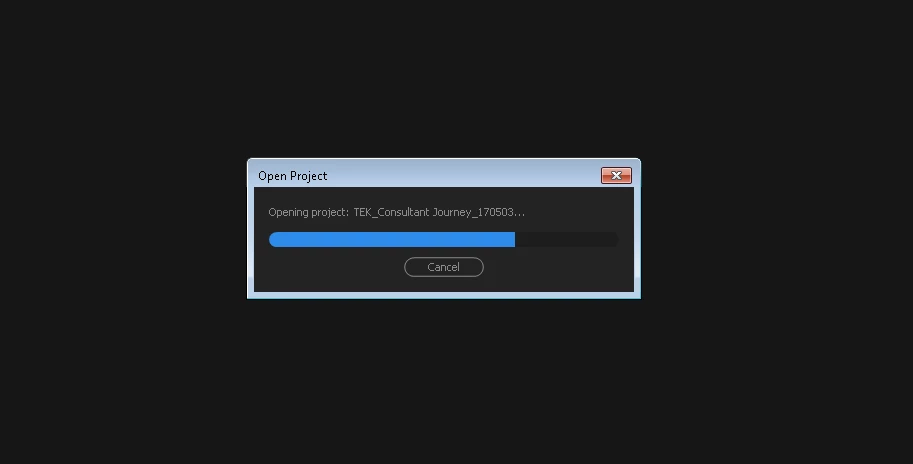
We work on a shared storage device (Promax Studio) and everyone has their own IP address to connect to it. We've had some issues with media being offline because of the different IP addresses but this is different. Premiere just stops on this screen no matter how long we leave it (I've left it as much as 8 hours but more than 5-110 mins is enough of a problem). I can't find any thread of a similar issue.

Any thoughts or solution ideas? Thanks!

This topic has been closed for replies.

12 replies

Legend
May 16, 2017

With any kind of network storage or collaboration, it's probably best to sign up for Adobe Anywhere or Team Projects.  If you're not using those services, it's probably best to keep each project on one machine using local drives only.

Participating Frequently
June 6, 2017

Excuse me, Jim, but are you saying that there isn't a solution to this bug in the software? That the only solution is to use a remote, cloud-based workflow when all of our workstations are in one room? Or that we need to switch to a workflow that is still in Beta like Team Project or invest over $150K in an Anywhere system? These are not an acceptable answers for us. Please tell me there is another solution. We can't be the first one's to have this problem.

Thanks

Legend
June 6, 2017

I'm saying that if you want to work they way you are, you should include the tools Adobe has developed to make that process function.

kulpreet singh
Inspiring
May 4, 2017

Hi BenjaminTEK,

I can understand how annoying it could be.

Are you able to create a new project? If you are, have you tried importing your original project in a new project?

it is persisting even in the newest update 17.0.2.

I am sorry but  2017.1 is the latest.

I will appreciate if you can share more details. FAQ: What information should I provide when asking a question on this forum?

Thanks,

Kulpreet Singh

Participating Frequently
May 4, 2017

Thanks for the quick response.

Apologies, 17.0.2 was wrong. I am running 17.1 on all computers.

I tried creating a new project and importing the original into it and premiere crashed.

More details:

Running Window 7 64 bit

Original Project created on

Opening project on:

Do you need an other details? Thanks!

kulpreet singh
Inspiring
May 5, 2017

Thanks for sharing the details, BenjaminTEK.

Do you need an other details? Thanks!

  • What is the source & properties of your media files?
  • Where exactly your media files & your project files located?
  • Do you have admin rights on both of these machines?

Run a small test: Create a new test project (empty) and try to open it on the second machine.

Please reply with your observations and additional details.

Thanks,

Kulpreet Singh