sonalk
Participant
September 30, 2017
Answered

Push slide transition of text is creating unwanted lines

  • September 30, 2017
  • 1 reply
  • 632 views

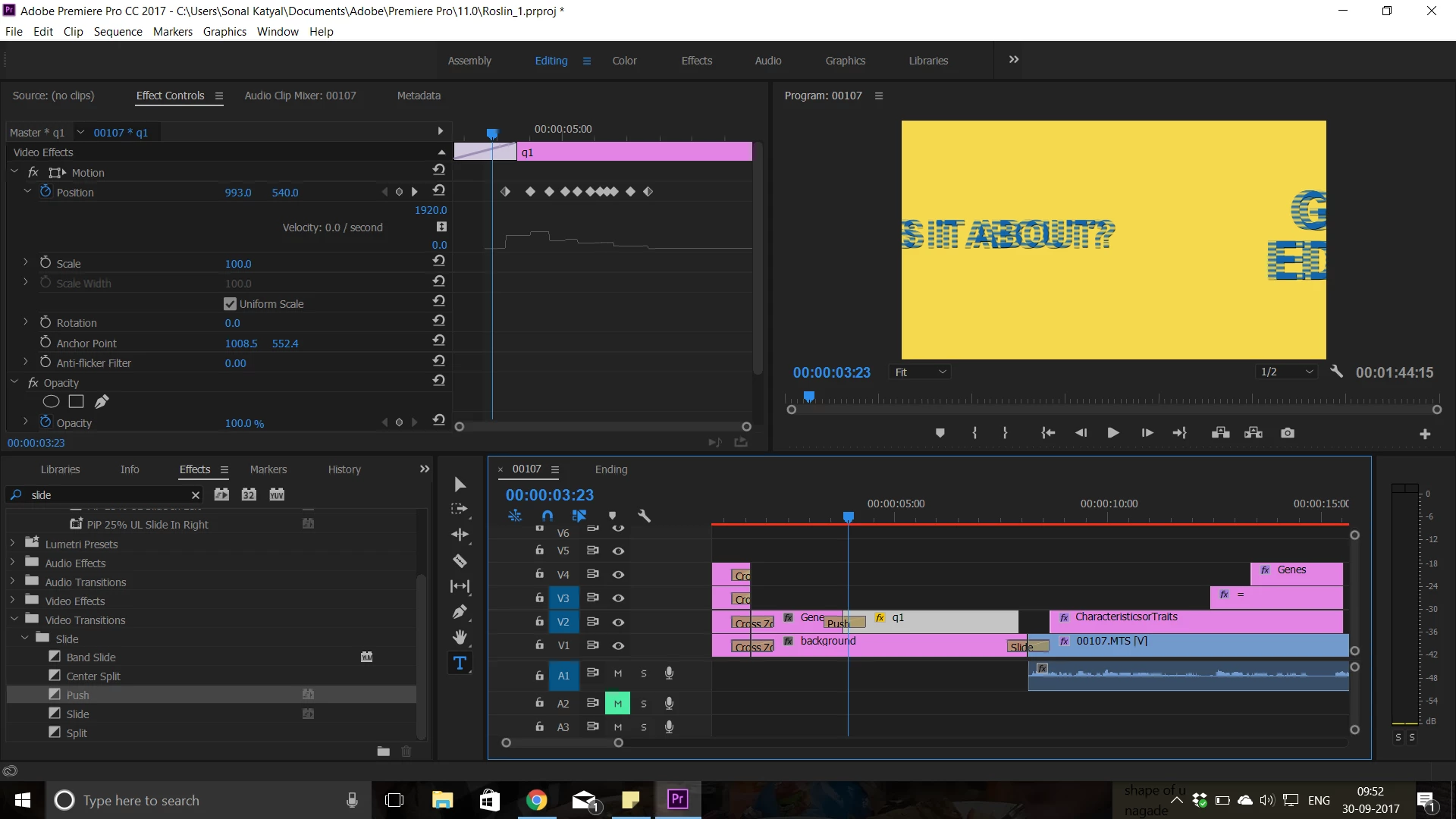
When I am applying a push transition or even doing it manually by motion transition, between two layers of text, the motion of the text has lines. They appear even after export. How can I prevent this? Please help
    This topic has been closed for replies.
    Correct answer Meg The Dog

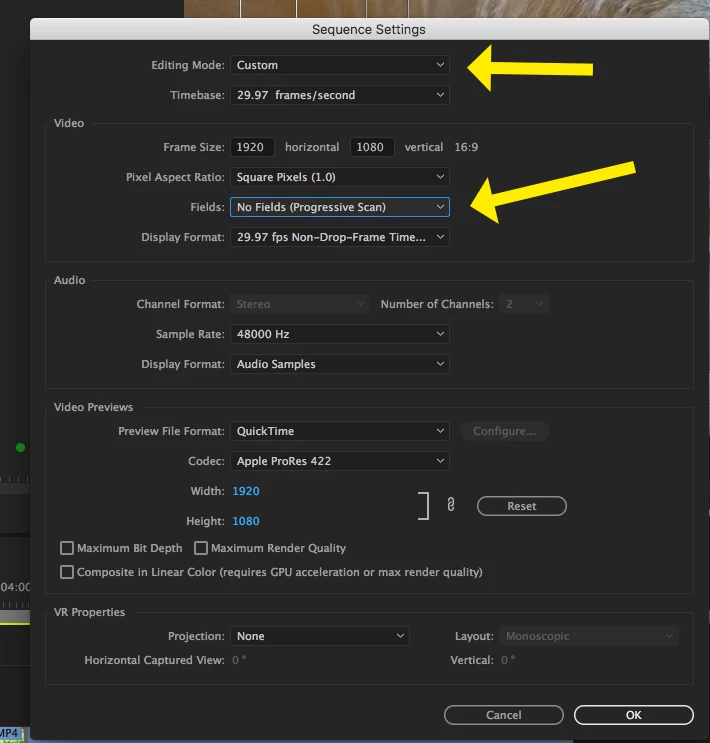
    Go to the menu Sequence > Sequence Settings, and when the Sequence Settings Pane opens, change the Fields to No Fields (Progressive Scan). You may need to change the editing mode to Custom to do that.

    You will need to re-render you timeline.

    MtD

    1 reply

    Inspiring
    September 30, 2017

    Check your sequence settings, it looks like you are editing on an interlaced timeline.

    If this is your intention and you want to suppress this artifact in the program monitor (it won't effect the output), click on the wrench in the lower right of the program monitor and choose Display First Field.

    MtD

    sonalk
    sonalkAuthor
    Participant
    September 30, 2017

    Hie,

    Thankyou. It is already on display first field. And I didn't want to do interlaced timeline. I mean I actually am not aware of it at all.

    What can I do now?

    Cheers,

    Sonal

    Meg The DogCorrect answer
    Inspiring
    September 30, 2017

    Go to the menu Sequence > Sequence Settings, and when the Sequence Settings Pane opens, change the Fields to No Fields (Progressive Scan). You may need to change the editing mode to Custom to do that.

    You will need to re-render you timeline.

    MtD