Answered
Putting multiple video images on screen
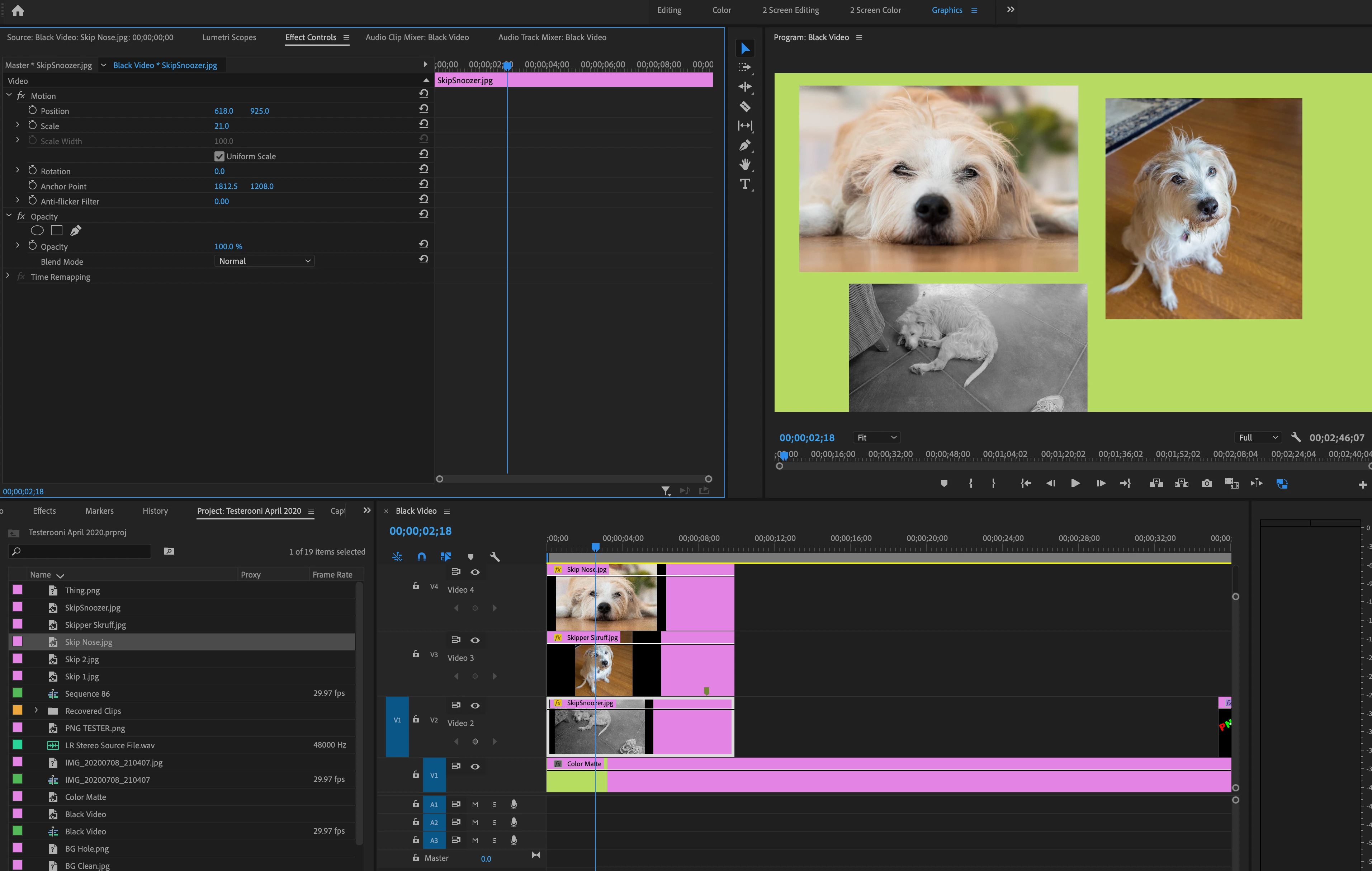
Total noob here - how do you put multiple video images on the screen at the same time?

Total noob here - how do you put multiple video images on the screen at the same time?
You stack them on the timline, one on top of the other. You then select each clip and using the controls avaiable in the Effect Controls Panel > Motion you scale and position the clip.
A higher track clip will reveal the clip beneath it:
MtD
Already have an account? Login
Enter your E-mail address. We'll send you an e-mail with instructions to reset your password.
 AdChoices