
Participant
August 27, 2021
Answered

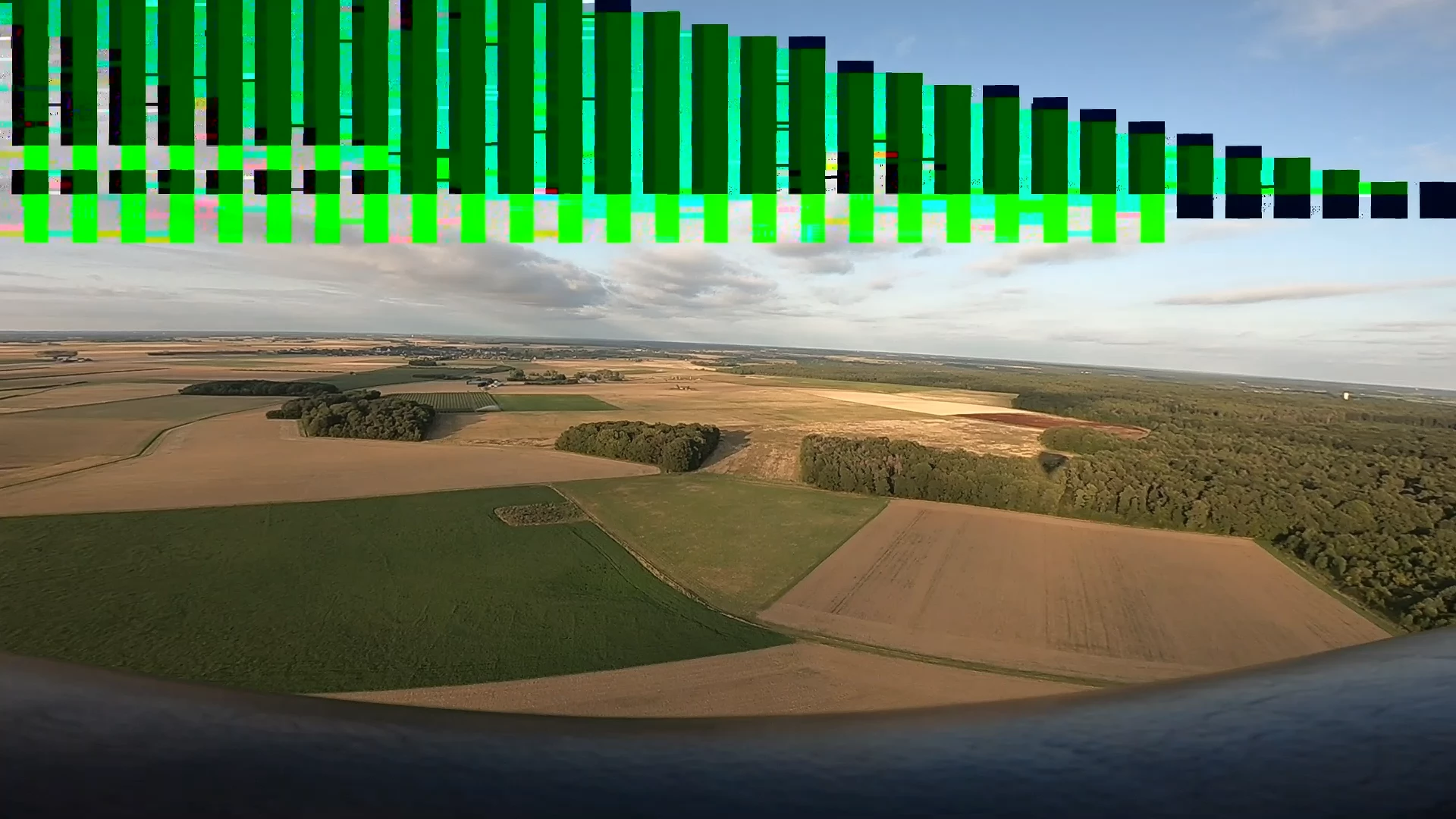
random bars appear, green, gray, black in preview and export, Pp 2021

  • August 27, 2021
  • 3 replies
  • 672 views

Hi

Im new to Pp, installed fresh version and tried first composition.

footage shot on gopro 1080p resolution. noticed that green bars but smaller in preview and was thinking that is preview or corrupted source issue.

after exporting found same and bigger randomly all over video. tried to change settings, codec, resolution - same, just other random places.

any ideas what can be here?

PC is not super video editor's - dell inspiron laptop with intel iris xe integrated card, last drivers
This topic has been closed for replies.
Correct answer Pilot98A1

well. after updating to new "secret for dell/windows" Intel driver Pp made rendering without glitches

3 replies

Pilot98A1AuthorCorrect answer
Participant
August 28, 2021

well. after updating to new "secret for dell/windows" Intel driver Pp made rendering without glitches

John T Smith
Community Expert
Community Expert
August 27, 2021

Do not count on Windows to be fully up to date when it comes to device drivers
Go to the vendor site to be sure you have an updated driver for your graphic adapter
Intel https://downloadcenter.intel.com/product/211969/Intel-HD-Graphics-Family
There are also intermittent reports that the newest driver is not always the best driver due to driver bugs or compatibility issues, so you MAY need to try an earlier driver version

Peru Bob
Community Expert
Community Expert
August 27, 2021

The laptop may need Dell specific drivers rather than the ones provided by the graphics manufacturer.

Pilot98A1Author
Participant
August 27, 2021

Yes, It is written so, that Dell can reject Intel's driver. Dell's suport software and windows update were not able to find new version of driver. But I have found it on Intel's page. It failed to install, so I had to install manualy. Will make another movie tomorrow and will see does that help.


Yes, after swithching off GPU accelleration I have managed to make video without glitches. But only after I have turned off h264 decoding at Media setings, not Project setings - Mercury...hardware. unfortunately thats makes rendering 5-6 times longer...


Will update soon

Peru Bob
Community Expert
Community Expert
August 27, 2021

Have you turned off GPU acceleration?