Participating Frequently
September 20, 2017
Answered

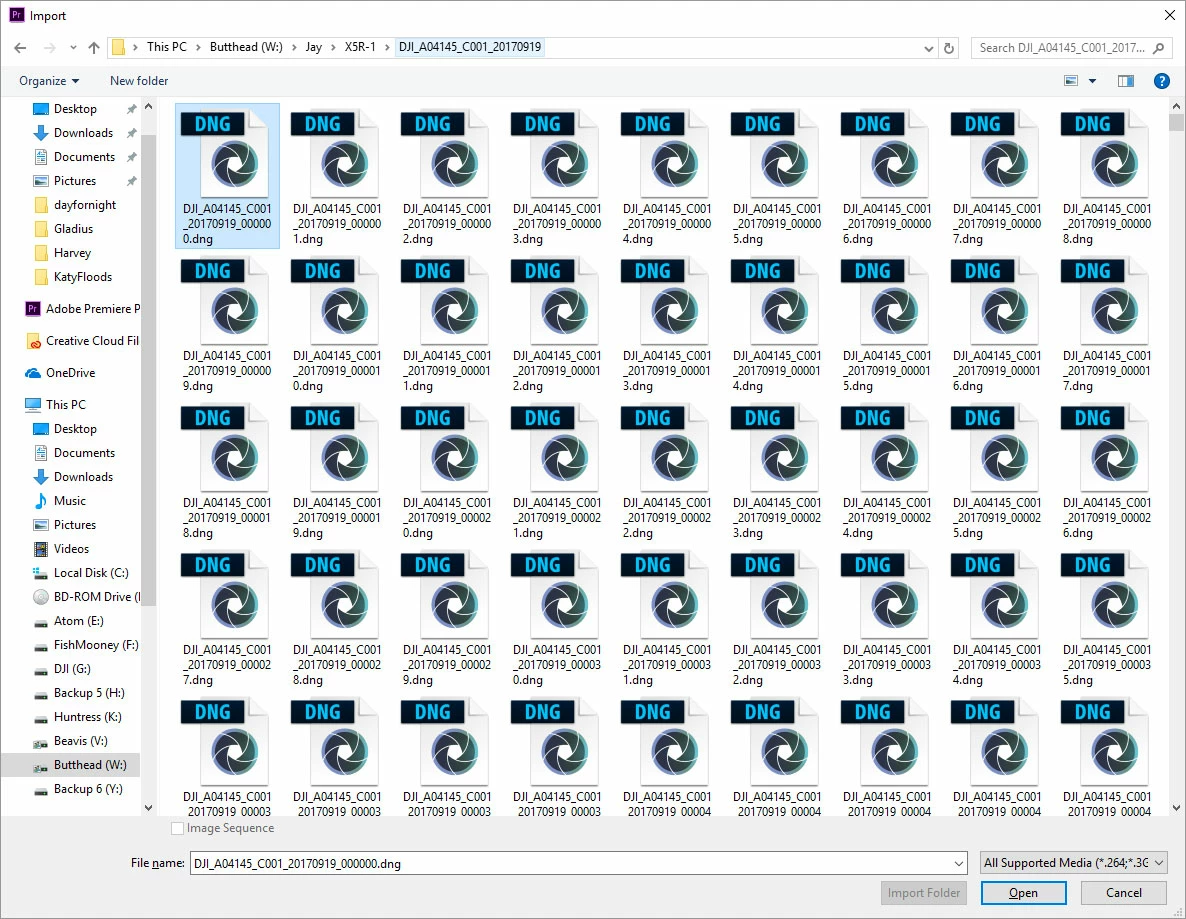
RAW DNG seqence: Image Sequence option greyed out
  • September 20, 2017
  • 4 replies
  • 3600 views

As you can see, I am... in fact, selecting only the first image in the sequence.  It's not the file name.  I also tried a batch rename of "clip_XXXXX.dng."  I also tried using slimRAW to create lossless "Premiere CC compatible" DNG sequence (the one you're looking at). No... I don't want to import into AE first (makes you use camera raw to color correct the clip, and create a lossy clip for editing).  I don't want to use a lossy clip (MPG) or the like for editing.  I need to edit the RAW.  Why?  Does it really matter?  I just do.  Please help.  I just want to import an image sequence, and PP 2017 won't let me do it!

    This topic has been closed for replies.
    Correct answer RobShultz

    I see three 0-9's. I'd try putting 0-9 in a separate folder and trying again.

    4 replies

    Participant
    September 20, 2017

    Just drag the first frame in the sequence into the media pool and Premiere will load the whole sequence on demand while you scrub the footage. This is what I do with X5R CDNG footage. Like you, I first use Slimraw to reduce the raw size and make Premiere compatible raw. Dragging the first frame only in Premiere is what they recommend in the Slimraw's user guide here: slimRAW User Guide . They explicitly warn against importing the whole folder, because Premiere will attempt to load all the frames immediately, which is painfully small.

    Legend
    September 20, 2017

    Premiere Pro does not work properly with CinemaDNG media.

    CinemaDNG Feature Request

    You're bet option here is Resolve 14, which is free.

    psiclopseAuthor
    Participating Frequently
    September 20, 2017

    oops, sorry... marked the wrong one correct.

    Apparently it automatically makes it an image sequence, so it's pretty confusing that way.  Jim's right though.  Works like garbage.  Takes forever to preview, sometimes just goes black, and then when you use the "edit with Adobe After Effects" all hell breaks loose (only uses the first image of the sequence).  Total garbage.  C'mon Adobe... get with the times!!!

    RobShultzCommunity ExpertCorrect answer
    Community Expert
    September 20, 2017

    I see three 0-9's. I'd try putting 0-9 in a separate folder and trying again.

    R Neil Haugen
    Legend
    September 20, 2017

    Are you using the Prpro Media browser? Doesn't look like what I'm used to ... and that might be of help ...

    Everyone's mileage always varies ...