Participant
April 5, 2017
Answered

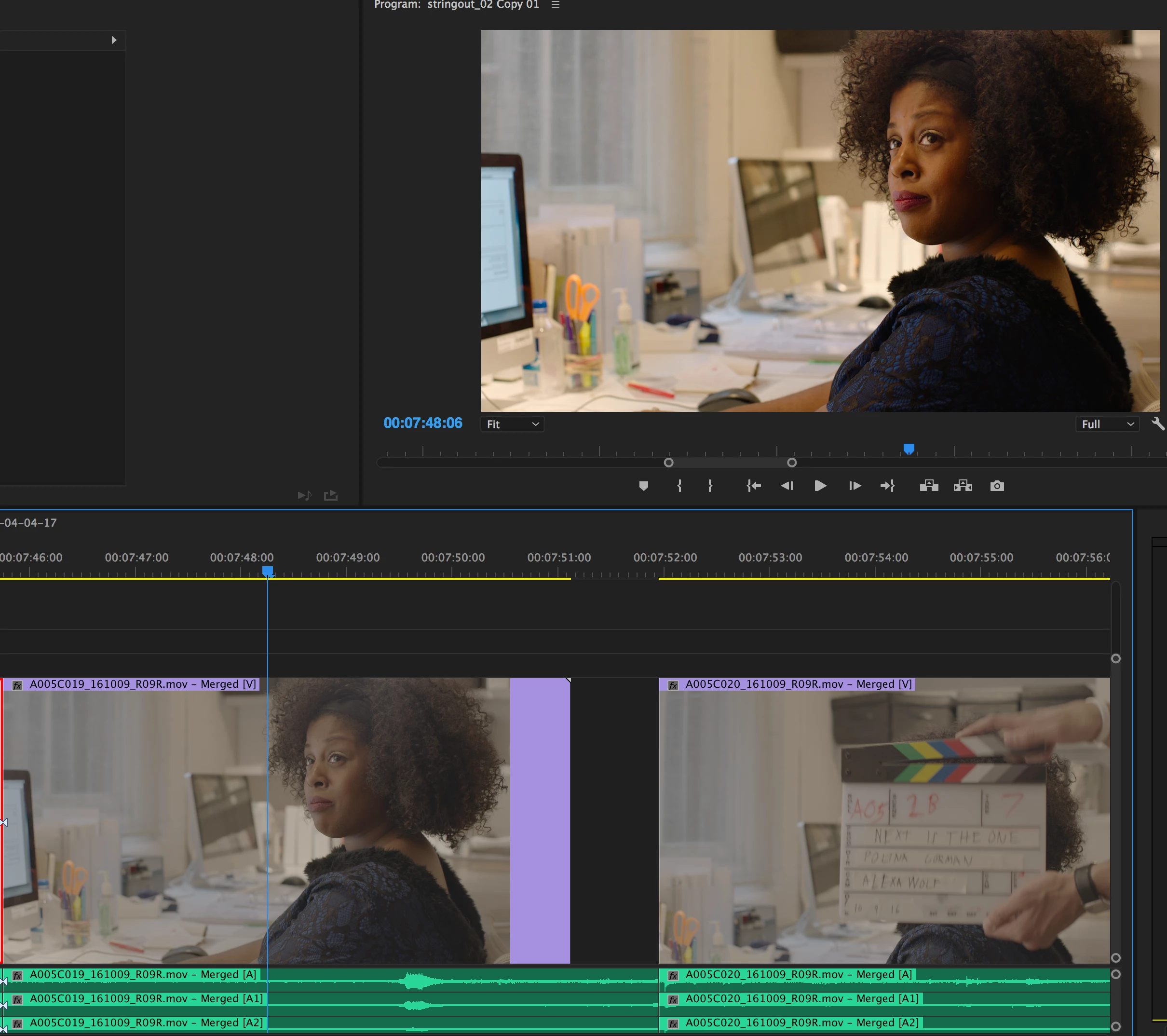
Raw files look color corrected in Program Monitor

  • April 5, 2017
  • 1 reply
  • 620 views

Hello! I'm dealing with log video files that were shot on an Alexa Mini, and when I look at them in the timeline, the colors look flat, as they should but in the program monitor they look Rec 709 color corrected. There is no effect on the clips, but when exported they also appear color corrected. I need to send this to color and I'm concerned that this problem will persist.

I'm working on Premiere 2017.0.2. 11.0.2 (47) Build. I've also worked on a more recently updated premiere and had the same problem.

Please let me know if anyone has had this problem and how to turn off this effect!
    This topic has been closed for replies.
    Correct answer R Neil Haugen

    I presume you know the difference between RAW and log files ... as you use RAW in the title, and log in the post. NOT the same thing, of course.

    As to your posted question, check out this tutorial on "project bloat" ... it will show you what the program does with Arri media. And yes, PrPro does automatically apply a corrective LUT to the Arri log media.

    Amira LUTs and project bloat — The Premiere Pro

    Neil

    1 reply

    R Neil Haugen
    R Neil HaugenCorrect answer
    Legend
    April 6, 2017

    I presume you know the difference between RAW and log files ... as you use RAW in the title, and log in the post. NOT the same thing, of course.

    As to your posted question, check out this tutorial on "project bloat" ... it will show you what the program does with Arri media. And yes, PrPro does automatically apply a corrective LUT to the Arri log media.

    Amira LUTs and project bloat — The Premiere Pro

    Neil

    Everyone's mileage always varies ...