
Participant
March 30, 2020
Answered

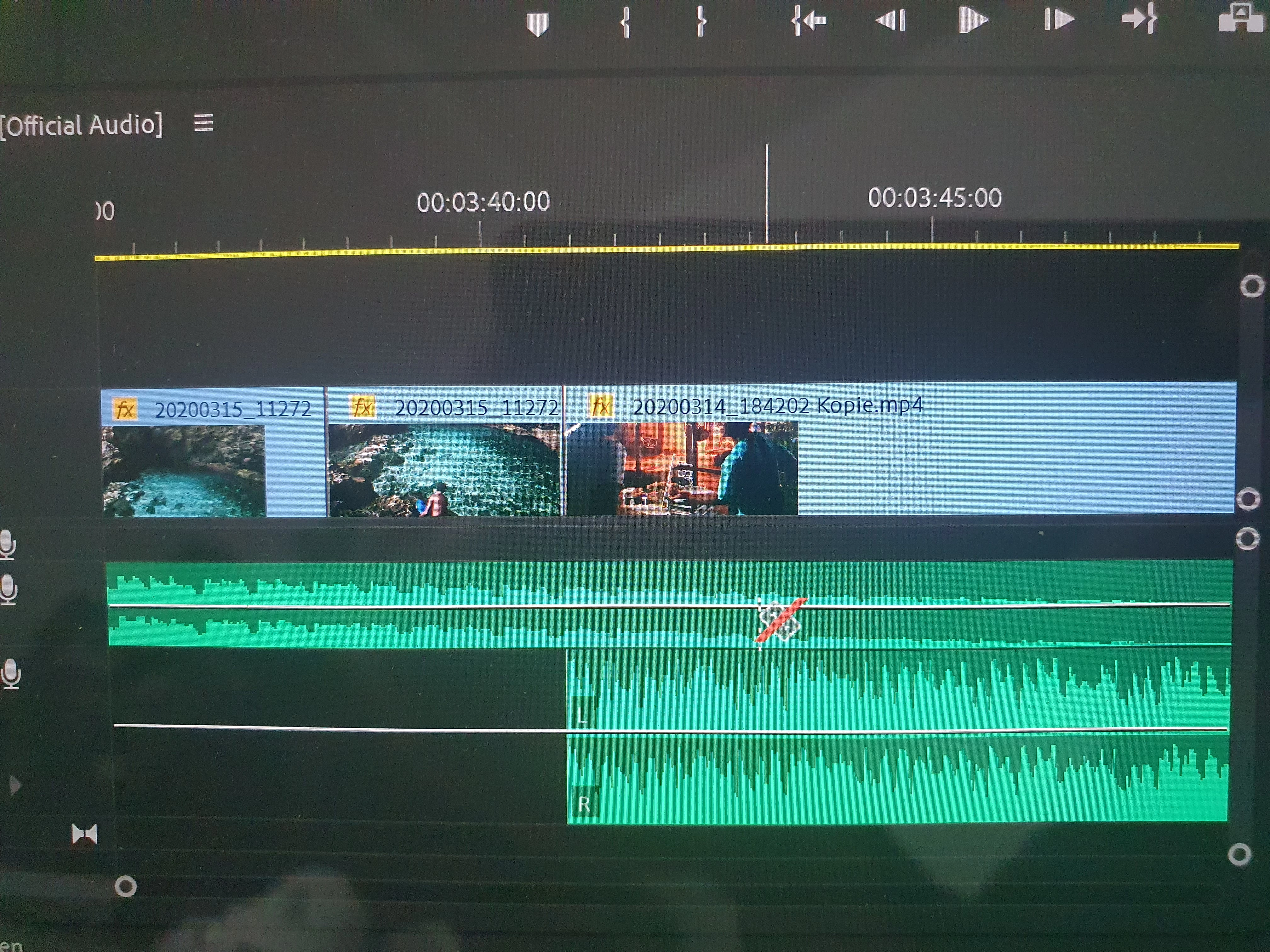
razor blade red crossed out sound track

  • March 30, 2020
  • 1 reply
  • 3893 views

hello together I use premiere pro recently and put together a holiday video. unfortunately, i have the following problem with the sound: i can't move or cut the soundtrack anymore. The razor blade for example is crossed out red. The individual audio tracks are not locked (lock open). What am I doing wrong or what have I locked so that I cannot move or cut anything anymore? I can still move and cut videos. Tracks are separated from the video. Thanks a lot!
 

This topic has been closed for replies.
Correct answer Ann Bens

Thanks to the picture I found it, but unfortunately it did not solve the problem:(


In the timeline header:

1 reply

Community Expert
March 30, 2020

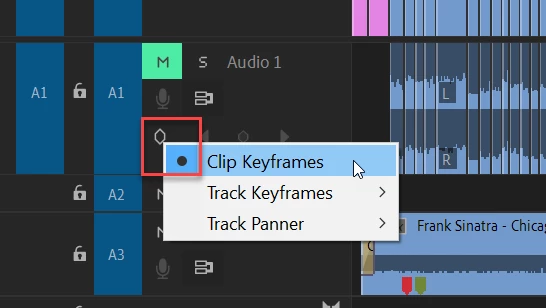
If they are on, try turning off 'display track keyframes'

natalijaAuthor
Participant
March 30, 2020

Thanks for the quick response Richard. Unfortunately I am using the program in German and I am just lost where to find this...would it be possible to say under what I find it? So it will be easier for me to find it in german - THANK YOU!

Community Expert
March 30, 2020

Have a look in this menu: