
Four10s
Participant
January 18, 2024
Question

Re: Having trouble with orange dot on my Preview window

  • January 18, 2024
  • 1 reply
  • 349 views

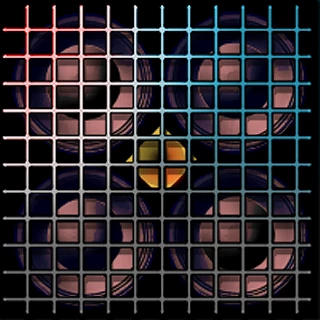
Plus one on this, but this is not in my original footage. I'm getting it when I open a project done in an older version of Premiere (say on Monterray using Pr 2022, and now in Sonoma using Pr 2024, and so it "upgrades" everything.) All footatge and all images on the new timeline show an orange dot in the Program window (same location on everything) and it's not in the original. So far the only time the dot doesn't appear is in footage I've ingested and edited using 2024 on this machine.


Branched to new topic.

This topic has been closed for replies.

1 reply

Ann Bens
Community Expert
Community Expert
January 18, 2024

Please post comp specs, Premiere version and build, MediaInfo info in Treeview on footage used, sequence settings

Screenshots of the issue and entire UI with timeline and ECP.

https://mediaarea.net/en/MediaInfo

Four10s
Four10sAuthor
Participant
January 18, 2024

Update to this....I found that if I copy a clip with that dot out of an "upgraded" project into the timeline of a newer project, that dot disappears. Possibly an "upgrade indicator" of some kind? Hate to call it a bug if it's actually a feature 😉 .


Ann Bens
Community Expert
Community Expert
January 18, 2024
quote Possibly an "upgrade indicator" of some kind? Hate to call it a bug if it's actually a feature 😉 .


By @Four10s


never seen such a feature.

Most likely an upgrade glitch in the project file.