
Participant
November 20, 2024
Answered

Re-import Adobe Premier Pro Project After Changes

  • November 20, 2024
  • 1 reply
  • 304 views

I've made an Adobe Premiere project "Transitions" that I intend to use in my other Adobe Premiere projects. After importing the "Transitions" project into other projects I made changes in the "Transitions" project. But these changes are not reflected in other projects where it was imported. 


I used re-imported the "Transitions" project but changes did not reflect. How to fix this issue?
This topic has been closed for replies.
Correct answer Mike Dziennik

Are you using a 'Productions' workflow? How did you import your project?

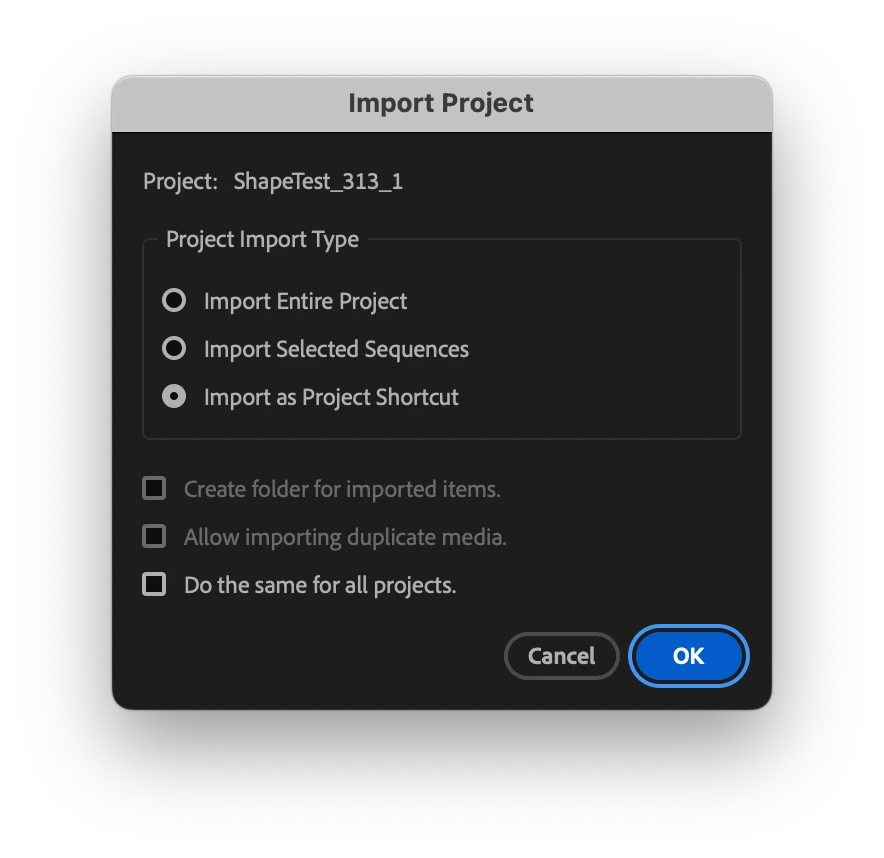
There is an option to import as a project shortcut which will open your original project when you click on it (and therefore any changes in that project will be present).

Otherwise, if you just had it set to 'Import entire project' then it has made a copy and changes in the original won't be present in your new project.

1 reply

Mike Dziennik
Community Expert
Mike DziennikCommunity ExpertCorrect answer
Community Expert
November 21, 2024

Are you using a 'Productions' workflow? How did you import your project?

There is an option to import as a project shortcut which will open your original project when you click on it (and therefore any changes in that project will be present).

Otherwise, if you just had it set to 'Import entire project' then it has made a copy and changes in the original won't be present in your new project.