Inspiring
June 2, 2026
解決済み

Rearranging a custom workspace; specifically moving a stacked panel group (8-10 collapsed panels) efficiently from one edge of the premiere window to the other.

How do I do this without moving each panel independently?

26.2.2

    解決に役立った回答 lloyd_pdx

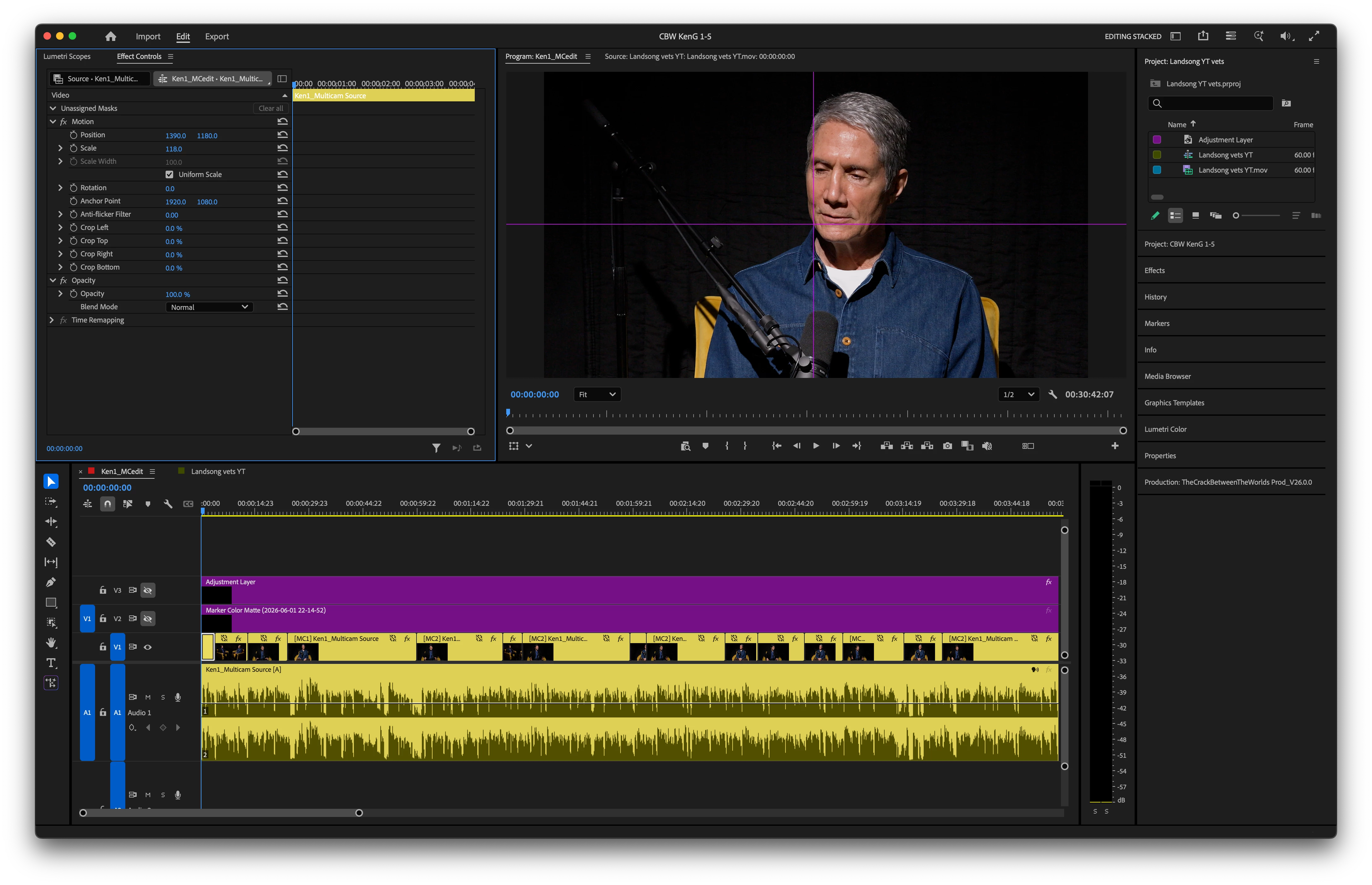
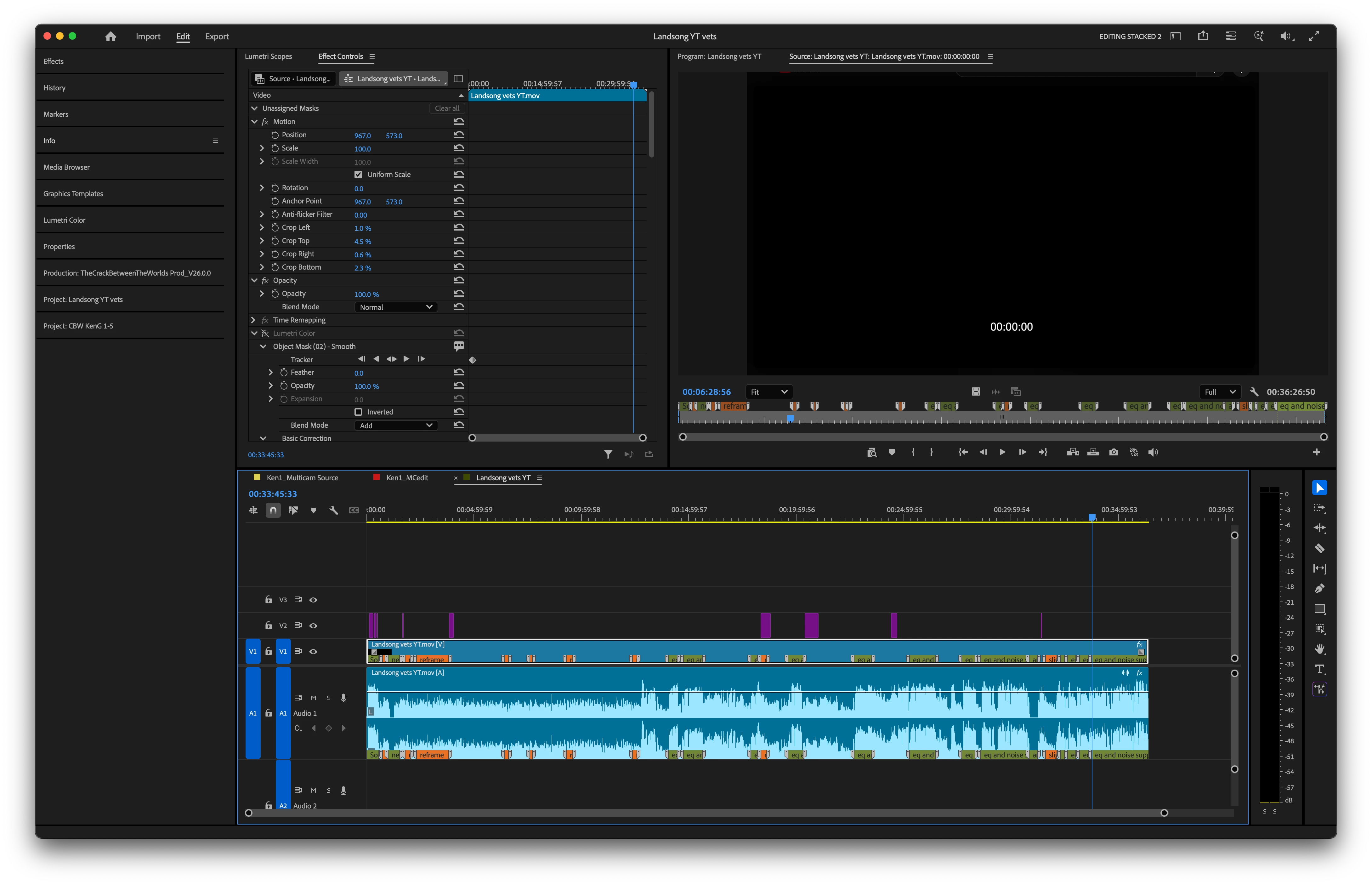
    Thanks, Kevin, y’all are the best. I solved it by unstacking the panel to a tabbed layout, and then moving that panel to where I wanted it on the opposite side, and then stacking it again. It took some trial and error because of a variety of panel heights, and landing on the right parts of the window to get the position I wanted. It’s a bit finicky, probably because I don’t do it very often. ​A @Christine Steele MAX session a few years ago taught me about stacked panel groups; so helpful. First image is where I started, second is the desired result.


    返信数 2

    R Neil Haugen
    Legend
    June 3, 2026

    Christine is simply the most bat-crazy fastest editor I have ever seen work ... and an awesome teacher too.

    Everyone's mileage always varies ...
    Community Manager
    June 3, 2026

    Hey there, Lloyd,

    Thanks for the question. I never tried dragging groups from one side of the UI to another. Are working with a stacked panel group? That might be helpful. Show me a screenshot. Here's also some documentation around that idea: https://adobe.ly/4uibtMx. I hope we can help you out.


    Thanks,
    Kevin

    lloyd_pdx作成者解決!
    Inspiring
    June 3, 2026

    Thanks, Kevin, y’all are the best. I solved it by unstacking the panel to a tabbed layout, and then moving that panel to where I wanted it on the opposite side, and then stacking it again. It took some trial and error because of a variety of panel heights, and landing on the right parts of the window to get the position I wanted. It’s a bit finicky, probably because I don’t do it very often. ​A @Christine Steele MAX session a few years ago taught me about stacked panel groups; so helpful. First image is where I started, second is the desired result.